Subscriptions Pro
Pro installs on top of the free app and Odoo's Invoicing payment module (account_payment). Your subscriptions carry over.
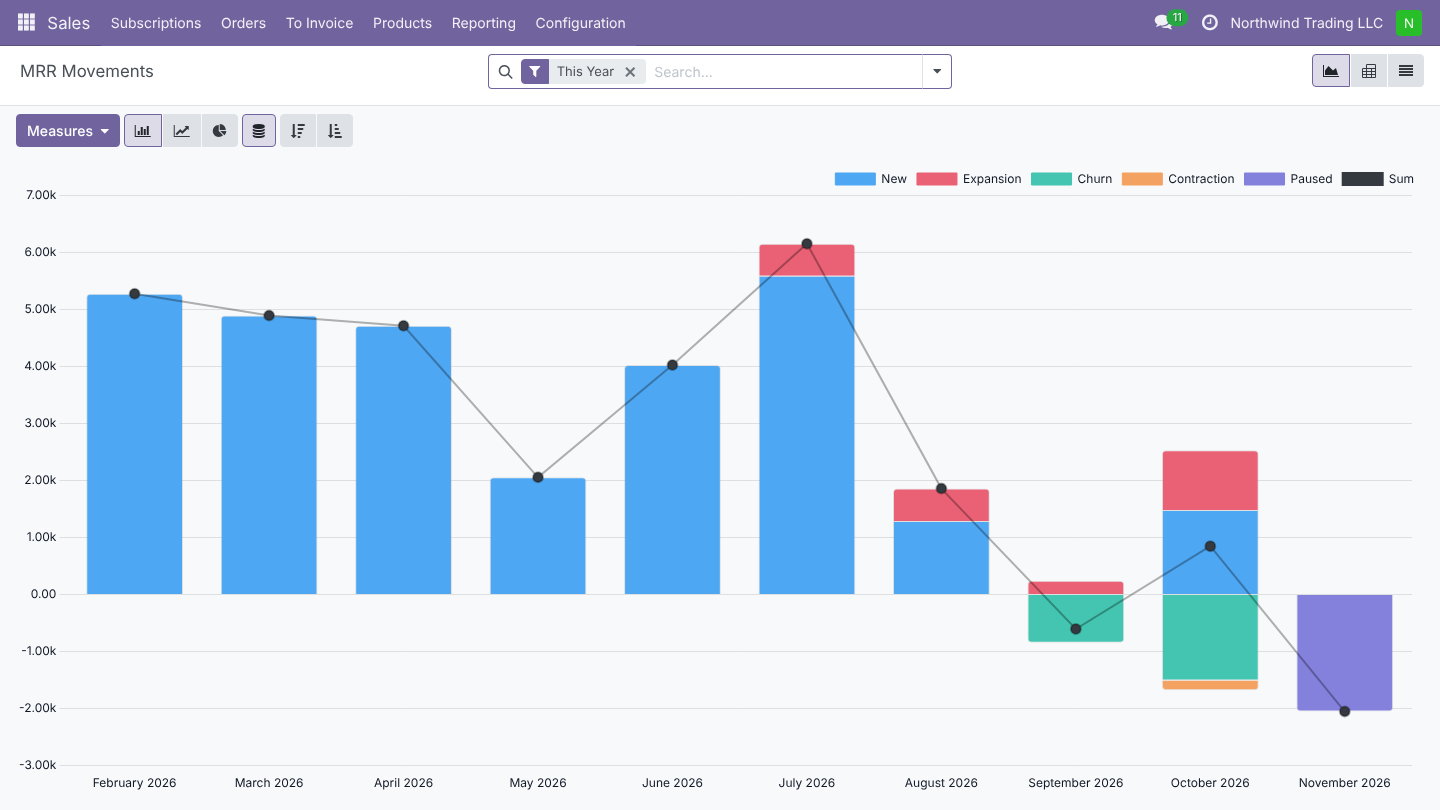
MRR movements
Every change to a running subscription is recorded with the date, the MRR before and after, and the change:
| Movement | When |
|---|---|
| New | A subscription is confirmed. |
| Expansion / Contraction | Lines are added, removed or changed, or an upsell is confirmed. |
| Pause / Resume | The subscription is paused or resumed. |
| Churn | The subscription is closed (with the close reason). |
| Reactivation | A closed subscription is reopened. |
| Renewal | A fixed term renews. |
The movements are on the Subscription tab, and in Sales > Reporting > MRR Movements as a graph and pivot by month.
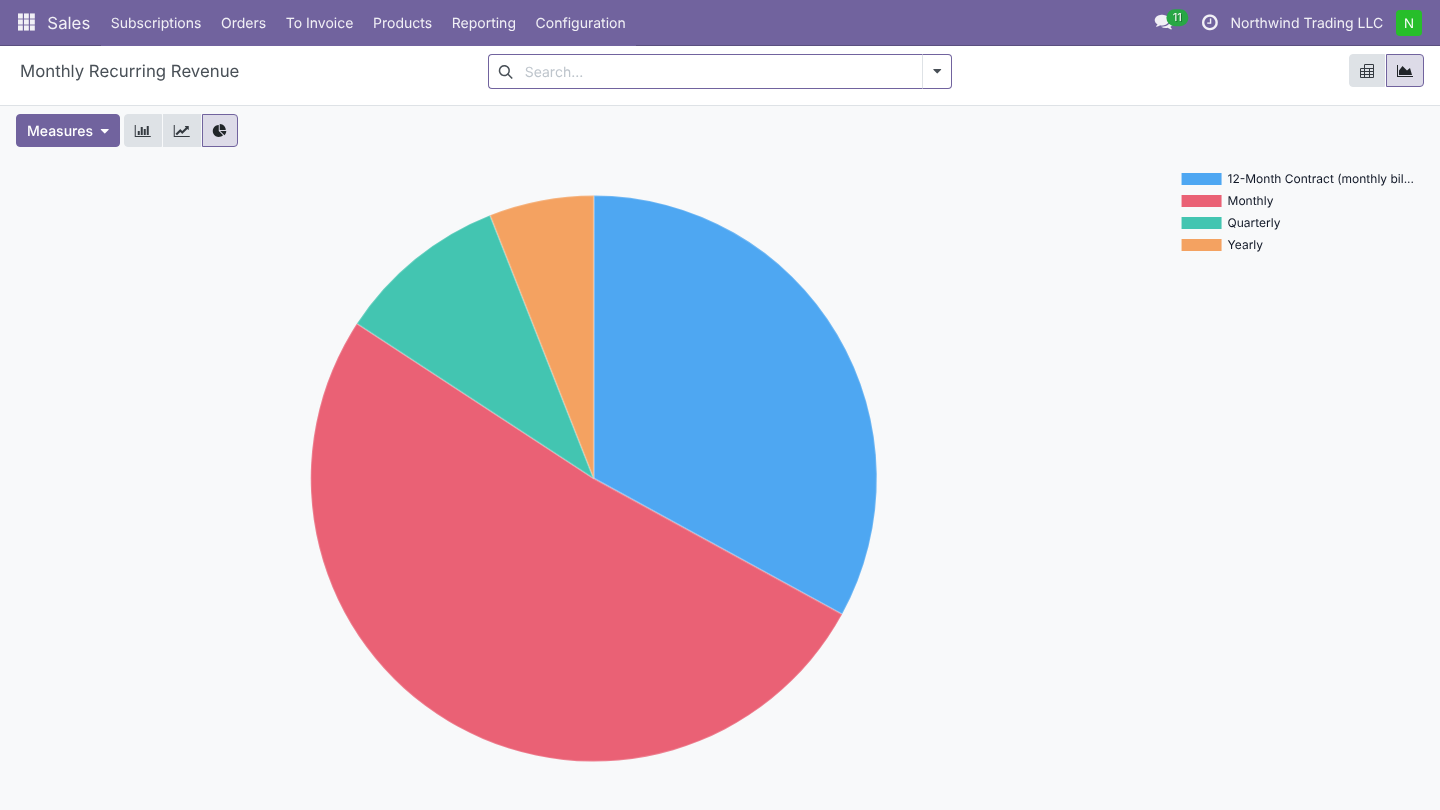
Sales > Reporting > Recurring Revenue sums the MRR of running subscriptions by plan, salesperson or customer.
Upsell
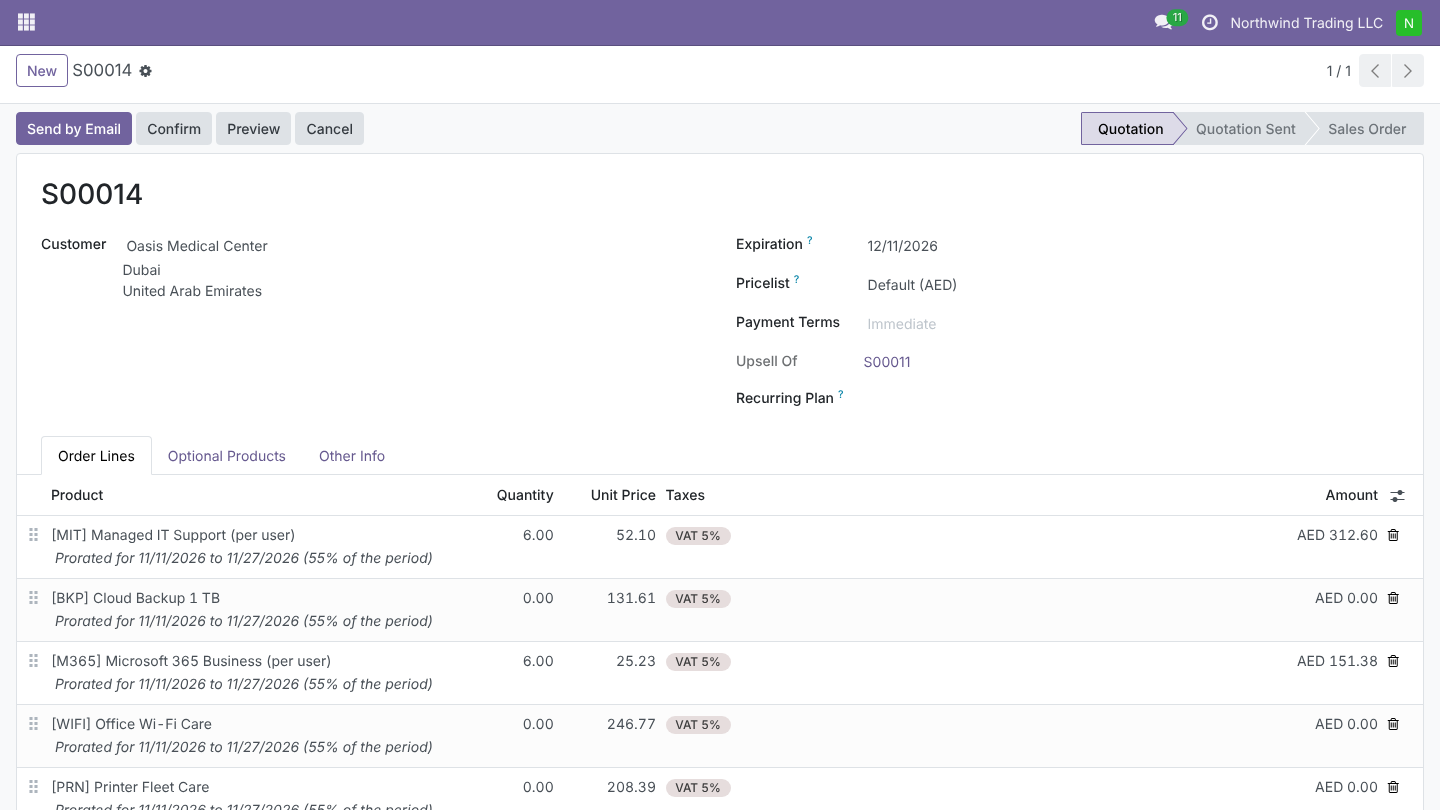
On a running subscription click Upsell. Odoo creates a quotation with every subscription product, quantity 0 and the price for the days left in the current period (for example 55% of the period).
- Set the quantities the customer wants to add. The prorated prices stay.
- Send it, or confirm it.
- On confirmation the quantities are added to the subscription and an Expansion is recorded. The next invoice uses the new quantities at the full price.
The Upsells smart button on the subscription lists its upsell quotations.
Prices per plan
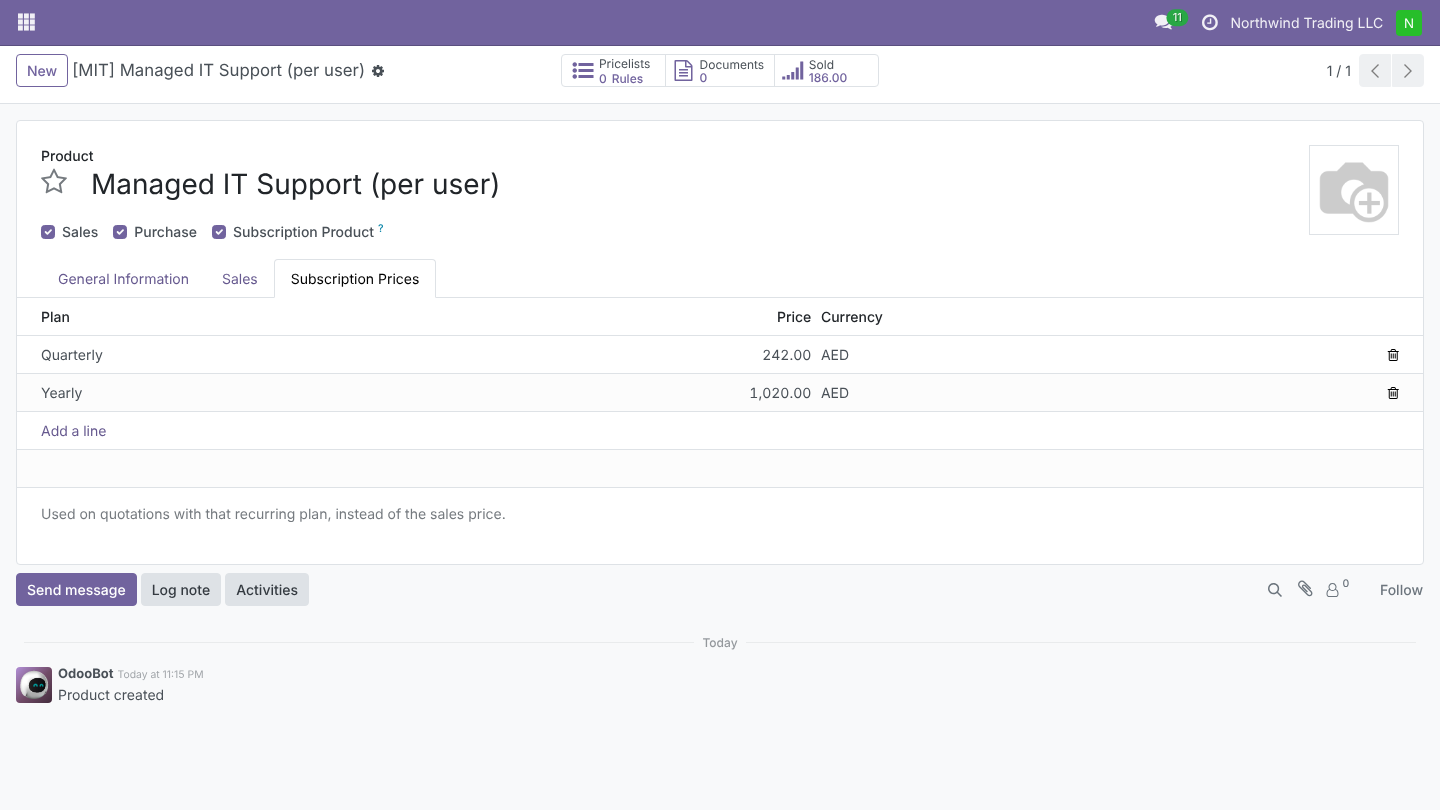
Open a subscription product, tab Subscription Prices, and add a price for a plan, for example a yearly price with two months free. Quotations use it as soon as the plan is chosen. Products without a price for the plan use the sales price.
Automatic card payments
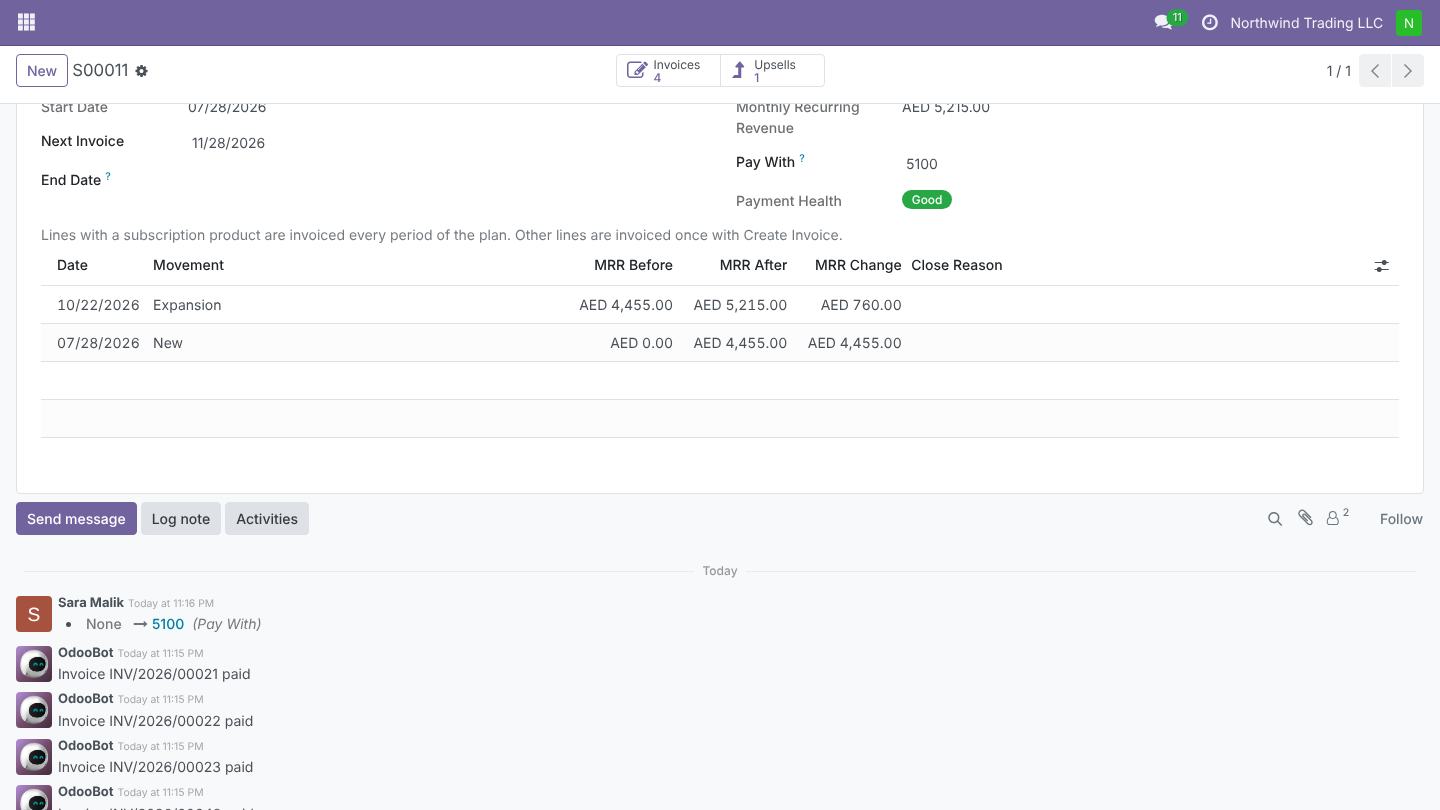
When a customer pays a subscription invoice online and keeps the card, the card is saved on the subscription (Pay With). From then on each new invoice is charged with it. You can also pick a saved card of the customer by hand.
This works with any Odoo payment provider that saves cards (tokens), such as Stripe or Adyen. Payment Health shows Good, Unpaid invoice or Payment failed.
Failed payments and dunning
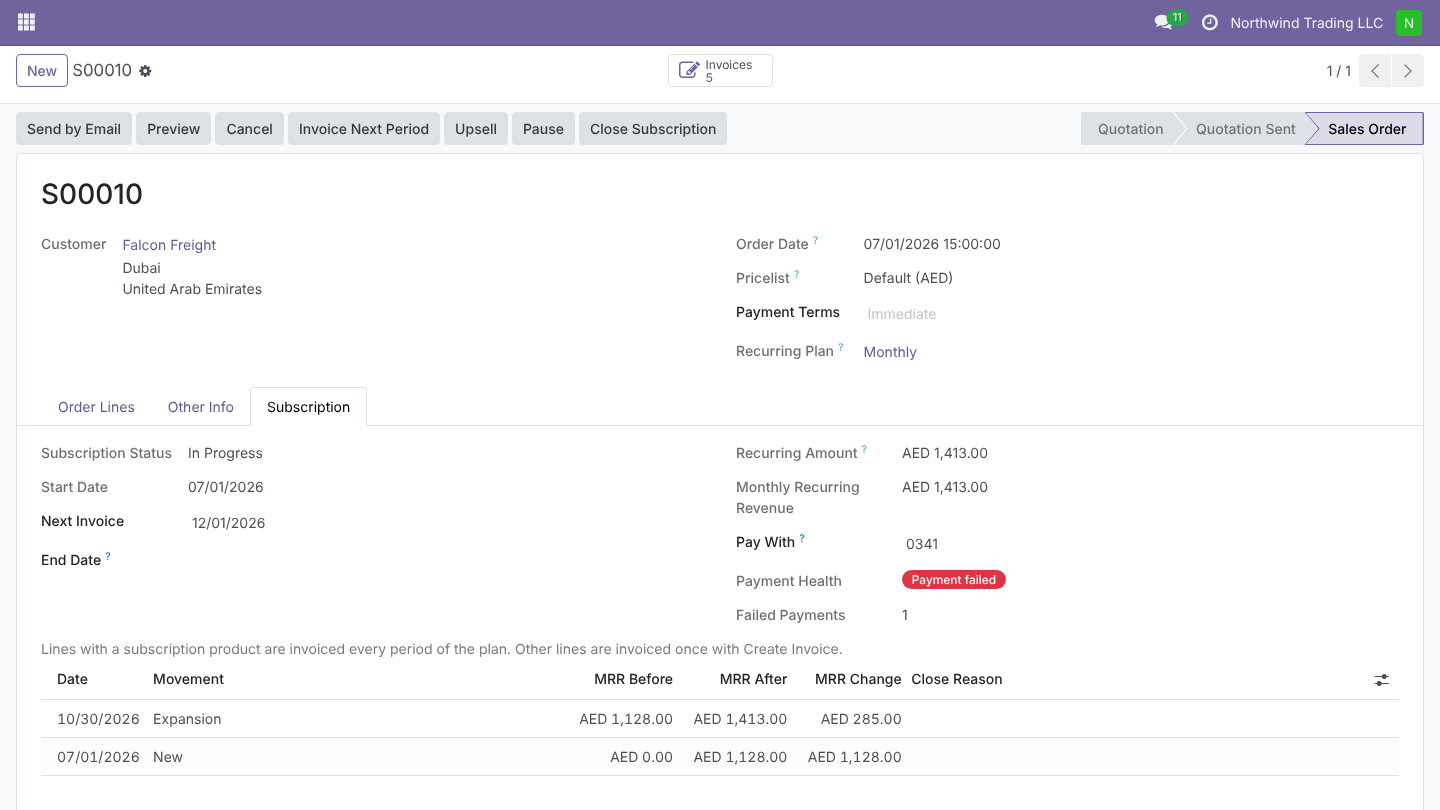
When a charge fails, the subscription shows Payment failed and the attempt is in the chatter. Each plan has:
| Field | What it does |
|---|---|
| Card Retries | How many times a failed payment is retried, once a day. |
| Close When Unpaid For (days) | Close subscriptions whose oldest unpaid invoice is overdue by this many days, with the reason Unpaid invoices. 0 never closes. |
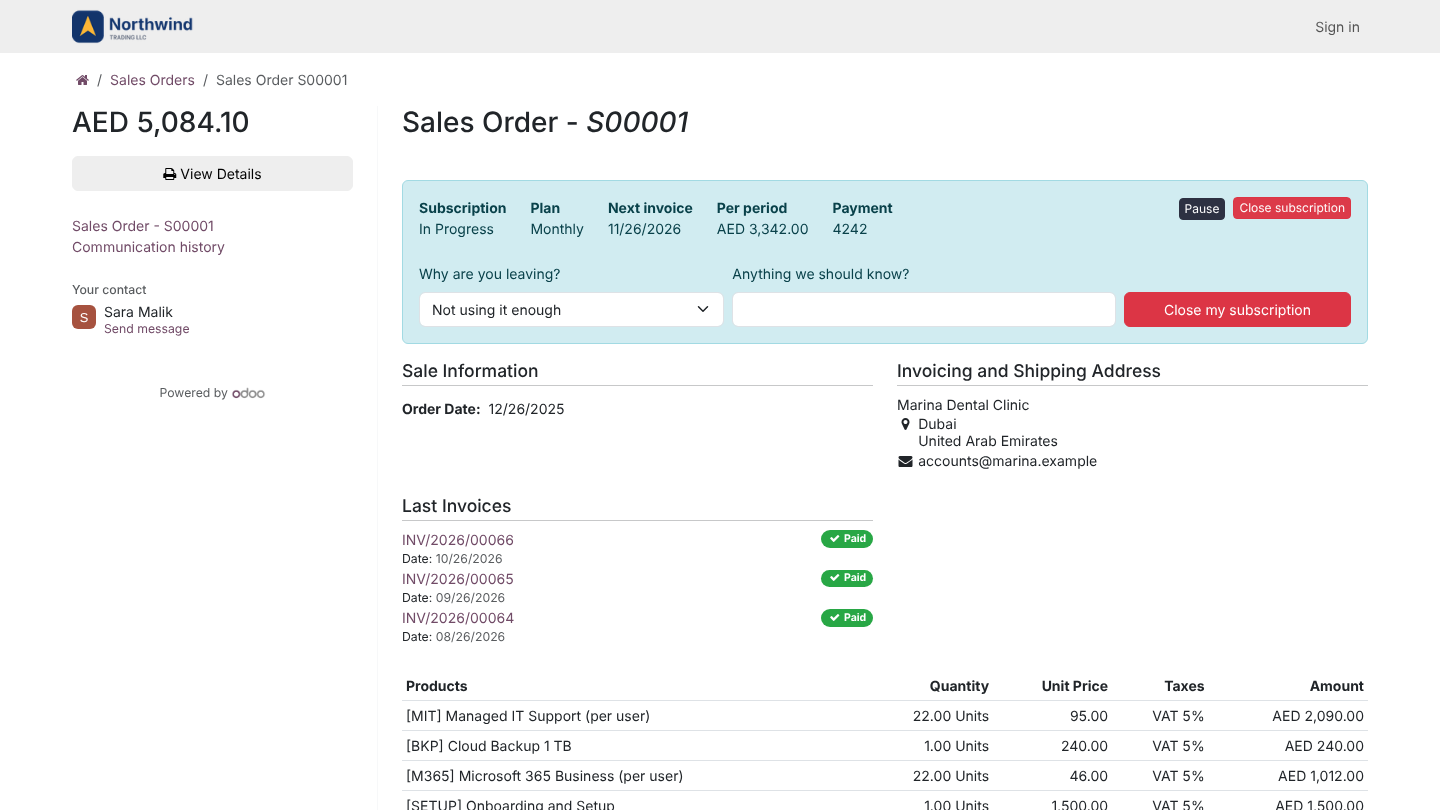
Customers pause or close from the portal
On each plan, Customers Can Close and Customers Can Pause add buttons to the subscription in the portal. Closing asks the customer for a reason (only the reasons marked as visible in the portal) and a note.