Set up
After installing, Sales has a Subscriptions menu, and Sales > Configuration has Recurring Plans and Close Reasons. It is made for Odoo Community; on Enterprise, use Odoo's own Subscriptions app.
Recurring plans
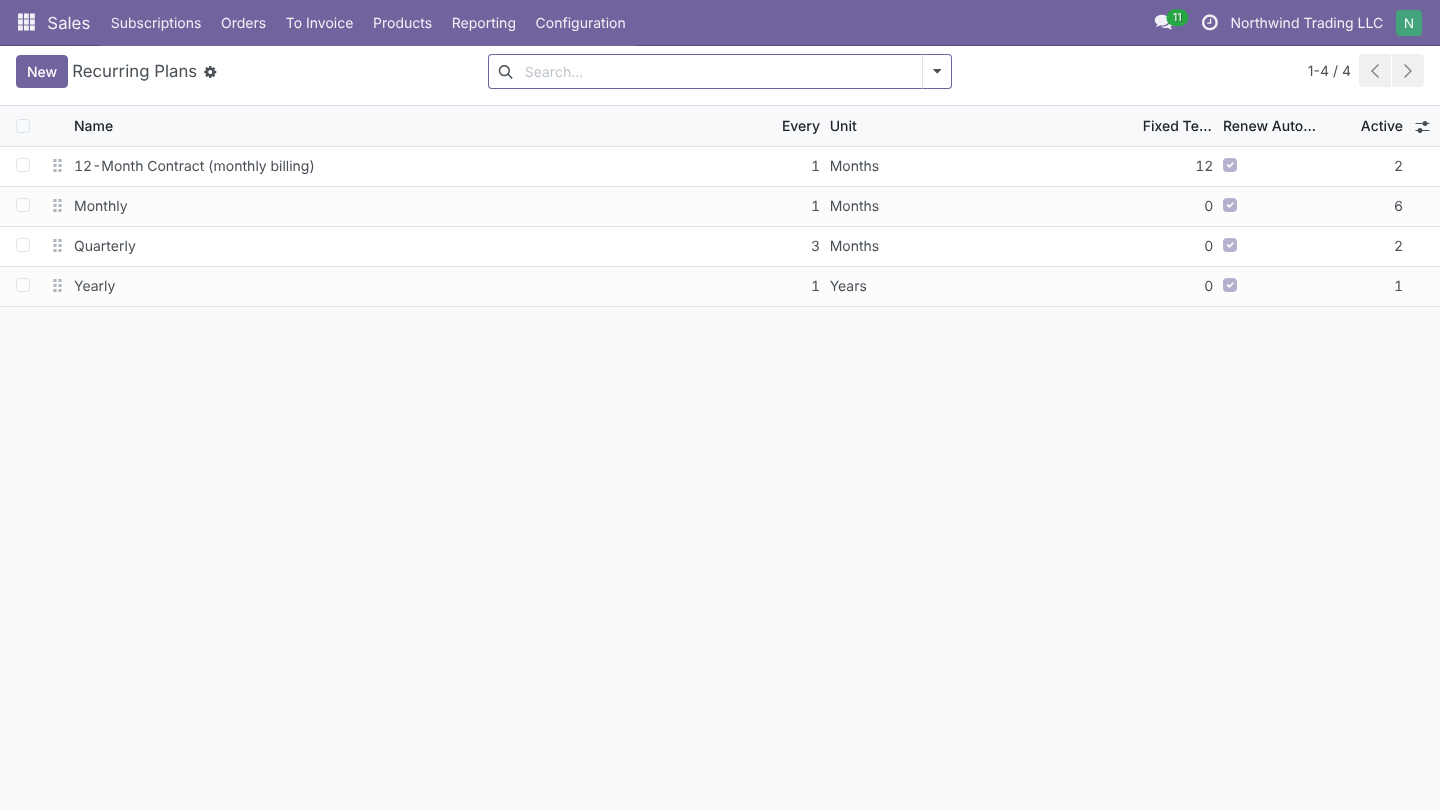
Sales > Configuration > Recurring Plans comes with Monthly, Quarterly and Yearly. A plan has:
| Field | What it does |
|---|---|
| Invoice every | A number and a unit: days, weeks, months or years. |
| Fixed term (periods) | 0 for no end. For example 12 on a monthly plan for a one-year contract. |
| Renew automatically | At the end of a fixed term, start a new term. If off, the subscription closes. |
| Post invoices | Post the invoice when it is created. If off, invoices stay in draft for you to check. |
| Email invoices | Send the posted invoice to the customer by email. |
A default plan for new quotations can be set in Sales > Configuration > Settings, under Subscriptions.
Subscription products
Open a product and tick Subscription Product (next to Can be Sold). Its sales price is the price for one period of the plan: with the free app, enter the monthly price for monthly subscriptions. Pro can set a different price per plan, see Prices per plan.
Only subscription products are invoiced every period. Other lines on the same order, such as a setup fee, are invoiced once with the normal Create Invoice button.
Close reasons
Sales > Configuration > Close Reasons lists the reasons you choose from when a subscription ends (Too expensive, Moved to another provider, ...). Edit them to fit your business. Unpaid invoices is used when Pro closes a subscription that is not paid.
Your first subscription
- Create a quotation for the customer and add subscription products.
- Choose the Recurring Plan (after Payment Terms). A Subscription tab appears.
- Optional: set a Start Date in that tab. Empty means the day you confirm.
- Confirm. The subscription is In Progress, with the next invoice on the start date.
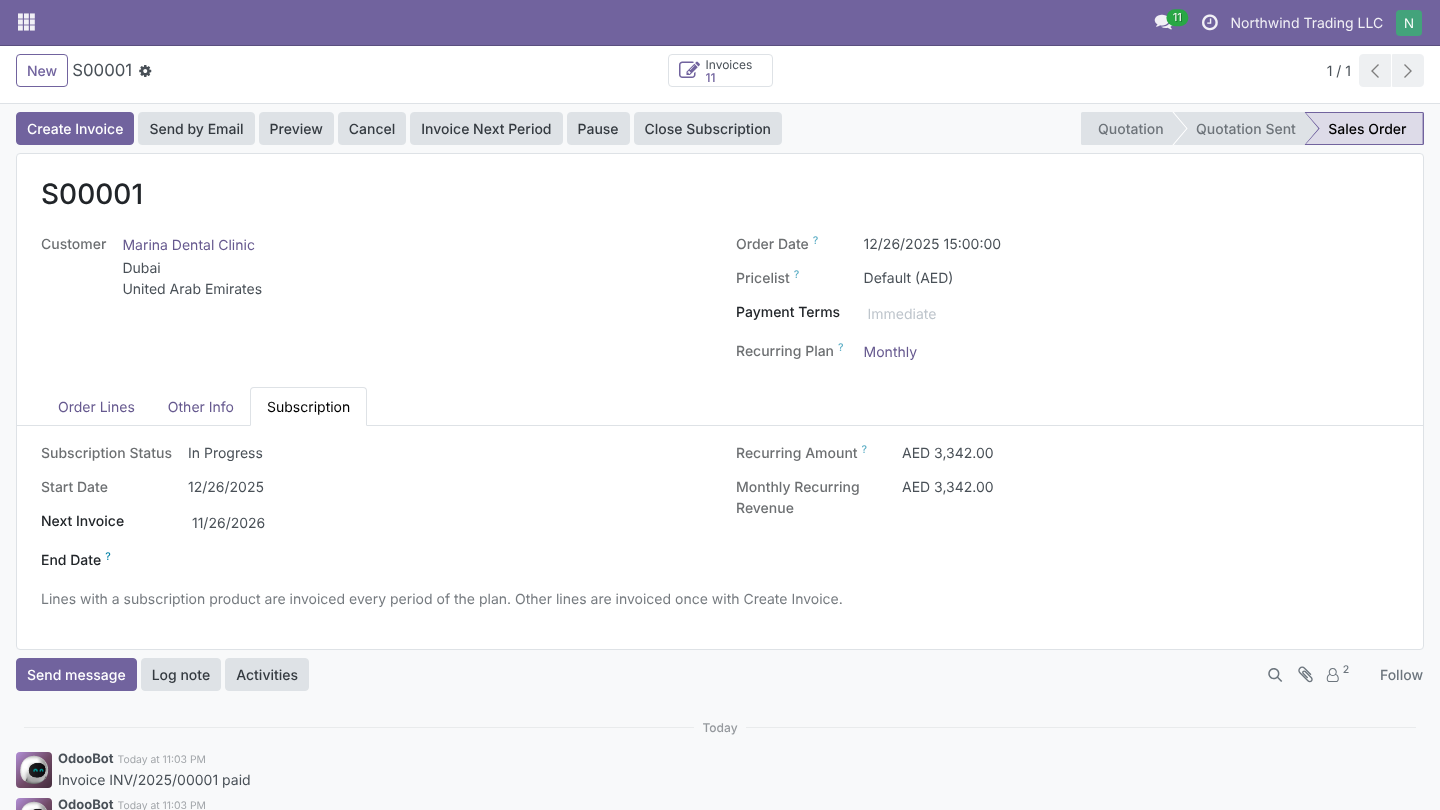
The first invoice is created the same day by the daily job, or right away with Invoice Next Period.