Jobs
Every sync with Amazon runs as a job: scheduled checks and the actions you start.
Every sync with Amazon runs as a job: each webhook, each scheduled check, each button and each bulk operation. Jobs run in the background, one after the other, so a slow store never blocks Odoo, and nothing is lost when a call fails. Online Stores > Queue > Jobs lists them (pending and failed jobs first).
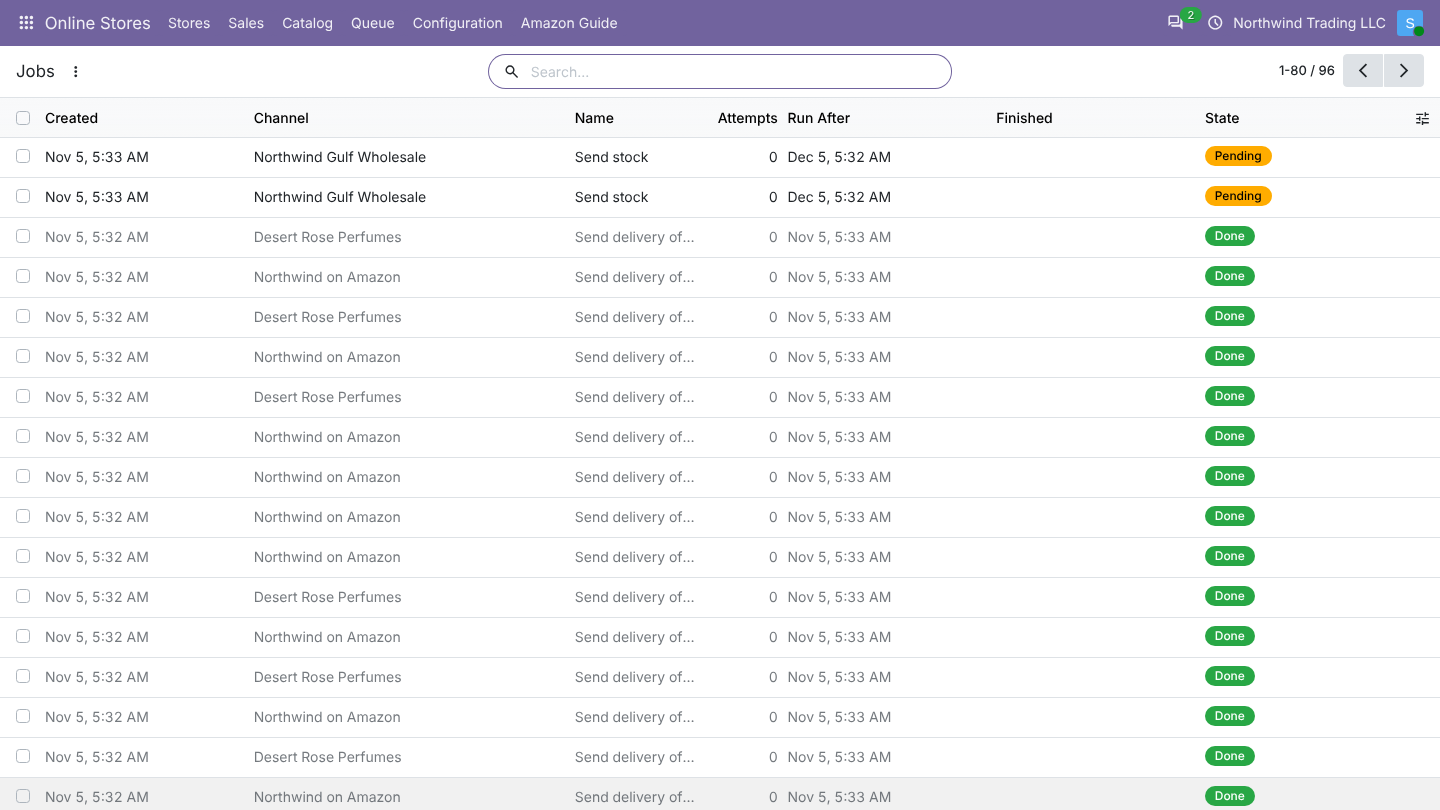
Job fields
| Field | Meaning |
|---|---|
| Name | What the job does, for example Import order 1001 or Send stock |
| Store | The store |
| Status | Pending (waiting), Running, Done, Failed (gave up after the last attempt), Cancelled |
| Attempts / Max Attempts | Tries so far, and the limit (5). You can raise Max Attempts on a job. |
| Run After | A pending job does not start before this time (retries and short delays) |
| Started, Finished | Times of the last run |
| Result | What the job did, for example SH-1001 or Stock sent for 12 of 12 products. |
| Error | Why the last attempt failed |
| Log tab | The log lines of this job |
Retries
A job that fails is tried again after 2, 4, 8 and 16 minutes. After the fifth failed attempt it is marked Failed and stays in the list with its error. Each failed attempt is also written in the log.
| Button | Does |
|---|---|
| Retry (failed or cancelled jobs, also in Action for several) | Back to pending with the attempts reset; runs within seconds |
| Run Now (pending or failed jobs) | Runs the job right away while you wait, and shows the result |
| Cancel (pending or failed jobs) | Stops it from running |
Good to know
note
- Jobs for the same thing are merged while they wait: ten webhooks for one order make one Import order job, many stock moves make one Send stock job.
- Orders go first: order imports run before product and page imports.
- A background worker checks the queue at least every 5 minutes, and immediately when a job is added.
- A job left Running for more than 30 minutes (for example after a server restart) goes back to pending.
- Done and cancelled jobs, and log lines, are deleted after 30 days. Failed jobs stay until you retry or cancel them. The number of days is the system parameter
commerce_bridge.keep_days.
Common errors
| Error | What to do |
|---|---|
| Products not found in Odoo: ... | Import or link the product, then Retry |
| Store tax "X" (r%) has no Odoo tax | Map it in Configuration > Taxes, then Retry |
| Set a shipping product on the store. | Set Shipping Product on the Orders tab, then Retry |
| Currency XXX does not exist in Odoo. | Activate or create the currency, then Retry |
| Store "X" was connected from another database | This is a test copy: see test databases |
| Connection or authentication errors | Check the connection, click Test Connection, then Retry |
Amazon errors you may see
| Message in the job | Meaning and fix |
|---|---|
| Amazon: Unauthorized or Access to requested resource is denied | A role is missing on the developer app, or the app was not authorized again after adding it. Add the role in Seller Central (Develop Apps), then click Authorize again and paste the new refresh token. |
| invalid_grant (token refresh) | The refresh token was revoked or the client secret changed. Authorize the app again and paste the new keys. Amazon makes you rotate the client secret every 180 days. |
| QuotaExceeded (HTTP 429) | Amazon's rate limit. Odoo waits and retries by itself; it only shows when it keeps failing. |
| InvalidInput | Amazon refused the request, for example an unknown marketplace. Check Test Connection and the Marketplaces tab. |
| Products not found in Odoo: ... | Import the listings or link the SKU, then Retry. |
| Feed with errors | Open Online Stores > Amazon Feeds: each feed shows the messages Amazon accepted and the errors it found (for example an unknown SKU). |
Was this page helpful?