Shipping FBM orders
For orders you ship yourself (FBM), Amazon needs a shipment confirmation, usually within its handling time. Odoo sends it when you validate the delivery.
With Send Deliveries to the Store on, validating the delivery of an imported order sends it to Amazon.
- Validate the delivery (outgoing transfer) of the order.
- About 30 seconds later, a job Send delivery of ... runs. Several deliveries of the same order validated together become one job.
- The tracking number of the delivery (Tracking Reference, available when Odoo's delivery app is installed) is sent with it.
- When everything is delivered, Delivery Sent to Store is set on the order's Online Store tab.
You can also send it by hand: Send Delivery to Store on the order. The filter Delivered, Not Sent to Store on Orders lists deliveries that were not sent. In a test copy of the database, nothing is sent.
Amazon then marks the order Shipped, tells the buyer, and with the default Amazon FBM payment method Odoo invoices and pays the order.
Carriers
Odoo sends the carrier of the delivery (Carrier on the transfer) with its tracking number. Carriers Amazon knows (Aramex, SMSA, DHL, UPS, FedEx, Royal Mail, DPD, GLS and many more) are sent with Amazon's carrier code; any other carrier is sent as Other with its name. Use the carrier name as Amazon lists it, for example SMSA Express or Aramex.
Feeds
Shipments, cancellations, stock and prices go to Amazon as feeds. Online Stores > Amazon Feeds lists them with the number of messages, errors and their state.
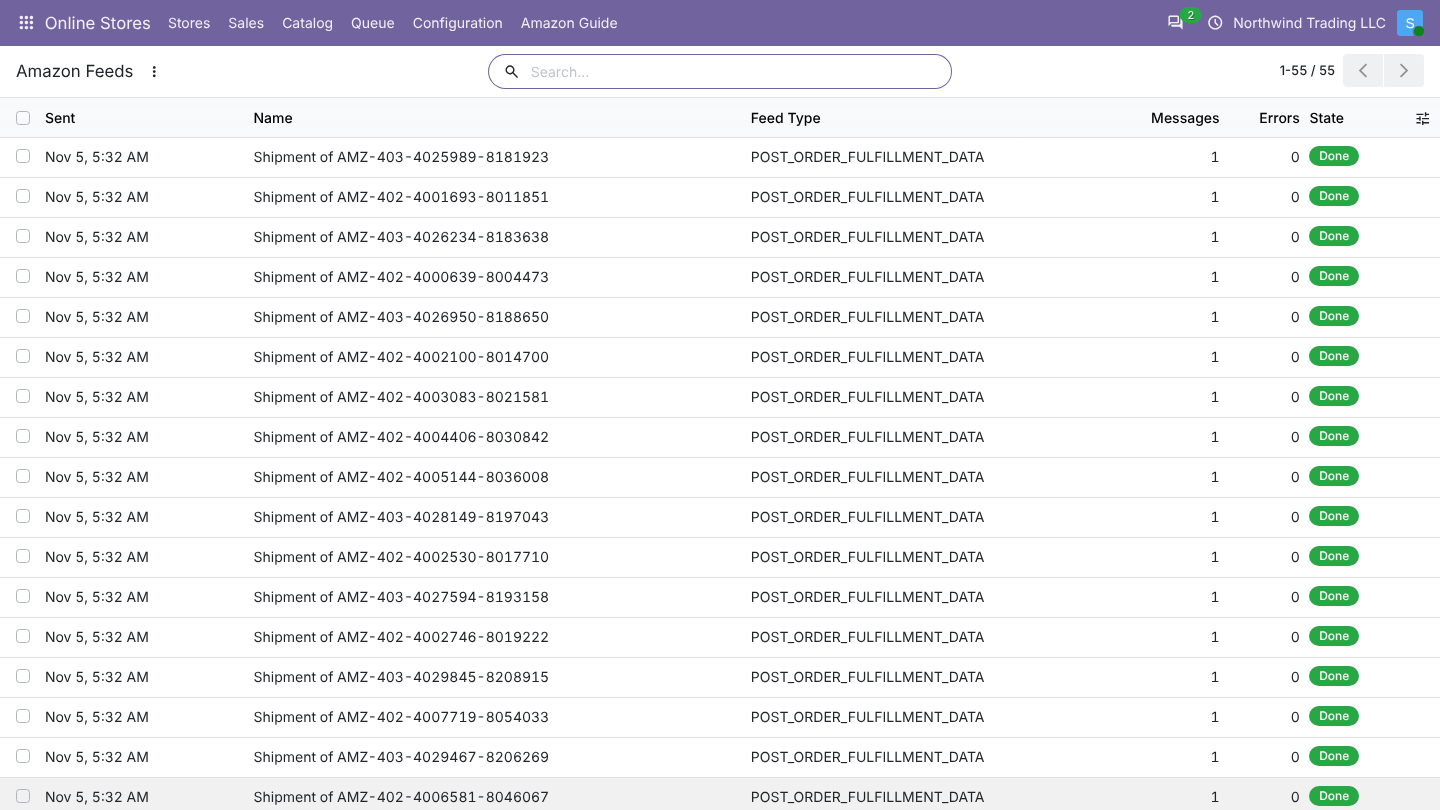
Odoo checks the result of each feed a few minutes later (or Check Feed Results Now on the Fulfillment tab). An error, for example an unknown order item, is shown on the feed and in the log.