Book shipments
At the counter
Courier → Operations → New Booking
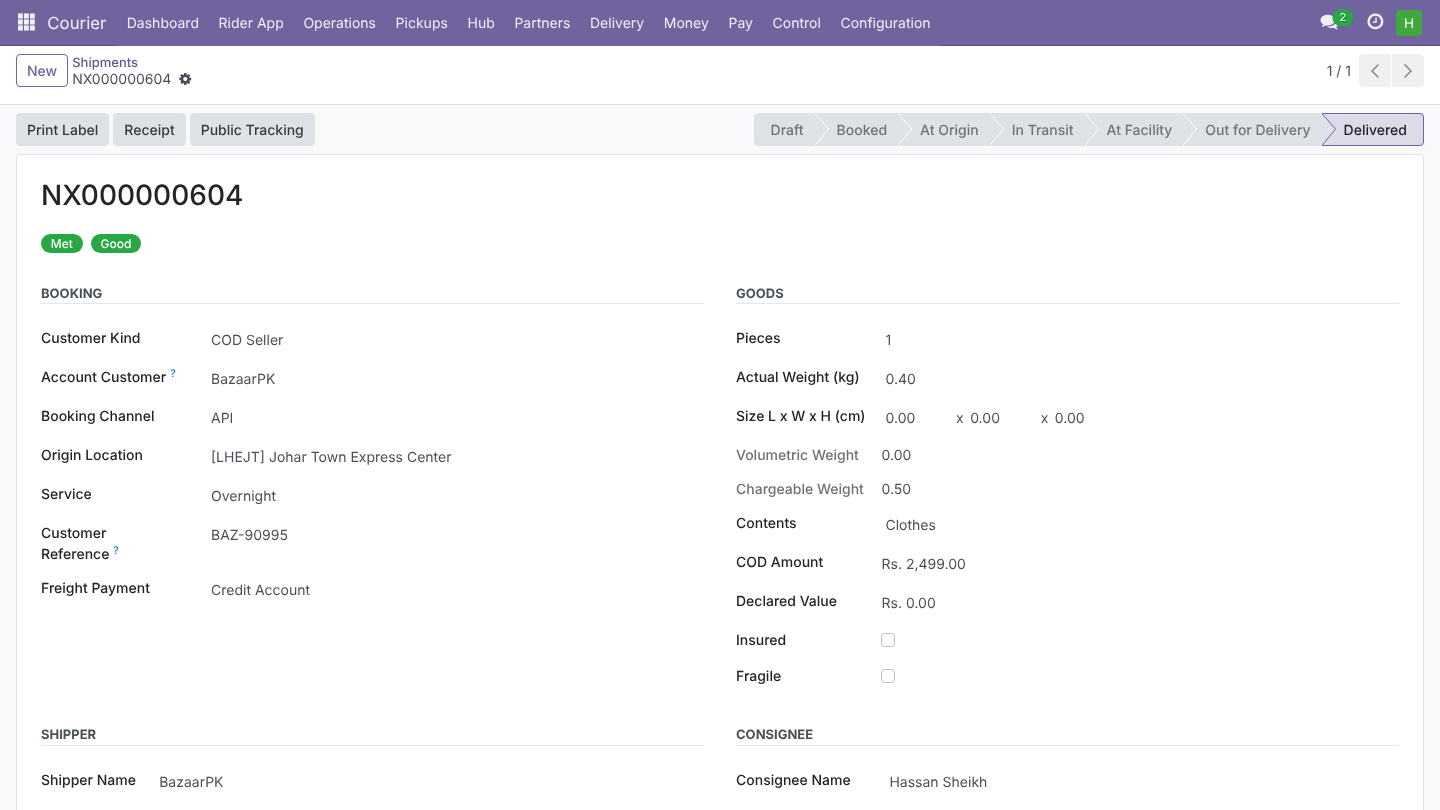
- Customer Kind: walk-in, credit account or COD seller. For accounts, pick the Account Customer: the shipper details fill in.
- Origin Location is your counter. Choose the Service.
- Fill in Pieces, Actual Weight and the size. Chargeable Weight shows at once.
- Consignee: name, phone, street with house number, a Landmark and the Destination City. The Delivering Branch fills in from the city.
- COD Amount when the consignee pays the goods at the door, Declared Value and Insured for insurance.
- Freight Payment: cash or card at the counter, to pay (the consignee pays the charges), credit account, or paid online.
- Tab Charges shows the price breakdown. Click Book or Book and Print Label.
Booking gives the shipment its CN number, locks the price and sets the promise. Cash and card are invoiced and paid into the counter cash journal at once. A counter booking is in hand: it is booked and received at the counter in one go.
A COD shipment cannot also be To Pay. A credit customer over the Courier Credit Limit cannot book.
Print Label prints one 100 x 150 mm label per piece with the barcode, origin and destination codes, the consignee and the amount to collect. Receipt prints the customer receipt with the charges.
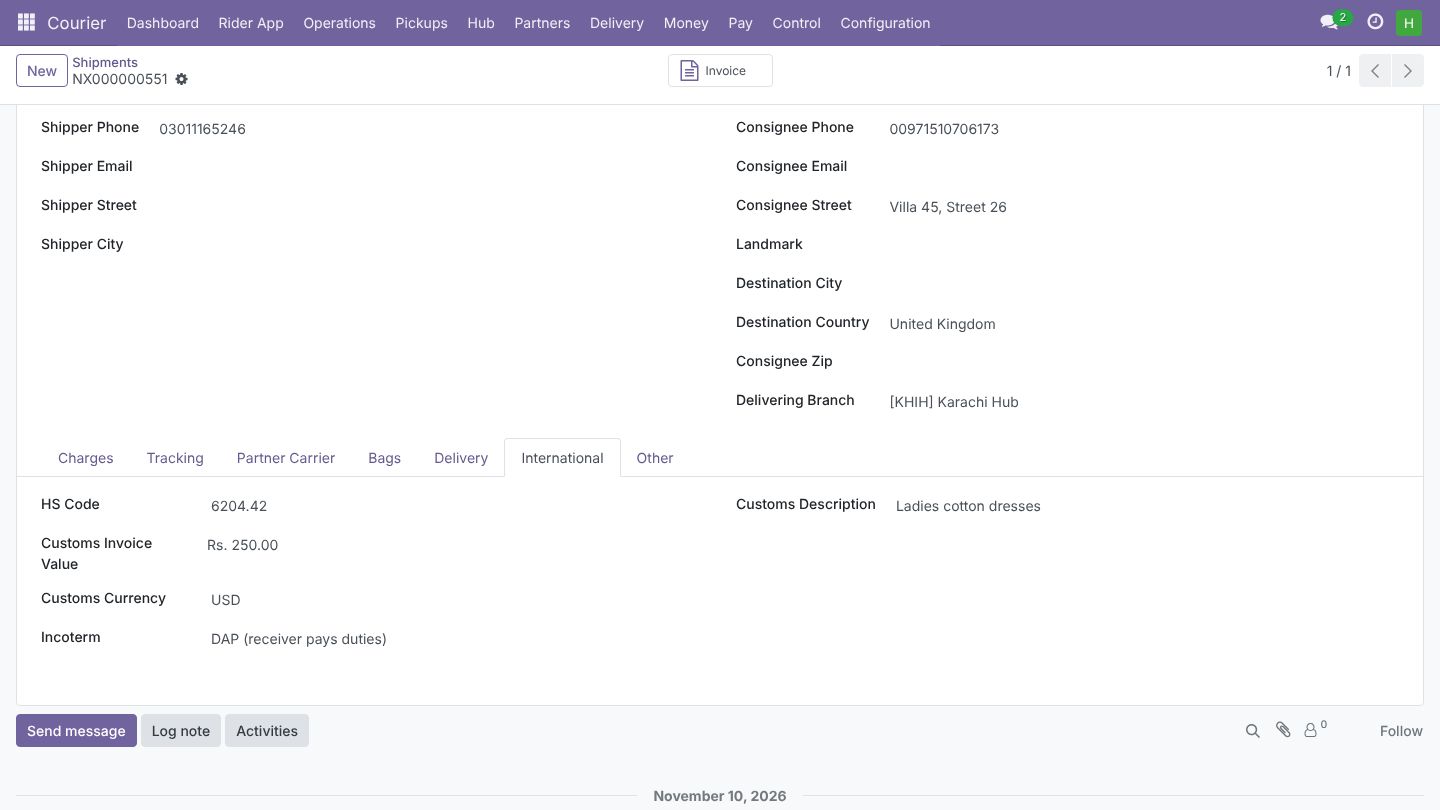
International shipments add the tab International: HS Code, Customs Invoice Value and currency, description and Incoterm (DAP or DDP).
Pickups
- Courier → Pickups → Pickup Requests → New: customer, address, city, branch, date and time window, expected pieces. A route is suggested from the address.
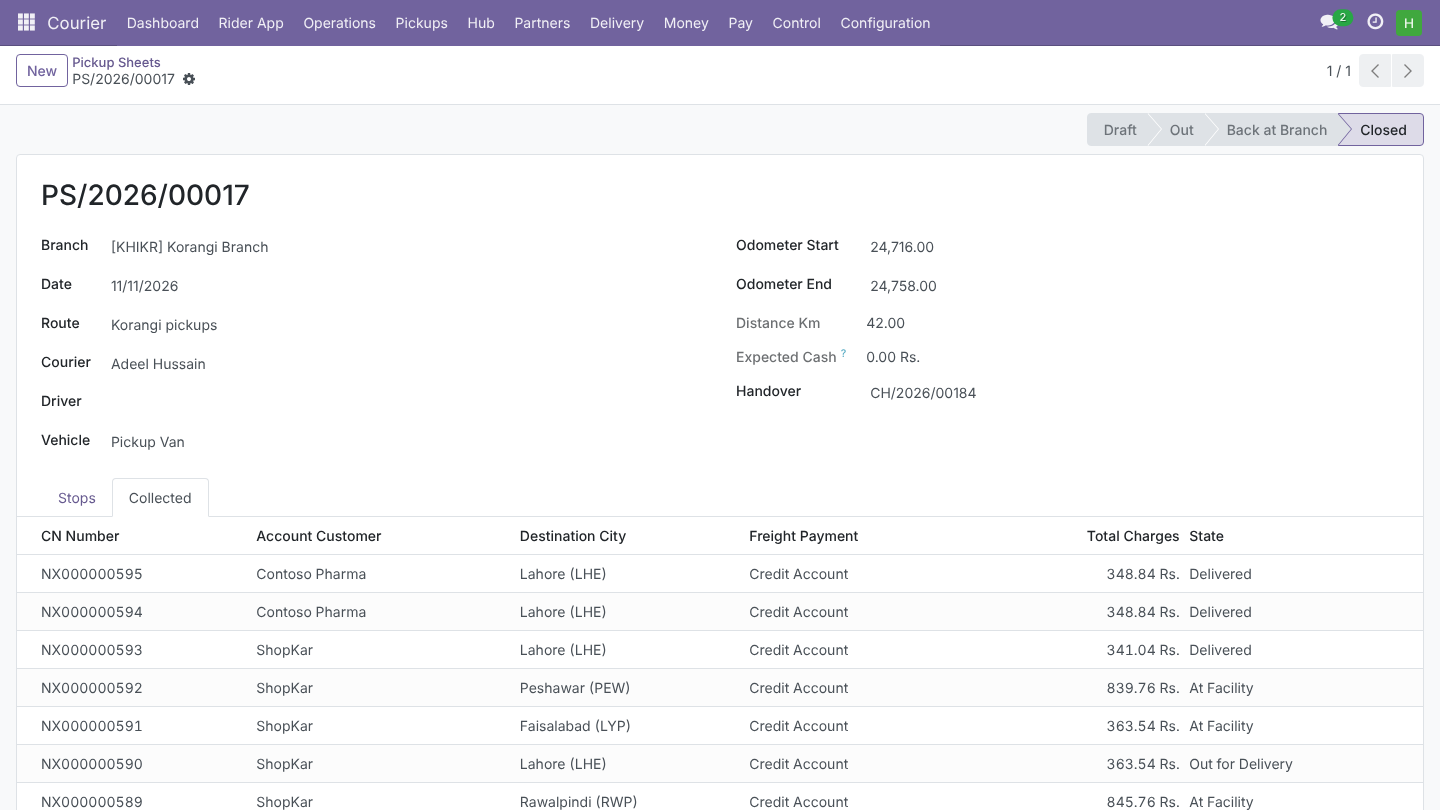
- Pickup Sheets → New: branch, courier, vehicle, odometer, and the Stops. Dispatch sends the courier out.
- The courier scans each shipment at the door (rider app, or the sheet) and collects the cash for cash bookings.
- Back at Branch receives every collected shipment at the branch and opens the cash handover for the expected cash.
Cash handovers
Courier → Pickups → Cash Handovers. Type the Counted amount and Confirm Count: the Variance is recorded. A second user can Sign as Witness. Close the pickup sheet once the cash is counted.
Cancel and return
Cancel works on draft and booked shipments; an unpaid counter invoice is cancelled with it. Return to Shipper starts a return (managers and hub operators).