Approvals
Limits per designation
CRM → Configuration → Sales Structure → Designations: for each designation set:
- Max Discount without Approval (%);
- Max Order without Approval (untaxed, in company currency; 0 means no limit);
- Min Net Margin without Approval (%): the lowest net margin, after deal costs, this designation may sell at, and also the lowest it may approve (0 means no limit).
The CRM Suite includes Deal Margin: its minimum margin rules (by product, category, customer tag or team) also ask for approval, and its net margin counts deal costs such as freight and installation.
Asking for approval
When a quotation has a line discount or an amount above the salesperson's limits, a net margin below their minimum, or a line or deal below a minimum margin rule, its Approval shows Needed and Confirm is blocked. Click Request Approval, say why, and Send. The request goes to the first manager up the structure whose designation allows that discount, amount and margin, as an activity. One request covers all three.
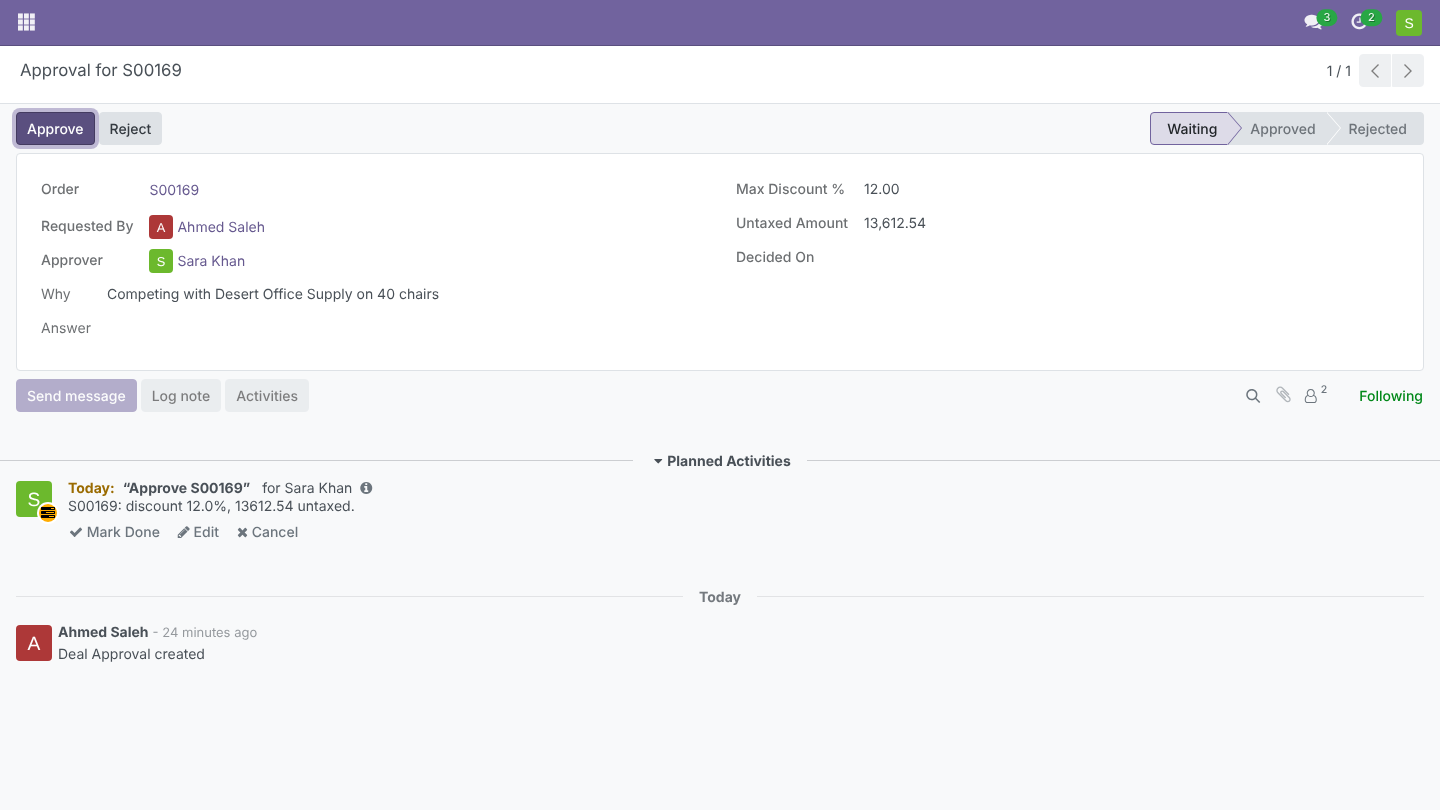
Answering
The approver opens the request (the activity, or CRM → Sales Structure → Approvals, filter Waiting for Me) and clicks Approve or Reject, with an Answer if needed. The quotation's chatter records it, and the Approvals tab of the quotation keeps the history.
An approval covers the discount, amount and margin it was given for: raising the discount or lowering the margin afterwards needs a new approval. Sales administrators can answer any request.