Forecast
Forecast categories
Every opportunity has a Forecast Category: Pipeline, Best Case or Commit, plus Closed when won and Omitted when lost. Salespeople set it on the opportunity. A stage can set a Default Forecast Category (CRM → Configuration → Stages) that opportunities get when they enter it.
The forecast screen
CRM → Targets & Forecast → Forecast shows, for the unit you choose, its units below and its members, the opportunities expected to close in the period:
| Column | Means |
|---|---|
| Target | The revenue target of the unit or person. |
| Closed | What the revenue target has achieved (orders or invoices). Without a target: won opportunities. |
| Commit | Closed plus open Commit deals. |
| Best case | Commit plus open Best Case deals. |
| Pipeline | All open deals closing in the period. |
| Adjusted commit | The manager's own call, with who made it and when. |
Click Adjust, type your figure and why. It is kept with its history (CRM → Targets & Forecast → Forecast Adjustments) and shown to everyone above you. You can adjust your units and the people below you, not your own personal figure.
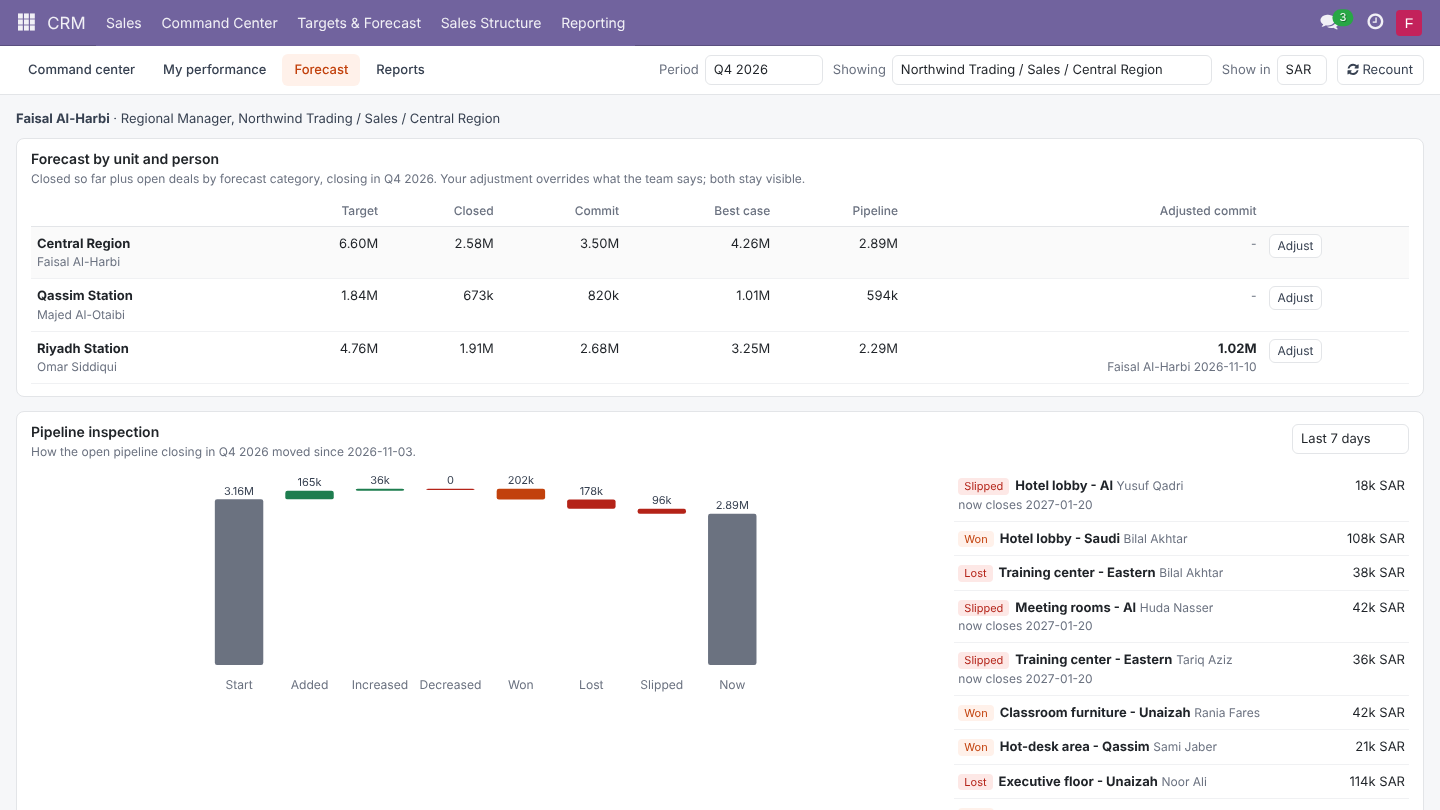
Pipeline inspection
Under the forecast, Pipeline inspection compares the open pipeline closing in the period with how it was since yesterday, 7, 14 or 30 days ago. The waterfall starts with the pipeline then and shows what was Added, Increased, Decreased, Won, Lost and Slipped (moved out of the period), ending with the pipeline now. The list beside it names each deal; click one to open it.
A snapshot of the pipeline is taken every night. Inspection starts working the day after you install, and goes back 180 days.