Deal discipline
Stages
CRM → Configuration → Stages, open a stage, section Deal Discipline (CRM Suite):
- Guidance: what the salesperson should do in this stage. It shows at the top of the opportunity.
- Required to Enter: fields that must be filled before an opportunity can move into the stage (for example Expected Closing or Customer). Moving it earlier shows which fields are missing.
- Stalled After (days): an opportunity longer than this in the stage is flagged as stalled.
- Default Forecast Category.
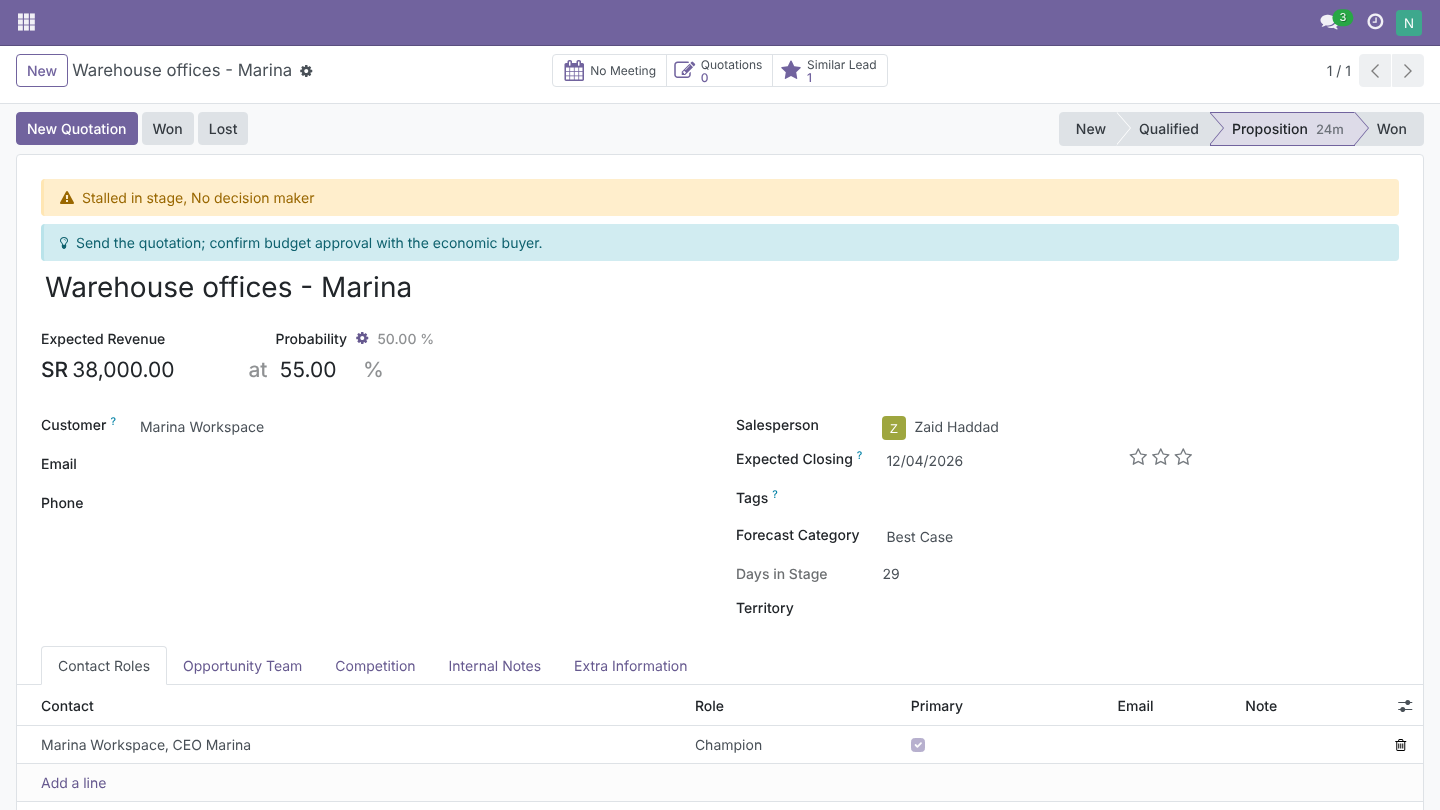
The opportunity shows Days in Stage.
Deals at risk
An open opportunity is at risk when it has:
| Flag | When |
|---|---|
| No next step | No planned activity. |
| Stalled in stage | Longer in the stage than its stall days. |
| Past close date | Expected Closing is in the past. |
| No contact lately | No email, chat message or meeting with the customer for 14 days (CRM settings, CRM Suite). Internal notes do not count. |
| No decision maker | Probability 50% or more and no contact with the role Decision Maker. |
The risks show at the top of the opportunity and as a warning sign on the pipeline cards. Filter the pipeline with At Risk or each flag on its own.
Contact roles
Tab Contact Roles: who is who at the customer for this deal (Decision Maker, Economic Buyer, Champion, Influencer, Technical Buyer, User, Blocker) and the Primary contact.
Opportunity team
Tab Opportunity Team: colleagues working the deal (Co-seller, Presales, Overlay, Manager) and their Revenue Split %. The salesperson keeps the rest. Splits count on each person's revenue and quantity targets counted on confirmed orders; units count the deal once, in the salesperson's unit. Team members can open the opportunity and its quotations.
Competitors
CRM → Configuration → Competitors lists them with how often you won against and lost to each. Add them on the opportunity's Competition tab; when you mark a deal lost, choose Lost To.
Customer touches
Last Customer Touch on the opportunity is updated by emails and messages with the customer and by meetings linked to the opportunity. With Novator Conversations and the Email Client installed, WhatsApp chats and mailbox emails count on the Command Center too.