Online booking
Online Court Booking adds a Book a Court page to your Odoo website.
Set it up
- On each facility type, open the Online Booking tab: tick Bookable Online, and set the payment rule, deposit, payment time, cancellation cut-off, the limit of upcoming bookings per player, and a short description for players.
- In Settings > Court Booking, choose how players sign in and how codes are sent.
- For deposits or full payment, publish a payment provider (Invoicing > Configuration > Payment Providers).
- For codes by text message, buy Odoo SMS credits (or connect your own SMS gateway).
| Payment rule | What happens |
|---|---|
| Reserve online, pay at the venue | The booking is confirmed at once. The player pays at the till. |
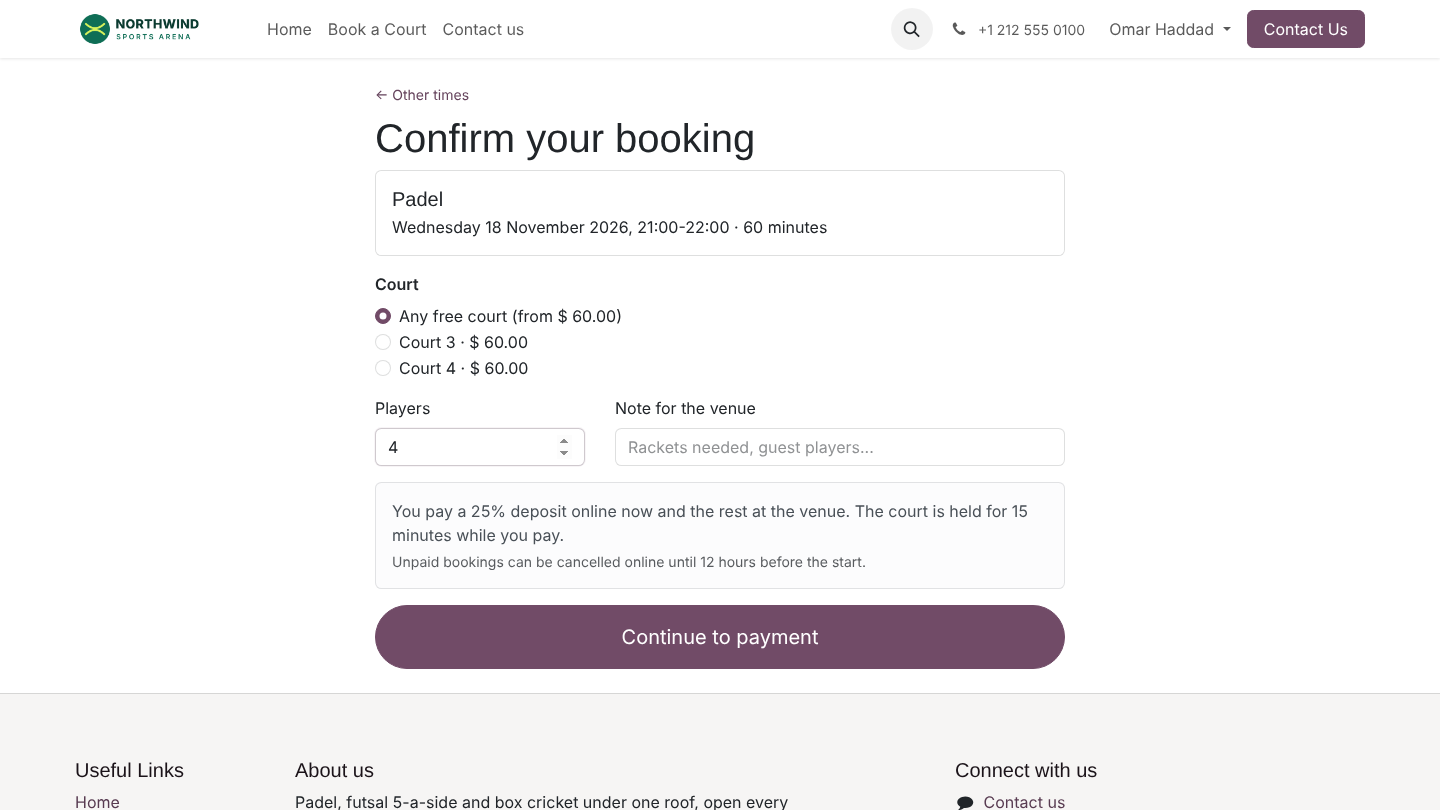
| Pay a deposit online | The court is held while the player pays the deposit, then confirmed. The rest is paid at the till, where the deposit is already deducted. |
| Pay in full online | The court is held while the player pays, then confirmed. |
An unpaid hold expires after the payment time (15 minutes by default) and frees the court.
How players book
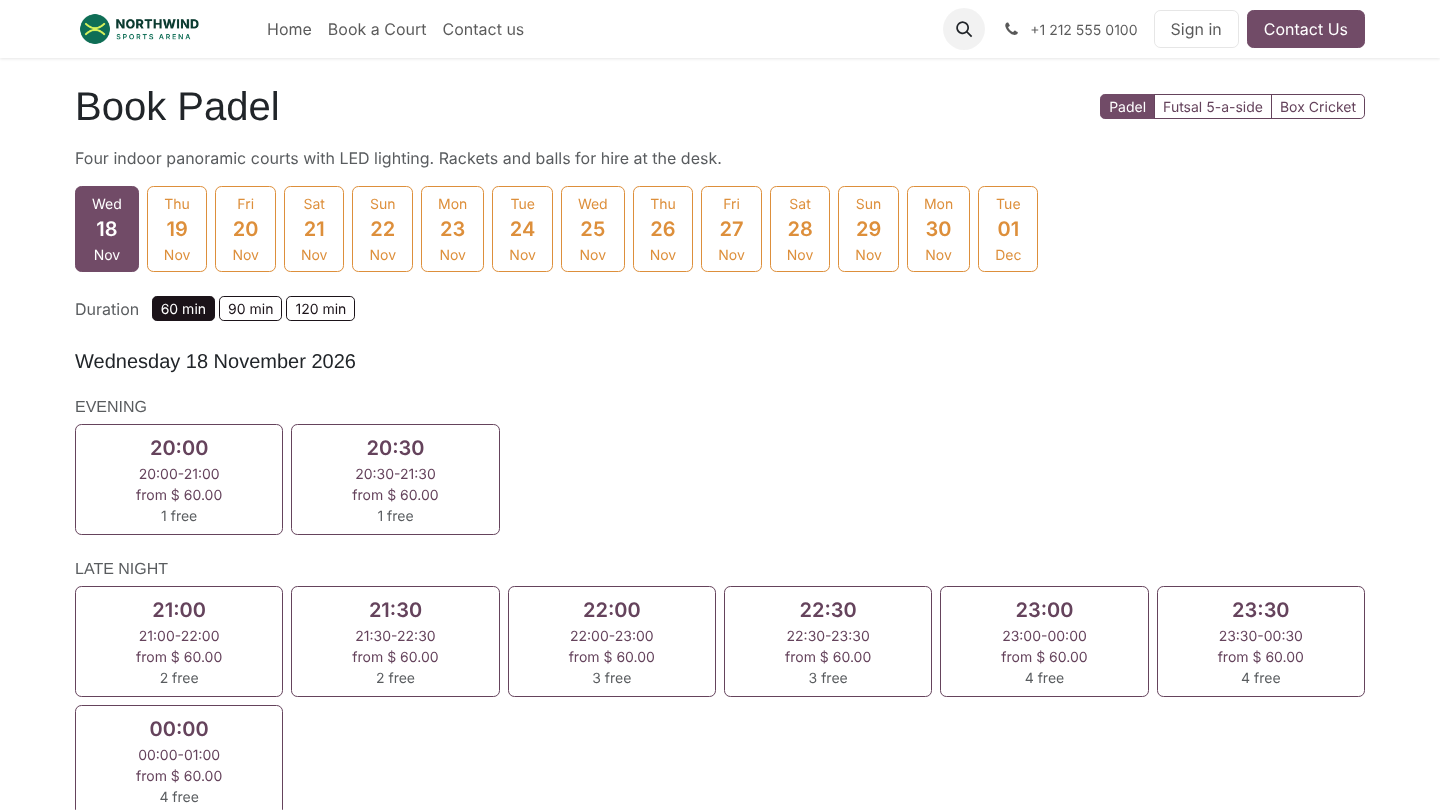
Players pick the sport, a day and a playing time, and see only free times with their price.
They choose any free court or a specific one, add players and a note, and see the payment rule before they book.
Sign-in
The venue chooses in Settings > Court Booking > Customer sign-in:
- Phone or email code: the player types a mobile number or email and gets a 6-digit code. New players create their account with the code. Codes go by SMS, by email, or by SMS with email when SMS fails.
- Email and password: the player signs in with a password. Creating an account sends a code to the email first, to prove it.
- Both (the default).
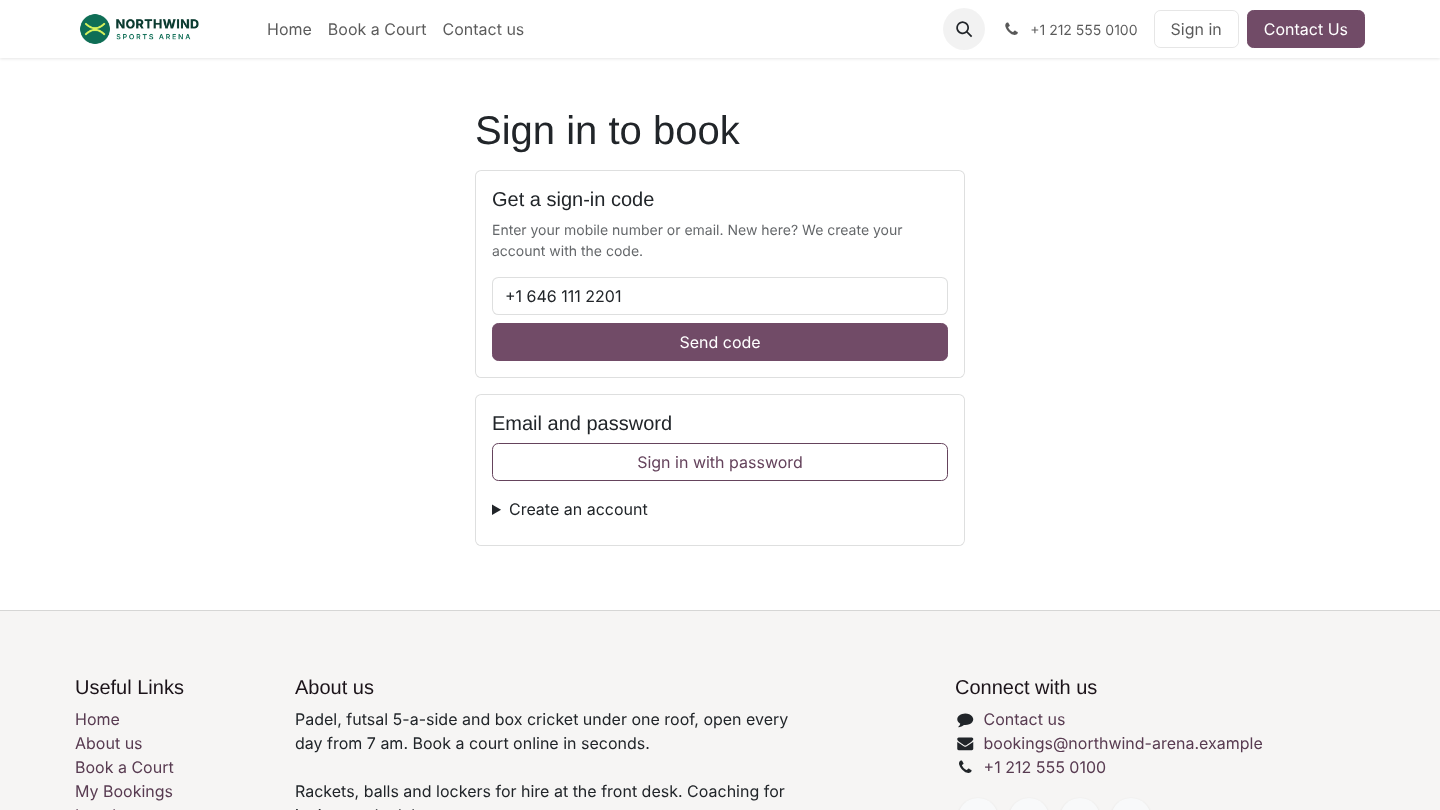
Players only ever get into an account through the phone number or email they proved with a code. A customer you created at the counter is linked to their online account when they prove the same number or email, so they see their counter bookings online too. Staff accounts never sign in with a code.
My Bookings
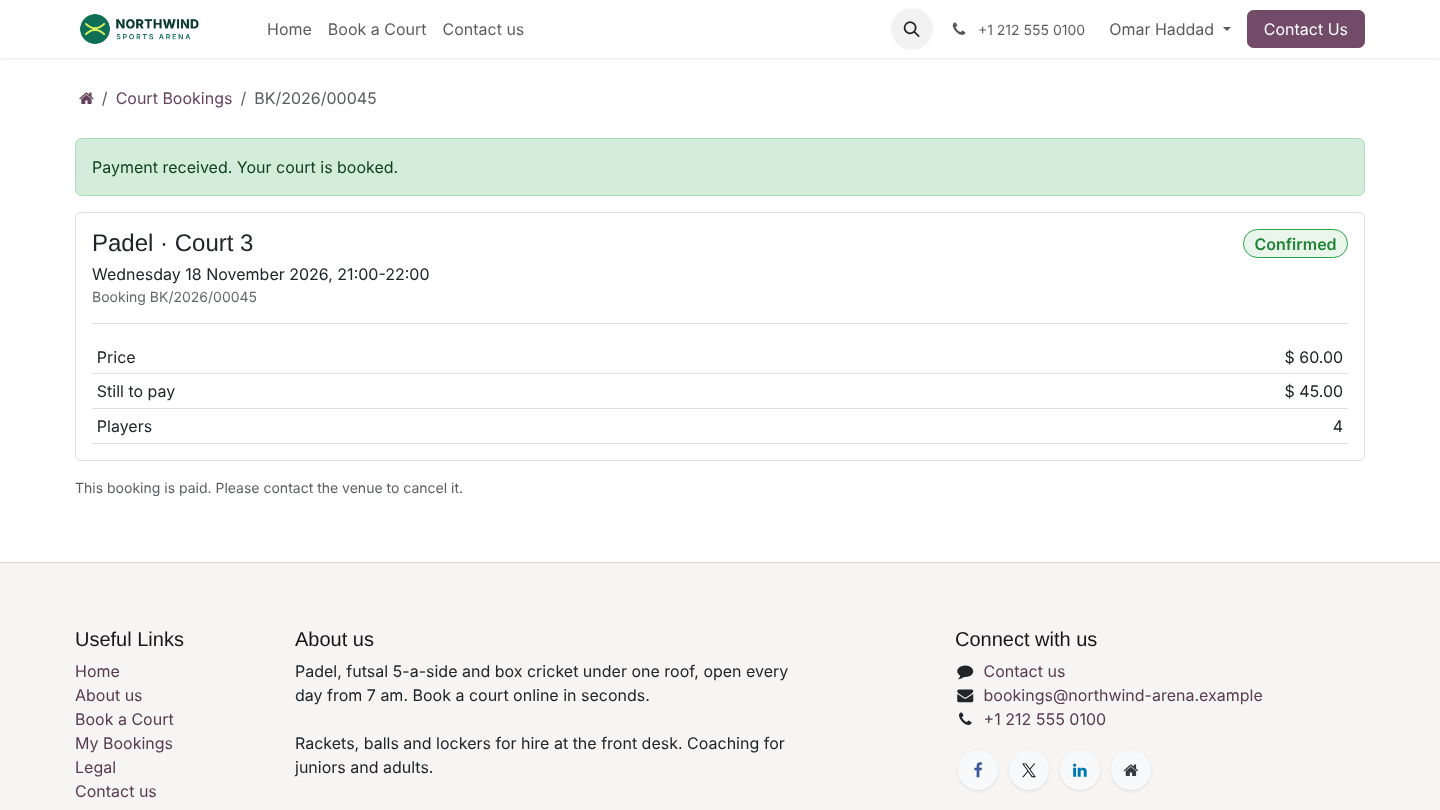
Players see their upcoming and past bookings under My Bookings, pay what is due, and cancel unpaid bookings until the cut-off. Bookings with a payment are cancelled by the venue, which also handles the refund. Players see their own bookings only.
Player apps
Your own Android, iPhone or web app can do all of this through the Court Booking API.