Schedule and bookings
The schedule
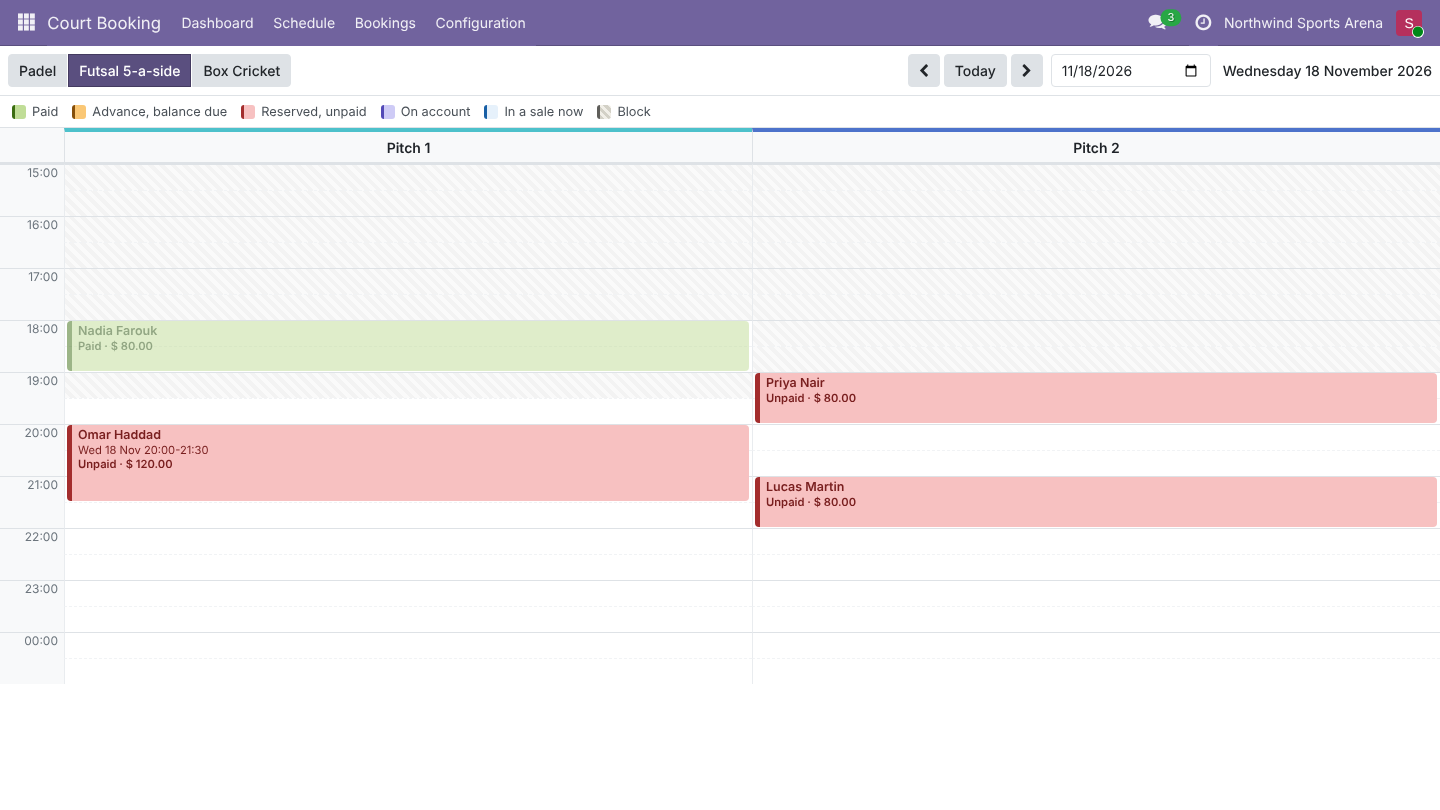
Court Booking > Schedule shows one day of one facility type: courts as columns, time as rows. Switch sports with the buttons at the top left and days with the arrows, Today or the date picker.
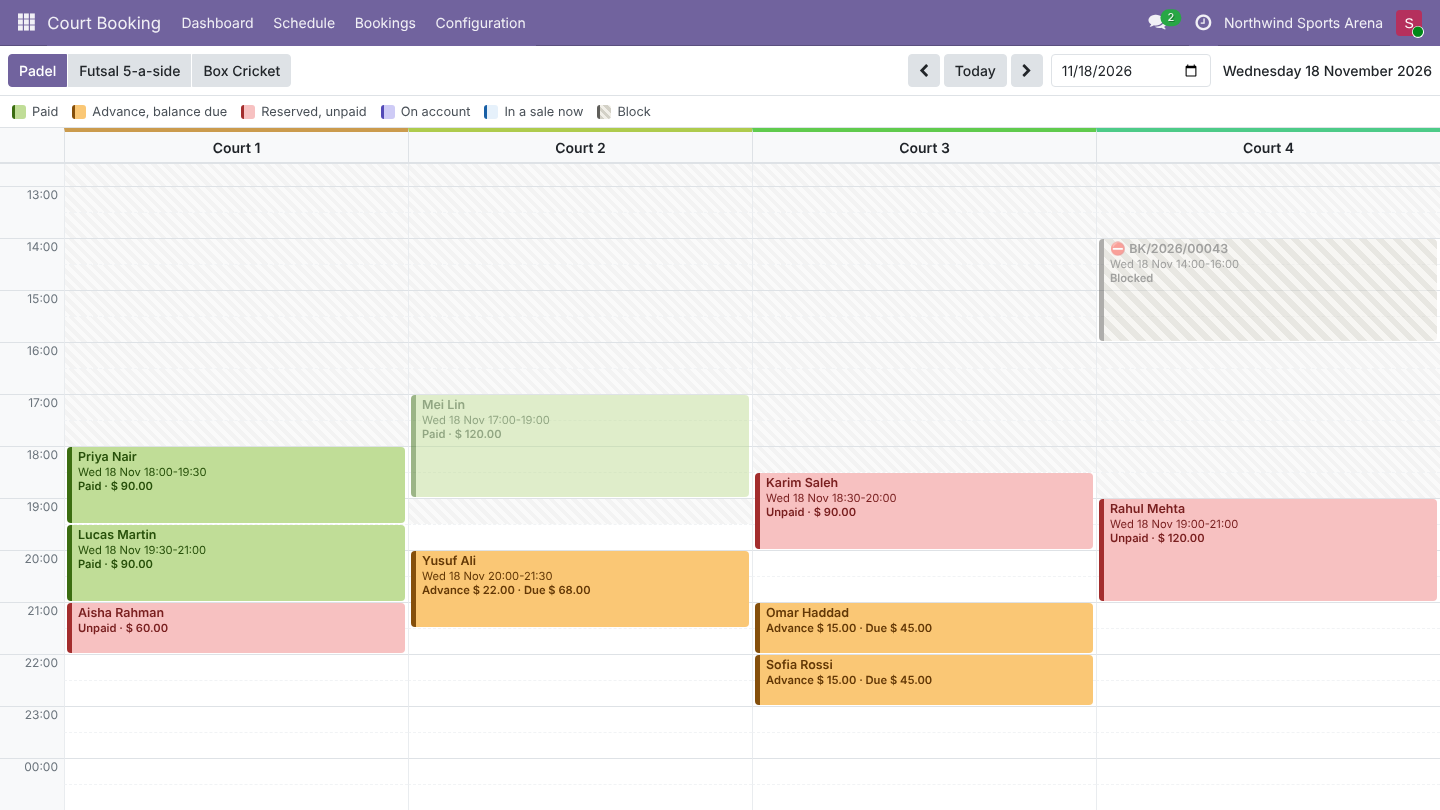
Each booking shows the customer, the time and what is paid. The colours:
| Colour | Meaning |
|---|---|
| Green | Paid |
| Orange | Advance paid, balance due |
| Red | Reserved, unpaid |
| Purple | On account (charged to the customer's account) |
| Blue | In a sale now: a cashier has it on an open POS order |
| Grey stripes | Block (academy, coaching, tournament or maintenance) |
Hatched rows are outside opening hours or already past.
Book a court
Click a free slot. Pick the duration, the customer (or create a new one), the number of players and a note, then save. The booking is confirmed straight away from the back office; at the till it is paid on the POS order (see Point of Sale).
- Repeat weekly books the same court at the same time for a number of weeks, for teams and regular players. Weeks where the court is taken are listed, so you can move or skip them.
- A court can never be booked twice: the court is locked while a booking is saved, and a database rule refuses any overlap, even from outside the app.
Blocks
A block reserves a court without selling it. Choose the block type:
- Academy, Coaching and Tournament / Event count as used court time on the dashboard.
- Maintenance (court closed) takes the court out of the available hours.
Manage a booking
Open a booking from the schedule or from Court Booking > Bookings:
| Button | What it does |
|---|---|
| Confirm | Confirms a booking on hold |
| Check In | The players arrived |
| Done | The booking was played |
| No Show | The players did not come (managers) |
| Cancel | Cancels with a reason. Only bookings with nothing paid: a paid booking or one with an advance is cancelled by refunding it at the POS. |
| Change Price | Managers only, on unpaid bookings, with a reason that is logged on the booking |
| Reinstate | Brings a cancelled, no-show or expired booking back (front desk and above) |
Every change is logged in the booking's chatter.
Futsal, cricket and other sports
Every facility type has its own schedule, hours, steps and rates.
Dashboard
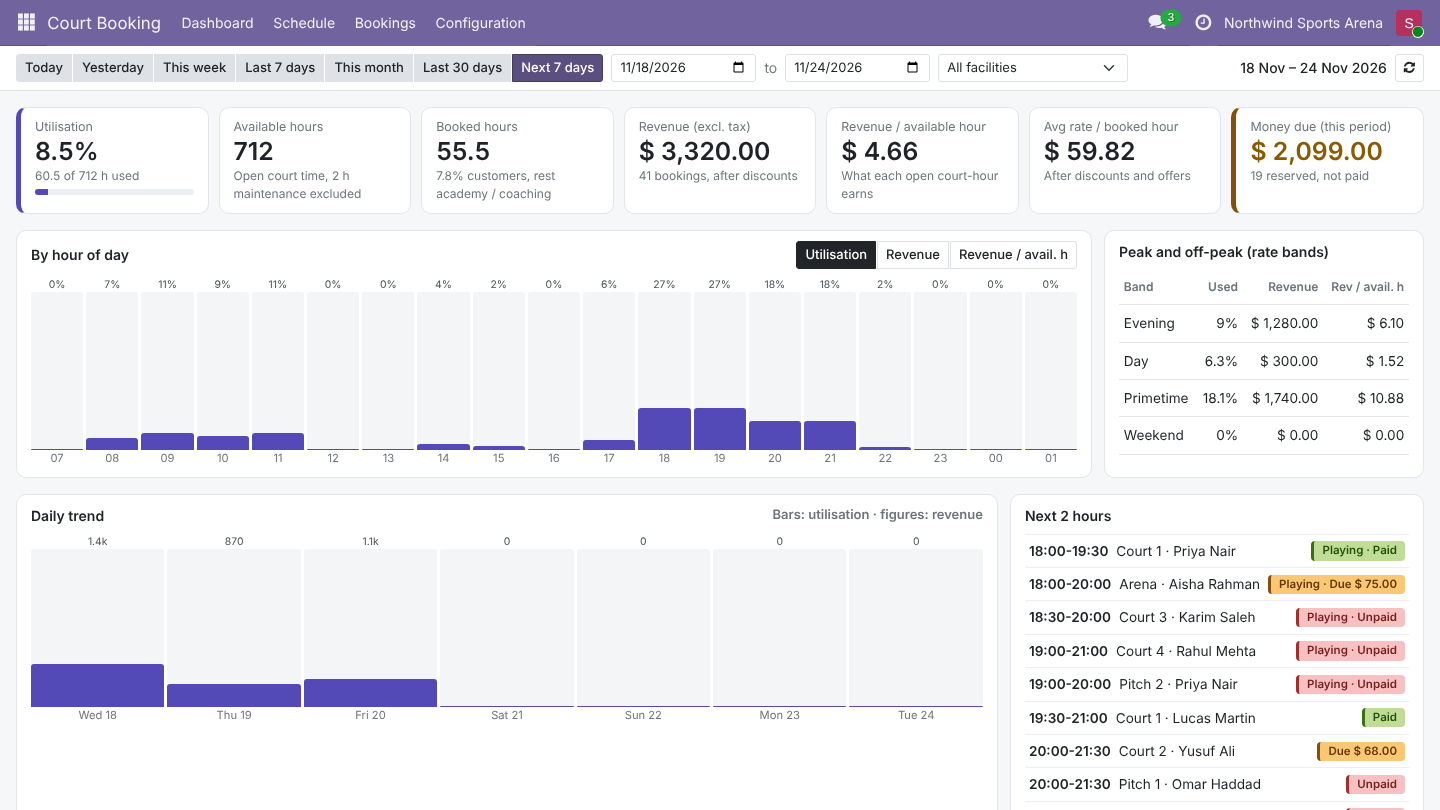
Court Booking > Dashboard (managers) shows how the courts earn: utilisation by hour of day, revenue per court and band, where bookings come from (back office, POS, website, app), the daily trend and the money still due. Choose today, this week, the last 30 days or any range, for one facility type or the whole venue.