Bookings
Book a service
Service Bookings > Book opens the booking wizard: pick the service, the day and a free time. The first free room and qualified practitioner are taken, or choose them yourself. Add the customer and the people coming with them.
Behind the scenes, the rooms and practitioners are locked in a fixed order while the booking is saved, so two people booking the same slot at the same moment cannot both get it.
Attendees
A booking can take up to the service's Max Attendees. Each attendee has:
- a position and a price (1st attendee price, then the price for each further person),
- admission products and a registration fee where they apply,
- their own payment state: Not paid, Invoiced, Paid, Covered (by a session credit) or Free,
- intake notes (allergies, injuries) and a check-in.
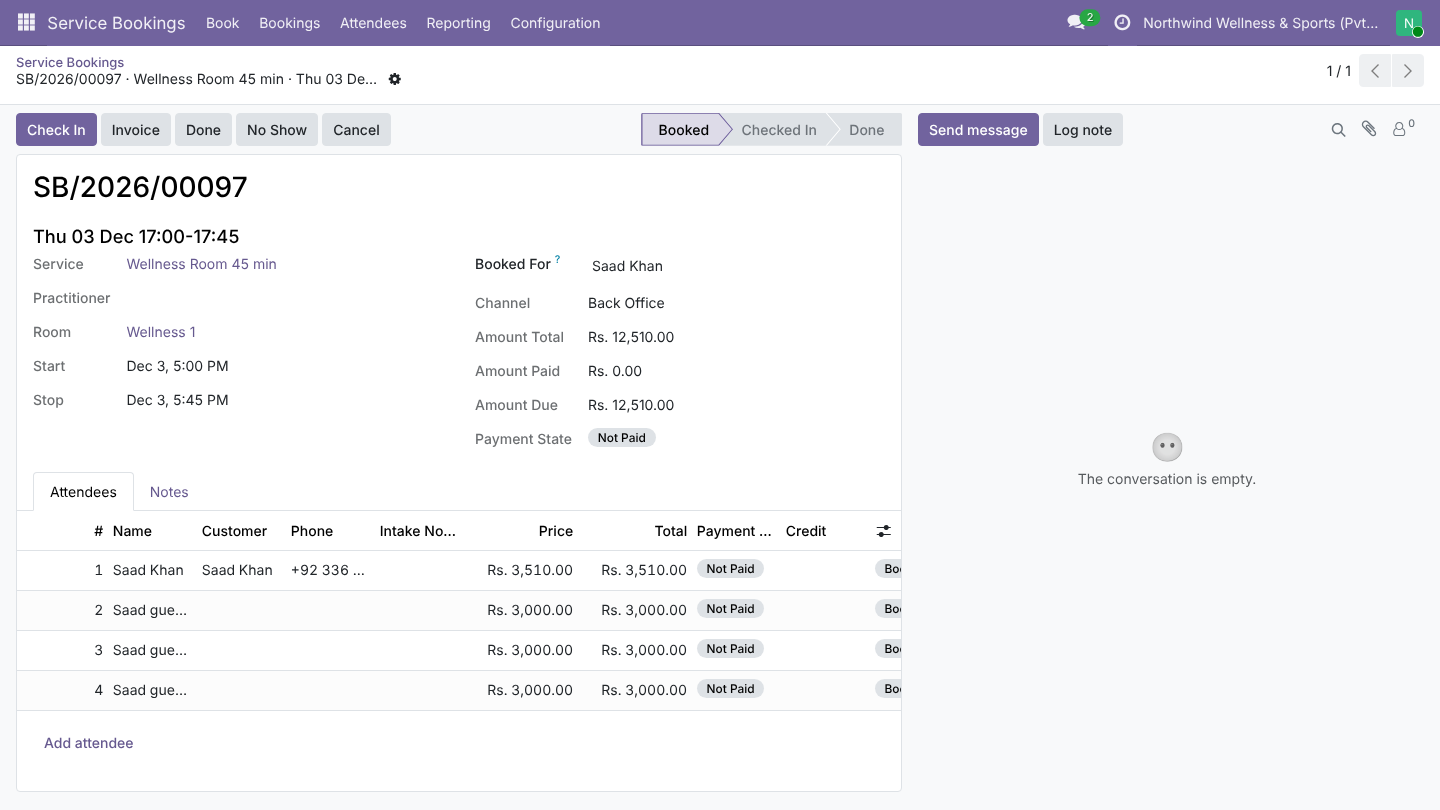
Invoice creates one invoice per attendee who has not paid, so guests can pay separately.
The calendar
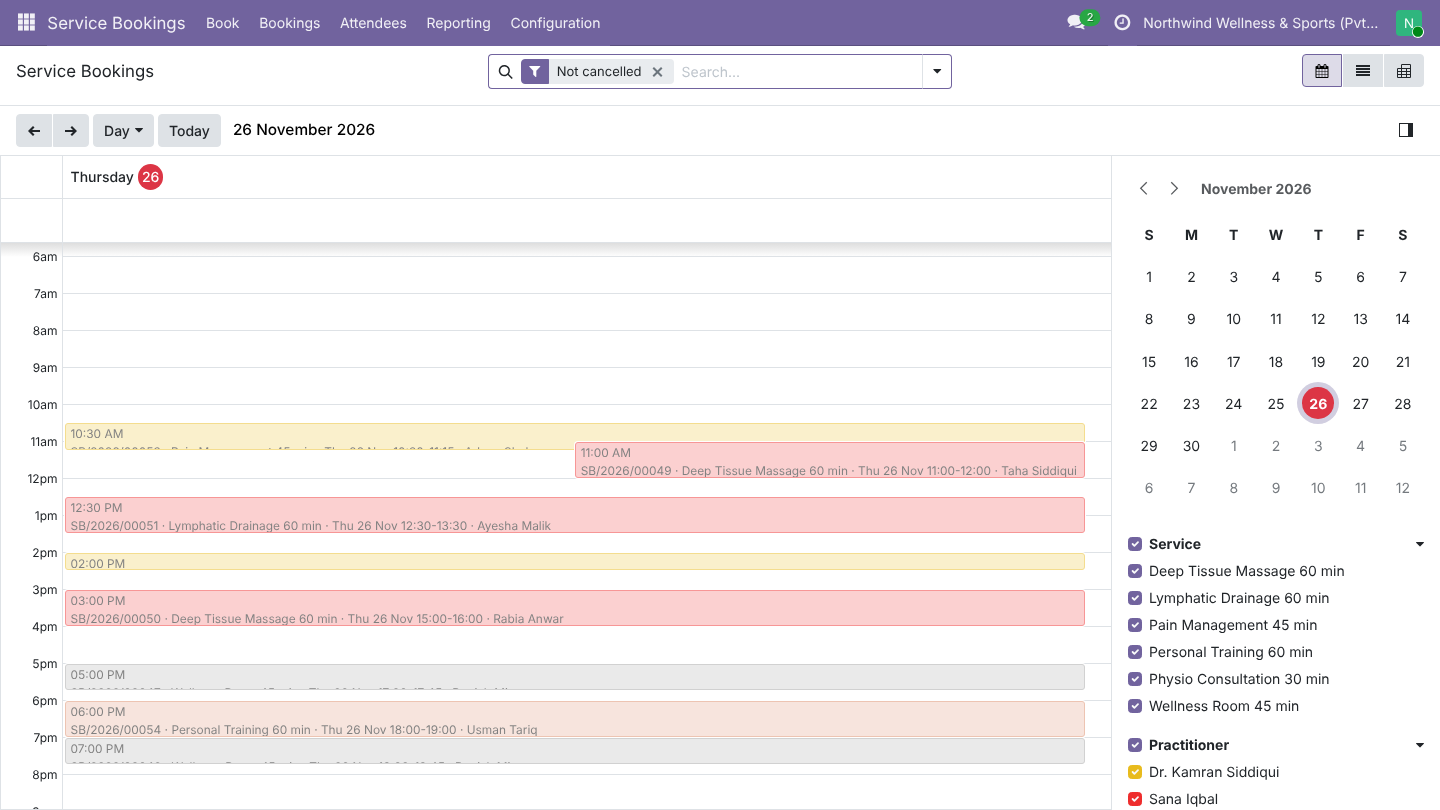
Service Bookings > Bookings shows every booking in a calendar, list or pivot, filtered by service, practitioner or room. Cleaning time before and after is part of the booking, so the room shows busy for that time too.
States
| State | Meaning |
|---|---|
| Booked | Confirmed, waiting for the customer |
| Checked In | Arrived (from the check-in window before the start) |
| Done | Finished |
| No Show | Did not come (set by a manager, or automatically if the company setting is on) |
| Late Cancelled | Cancelled inside the late-cancel window: the fee applies |
| Cancelled | Cancelled in time |
Reschedule
Change the time, room or practitioner on a booked booking: both the room and the practitioner are checked again.
Coaches on court bookings
With Service Bookings installed, court bookings and blocks get a Practitioner field, for example the coach of a padel lesson or a kids' class. The coach cannot be booked for a service at the same time.
Reports
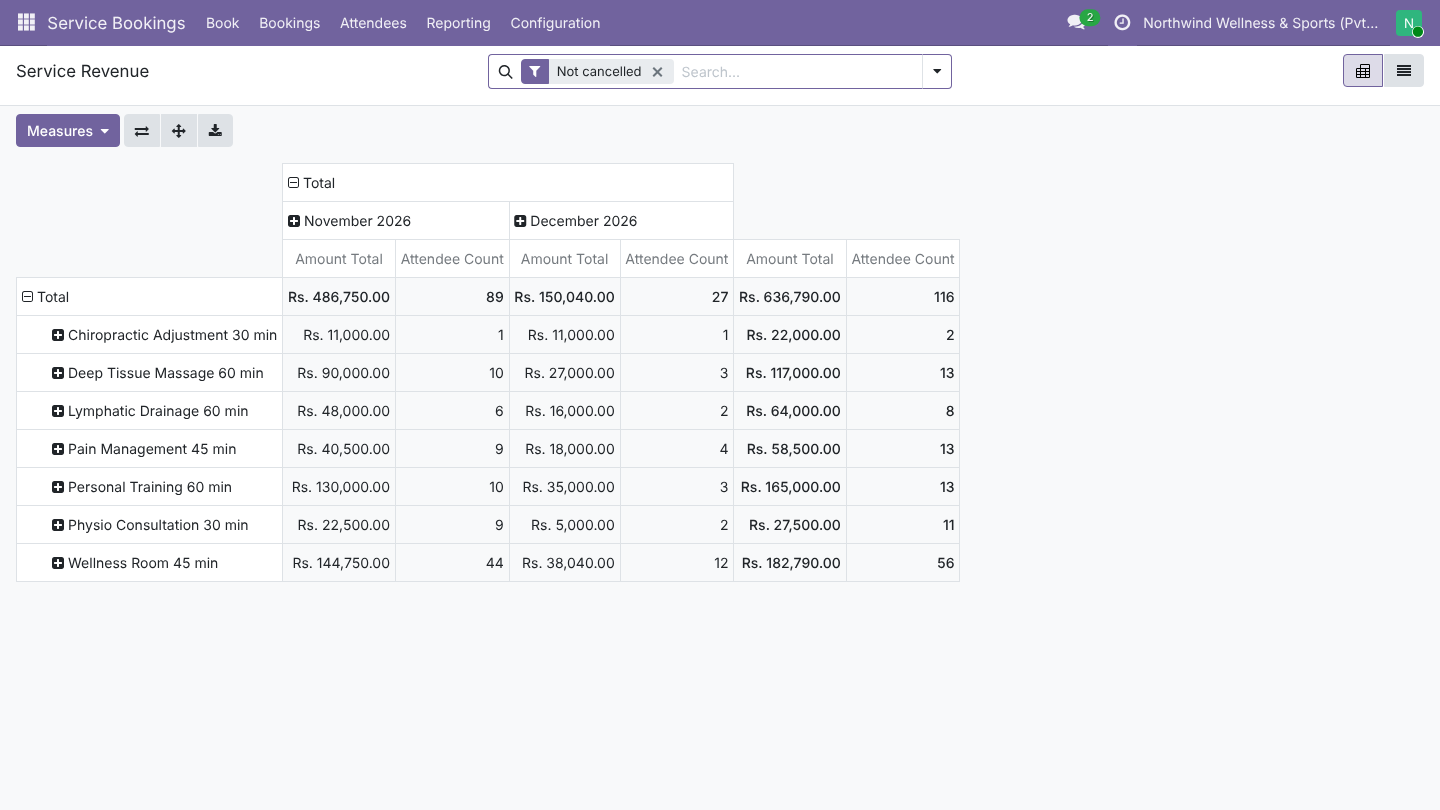
Service Bookings > Reporting > Service Revenue: revenue and attendee count by service, practitioner, room and month.
The customer form has a Bookings button with their service bookings.