Point of Sale
POS Service Bookings puts a Book Service button in the Odoo Point of Sale, so reception books, checks in and takes payment in one place.
See it in action: gym and personal training and wellness and clinic workflow videos.
Turn it on
In Point of Sale > Configuration > Settings, choose the till, then under Service Bookings:
- tick Service Bookings,
- Category: show only these room types at this till (leave empty for all),
- Columns: open the schedule with rooms or with practitioners.
The schedule
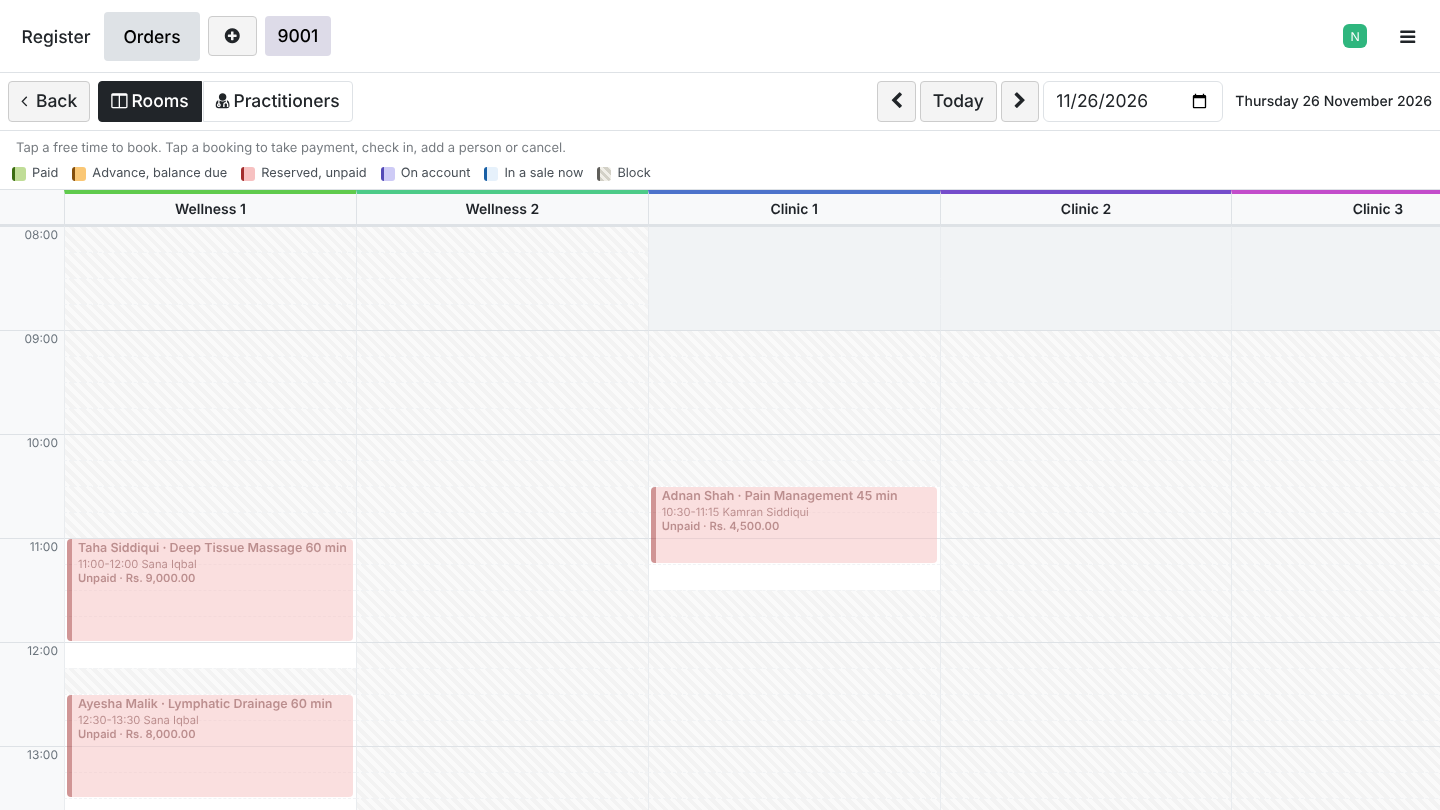
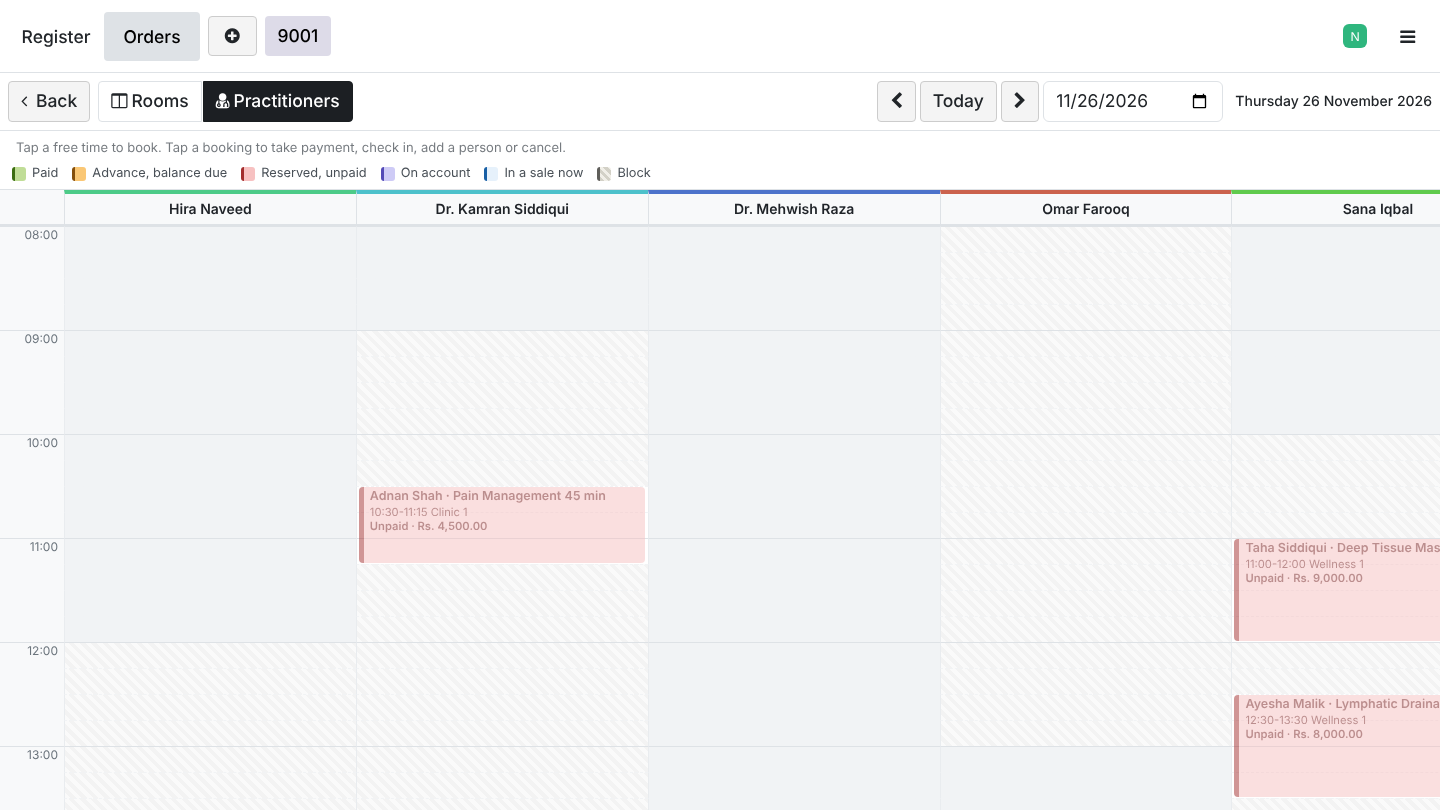
Book Service opens the day schedule. Switch between Rooms and Practitioners; working hours, leaves, cleaning time, court blocks and coached classes show as busy. Use the arrows, Today or the date box to change the day. The schedule refreshes every 20 seconds.
Book from a free time
Tap a free time. The services that fit that room or practitioner are offered with their prices. Then choose:
- the number of people,
- the customer (from the till's customer list),
- any practitioner or a chosen one,
- Pay now (the lines are added to the order) or Pay on arrival.
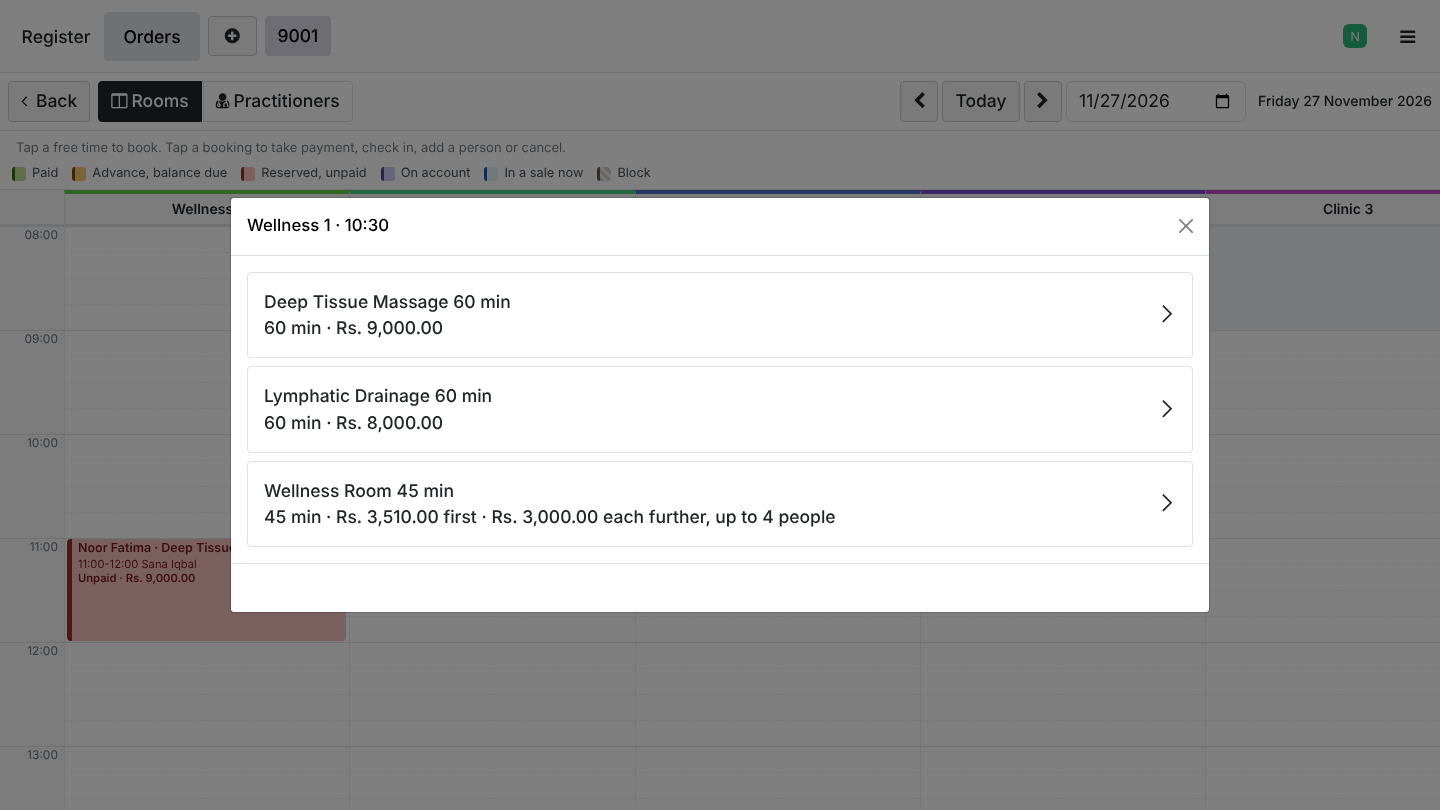
Each person is one order line, locked to quantity 1 and never merged, so each can be paid or refunded on their own.
When the customer arrives
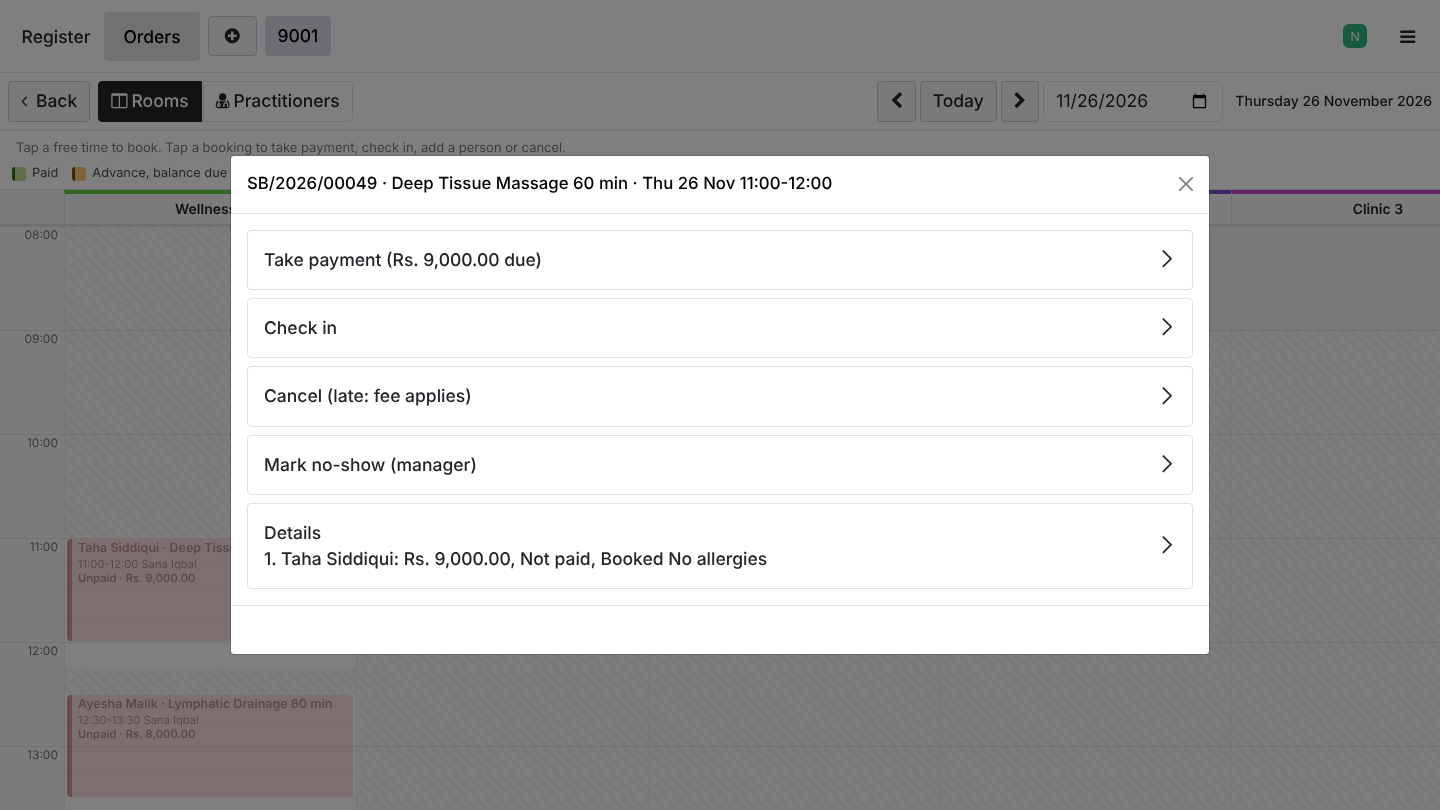
Tap the booking:
- Take payment: for everyone or one person; late-cancel and no-show fees due are added.
- Check in: one person or everyone.
- Add a person: at the next-person price.
- Cancel: the late-cancel fee is shown before you confirm.
- Mark no-show (managers).
Refunds
Refunding an attendee's line cancels that person's place, and frees the room if nobody else is booked. Refunding a fee line marks the fee as refunded.
With Session Credits and its POS app installed, the booking also shows Use session credit.