Setup
All configuration is under Service Bookings > Configuration.
Room types and rooms
A room type groups rooms that offer the same services, for example Wellness (Wellness 1 and 2) or Clinic (Clinic 1 to 4). Room types are facility types of the Court & Facility Booking engine with Service rooms ticked, so they never appear on court schedules, court tills or the online court page.
On each room, Capacity is the largest group it takes (for example 4 people in a wellness room).
Skills
Skills (Physiotherapy, Chiropractic, Massage, Nutrition, Personal training...) decide which practitioner can deliver which service.
Practitioners
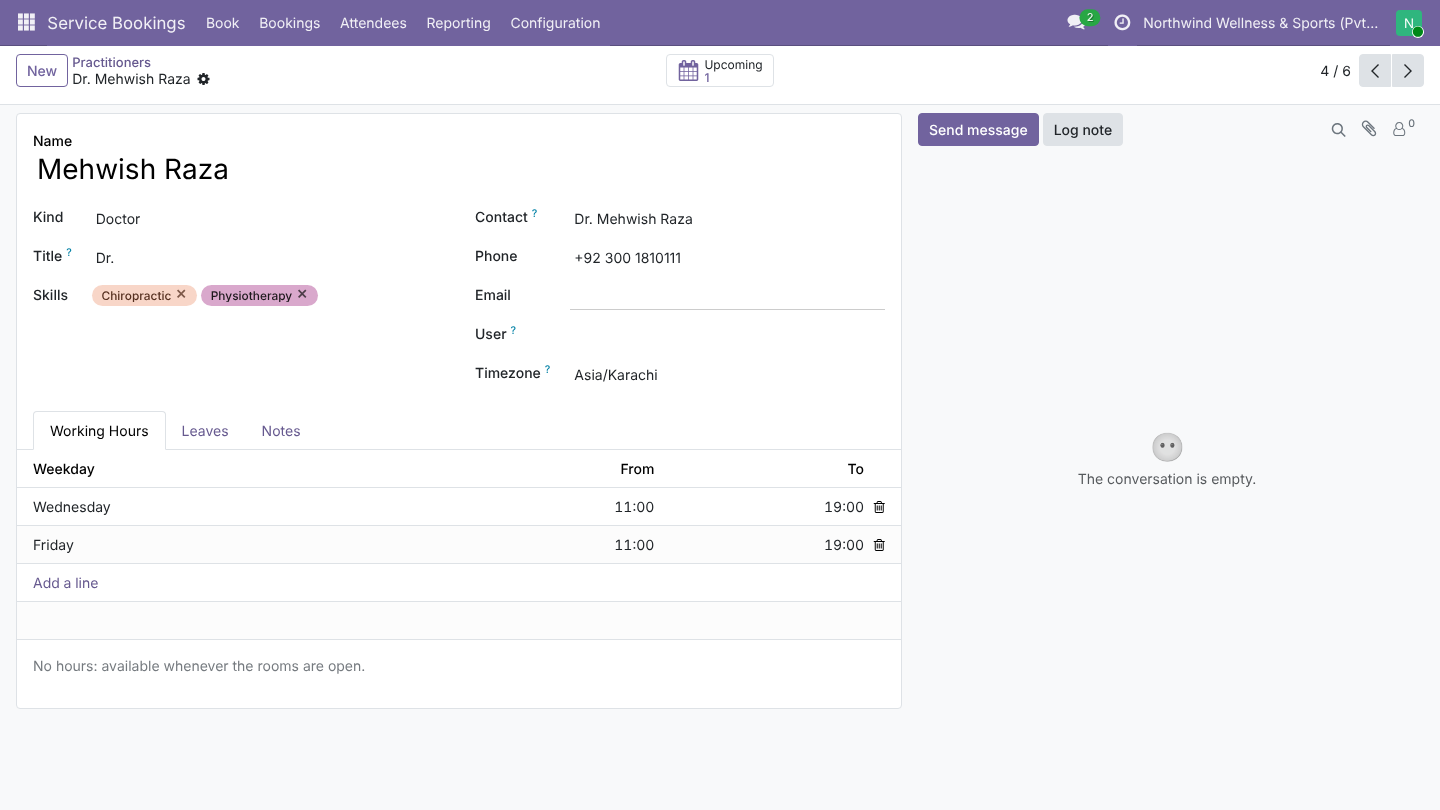
Service Bookings > Configuration > Practitioners: therapists, doctors, physios, trainers and coaches.
- Kind, Skills, contact details, timezone and an optional Odoo user.
- Working Hours: one line per weekday with from and to times. Late shifts can end after midnight (up to 30:00). A practitioner with no hours is available whenever the rooms are open.
- Leaves: date ranges when the practitioner is away. A leave over existing bookings is refused, so move those bookings first.
Services
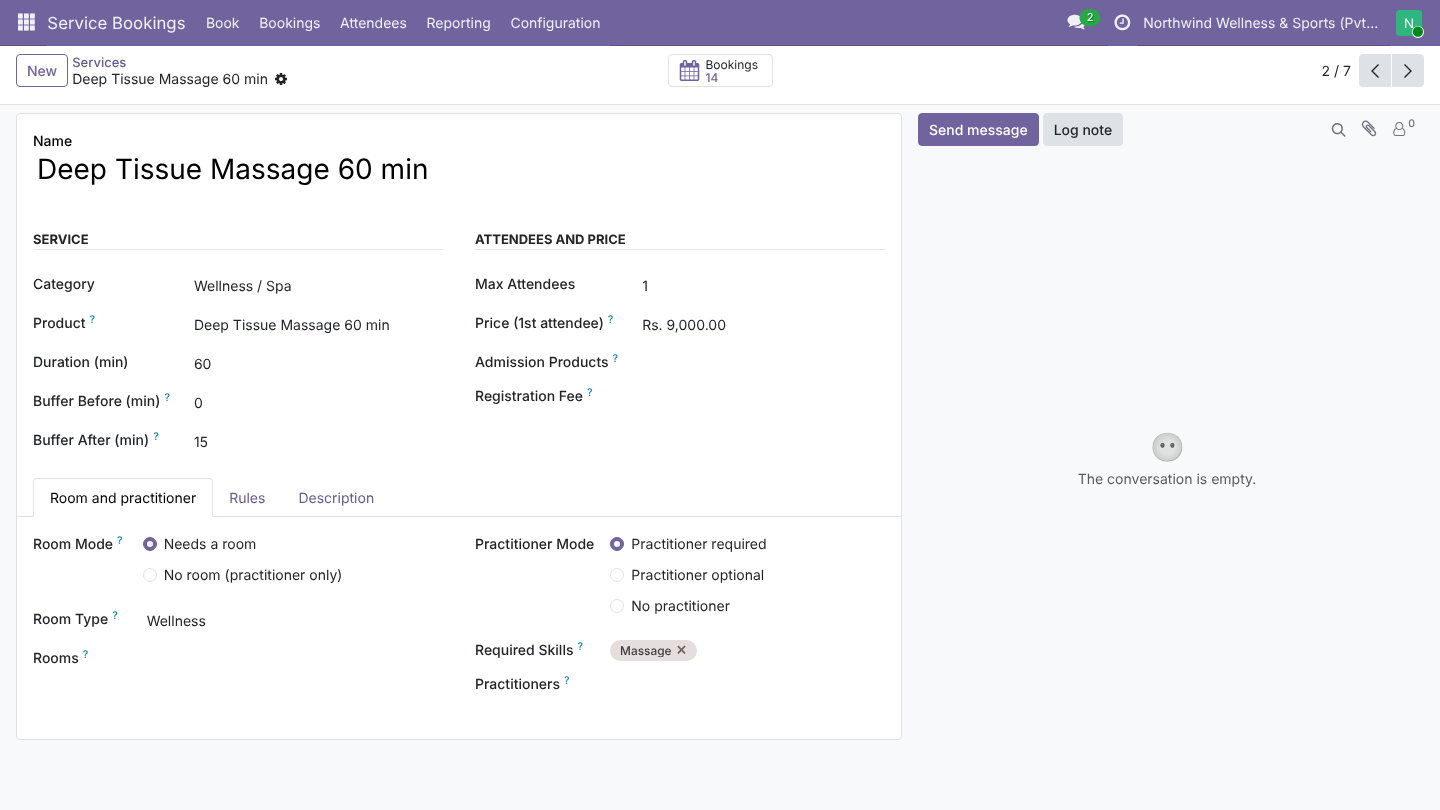
Service Bookings > Configuration > Services: one record per bookable service.
| Field | What it does |
|---|---|
| Product | The product invoiced or sold at the till (tax-included price) |
| Duration, Buffer Before, Buffer After | The buffers hold the room and the practitioner for cleaning and notes, and show as busy on the schedule |
| Room Mode | Needs a room, or No room (personal training on the gym floor: practitioner only) |
| Room Type, Rooms | Where it can take place; leave Rooms empty for any room of the type |
| Practitioner Mode | Practitioner required, optional, or none (a wellness room without a therapist) |
| Required Skills, Practitioners | Who can deliver it |
| Max Attendees | People per booking |
| Price (1st attendee), Price (2nd and later) | For example 3,510 for the first person and 3,000 for each one after |
| Admission Products | Extra products charged per person (towel, locker) |
| Registration Fee | Charged once per customer, on their first booking |
| Rules tab | Check-in window, late-cancel window and fee, no-show fee, fee product, intake notes required, bookable in apps: see Rules and fees |
Company settings
In Settings > Users & Companies > Companies, tab Service Bookings:
- Service Reminder (h before): the reminder email goes this many hours before the start (24 by default).
- No Booking Emails: switch off booking and reminder emails, for example while you load old bookings.
- Close Past Service Bookings: marks bookings nobody checked in as no-shows an hour after they end.
- Service Fee Product: the default product for late-cancel and no-show fees.
Roles
Service Bookings uses the Court & Facility Booking roles: Cashier books at the till, Front Desk books in the back office, Manager marks no-shows, waives fees and changes prices, Administrator configures.