Jobs
Every sync with Jazi runs as a job: scheduled checks and the actions you start.
Every sync with Jazi runs as a job: each webhook, each scheduled check, each button and each bulk operation. Jobs run in the background, one after the other, so a slow store never blocks Odoo, and nothing is lost when a call fails. Online Stores > Queue > Jobs lists them (pending and failed jobs first).
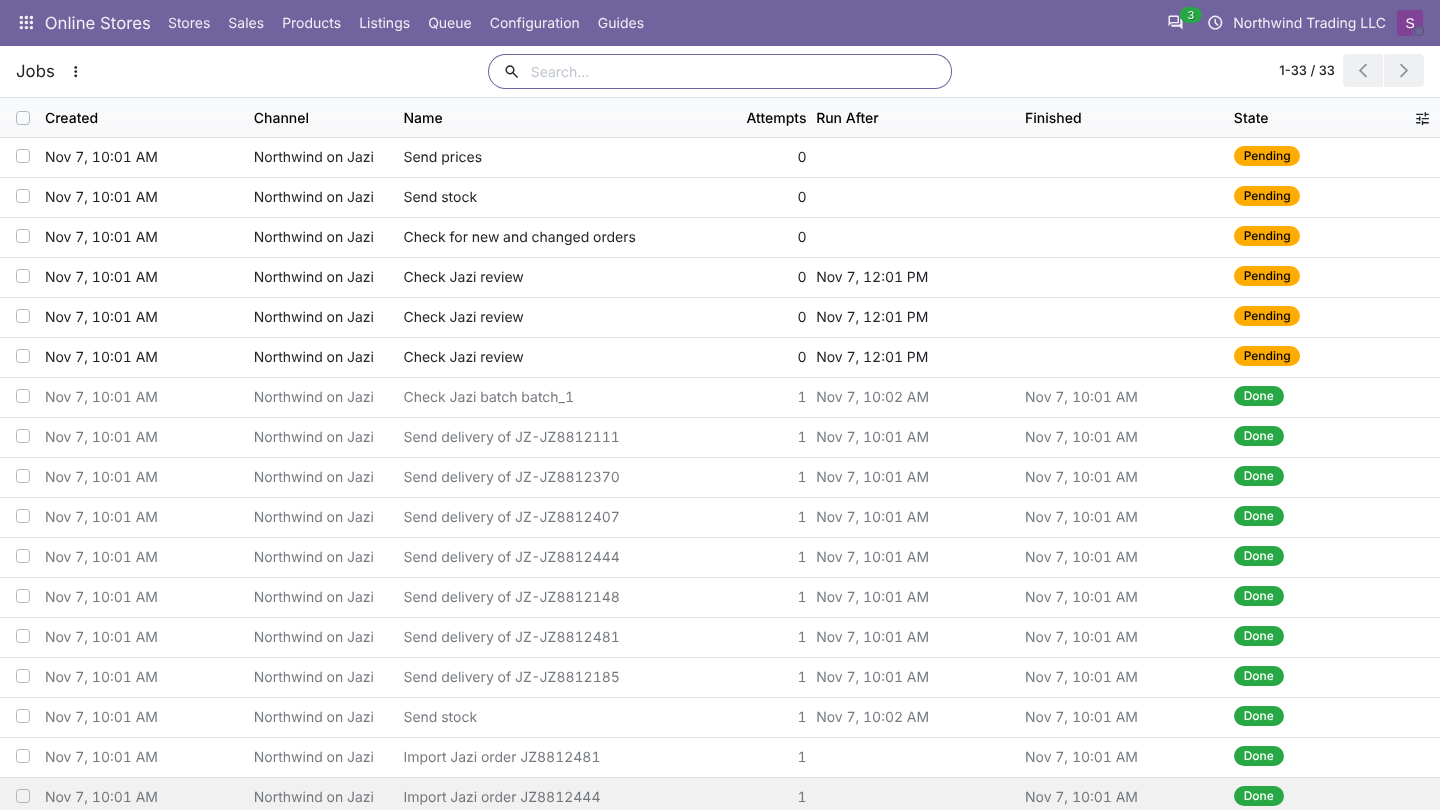
Job fields
| Field | Meaning |
|---|---|
| Name | What the job does, for example Import order 1001 or Send stock |
| Store | The store |
| Status | Pending (waiting), Running, Done, Failed (gave up after the last attempt), Cancelled |
| Attempts / Max Attempts | Tries so far, and the limit (5). You can raise Max Attempts on a job. |
| Run After | A pending job does not start before this time (retries and short delays) |
| Started, Finished | Times of the last run |
| Result | What the job did, for example SH-1001 or Stock sent for 12 of 12 products. |
| Error | Why the last attempt failed |
| Log tab | The log lines of this job |
Retries
A job that fails is tried again after 2, 4, 8 and 16 minutes. After the fifth failed attempt it is marked Failed and stays in the list with its error. Each failed attempt is also written in the log.
| Button | Does |
|---|---|
| Retry (failed or cancelled jobs, also in Action for several) | Back to pending with the attempts reset; runs within seconds |
| Run Now (pending or failed jobs) | Runs the job right away while you wait, and shows the result |
| Cancel (pending or failed jobs) | Stops it from running |
Good to know
note
- Jobs for the same thing are merged while they wait: ten webhooks for one order make one Import order job, many stock moves make one Send stock job.
- Orders go first: order imports run before product and page imports.
- A background worker checks the queue at least every 5 minutes, and immediately when a job is added.
- A job left Running for more than 30 minutes (for example after a server restart) goes back to pending.
- Done and cancelled jobs, and log lines, are deleted after 30 days. Failed jobs stay until you retry or cancel them. The number of days is the system parameter
commerce_bridge.keep_days.
Common errors
| Error | What to do |
|---|---|
| Products not found in Odoo: ... | Import or link the product, then Retry |
| Store tax "X" (r%) has no Odoo tax | Map it in Configuration > Taxes, then Retry |
| Set a shipping product on the store. | Set Shipping Product on the Orders tab, then Retry |
| Currency XXX does not exist in Odoo. | Activate or create the currency, then Retry |
| Store "X" was connected from another database | This is a test copy: see test databases |
| Connection or authentication errors | Check the connection, click Test Connection, then Retry |
Jazi errors you may see
| Message in the job | Meaning and fix |
|---|---|
| UNAUTHORIZED (HTTP 401) | The API token was revoked or mistyped. Create a new token in the Jazi seller portal and paste it on the store. |
| Products not found in Odoo: ... | A Jazi item's seller SKU matches no Odoo product. Give the product that code (or link it), then Retry. |
| INCOMPLETE on Submit for Review | Jazi's content check failed, usually a missing Arabic name or description. Fill them on the Jazi product (or Translate to Arabic), Update on Jazi, then submit again. |
| TOTAL_BELOW_RESERVED in a stock batch | Jazi holds more units for open orders than the quantity sent. Ship or cancel those orders, then send stock again. |
| Could not reach Jazi | Network problem or Jazi unavailable. The job retries by itself. |
Was this page helpful?