Missed calls
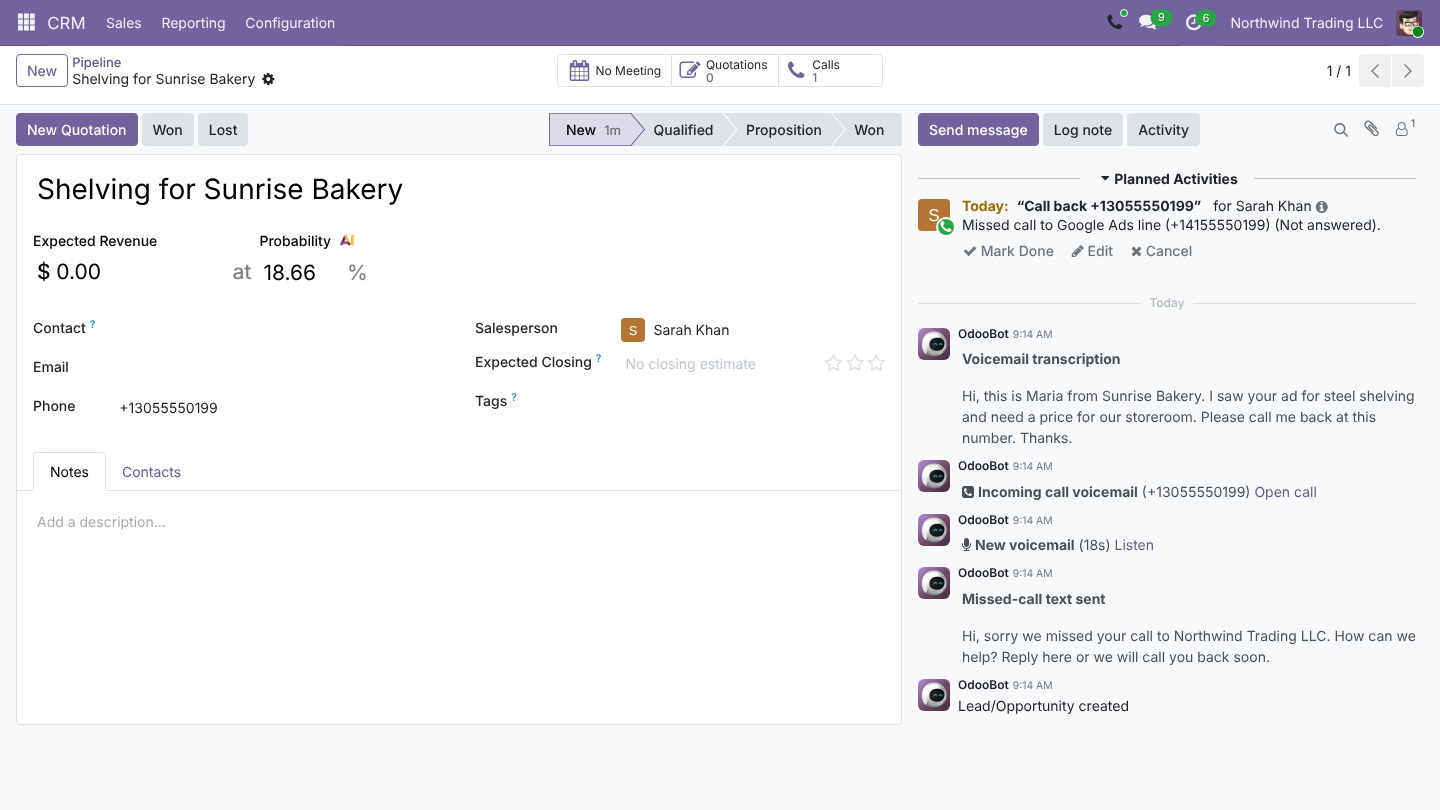
A call is missed when nobody answers (or the caller hangs up while it rings, or it comes outside business hours). For each missed call Odoo:
- creates a lead for new callers, with the number's source, medium and campaign (see Create lead for new callers on the number),
- plans a Call back activity for the lead's salesperson, or the number's Call-back owner,
- texts the caller back,
- starts the published workflows with the Missed call (Phone) trigger,
- offers voicemail, and adds the voicemail and its transcription to the lead.
Text back
On the number, tab Missed calls:
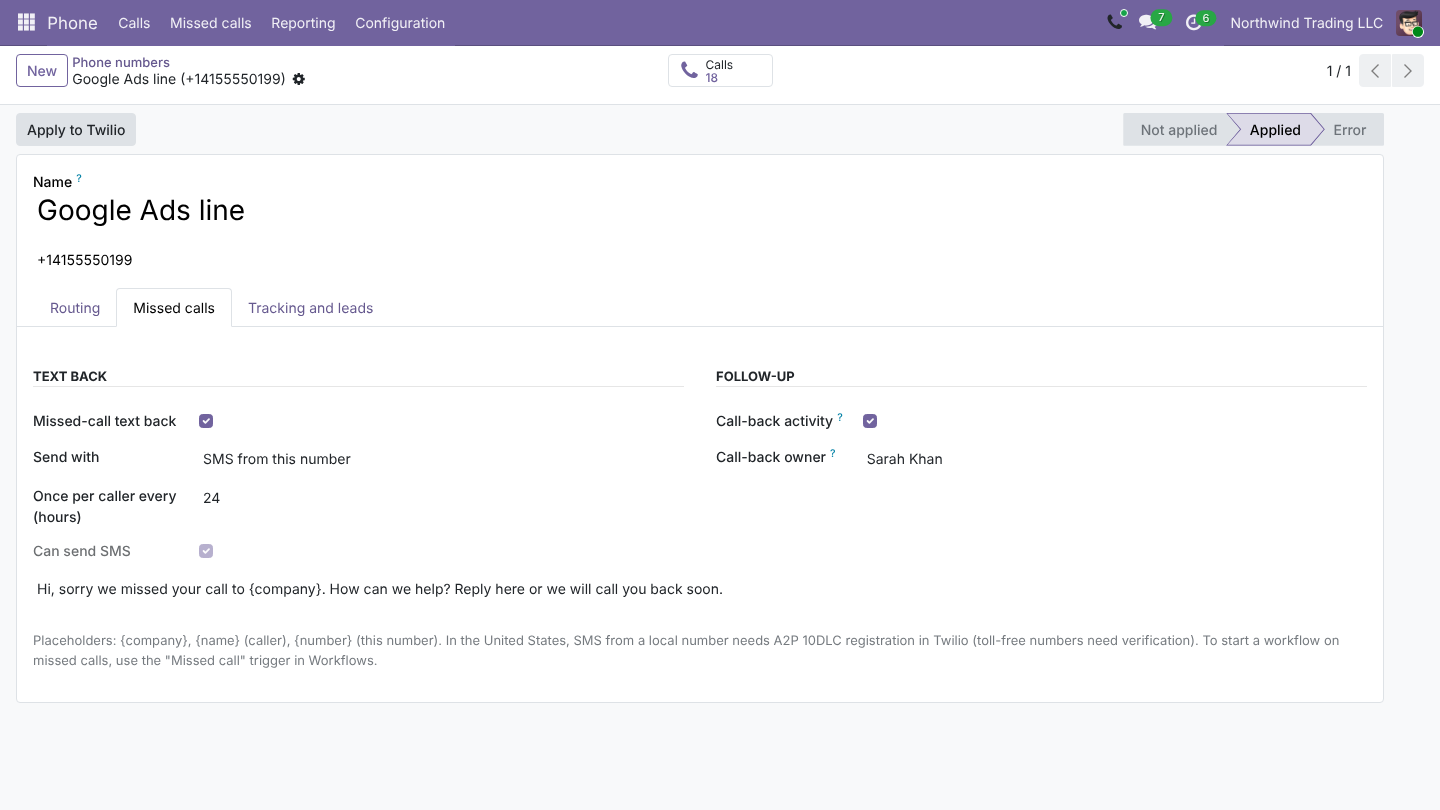
| Field | Meaning |
|---|---|
| Missed-call text back | Switch text back on or off for this number. |
| Send with | SMS from this number (Twilio), Odoo SMS (SMS Gateway or IAP), or WhatsApp (Conversations). |
| Once per caller every (hours) | A caller who misses you twice gets one text. |
| WhatsApp channel ID, WhatsApp template | For WhatsApp: the channel, and the approved template used when the 24 hour reply window is closed. Needs Novator Conversations with WhatsApp. |
| Text | The message. Placeholders: {company}, {name} (caller), {number} (this number). |
| Call-back activity, Call-back owner | Plan a call-back activity, and who gets it when the lead has no salesperson. |
Text back is skipped for hidden numbers, for numbers on Odoo's phone blacklist (customers who replied STOP), and within the waiting time. A failed SMS never breaks the call: the reason shows on the call under Text back details.
Called back
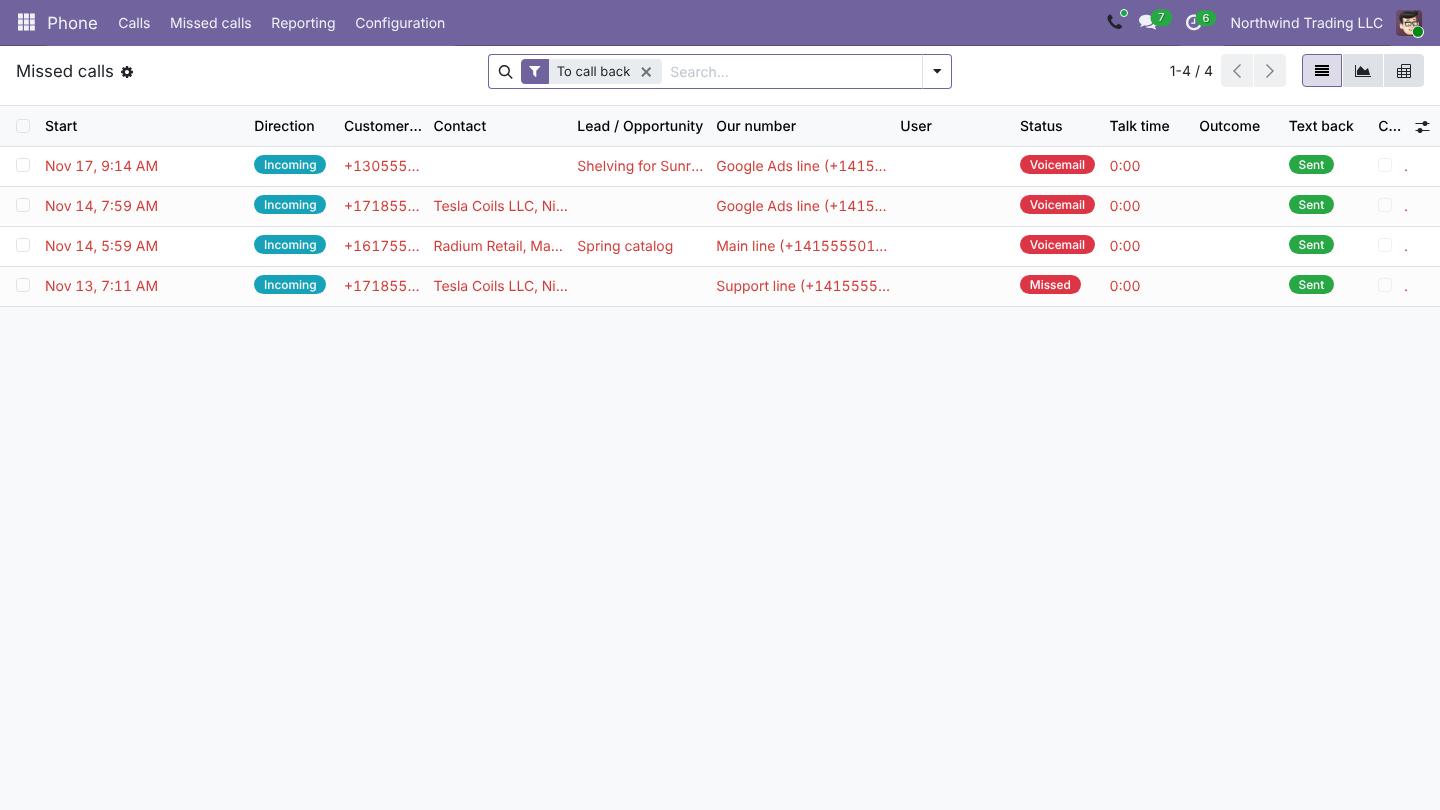
When someone calls the customer back and the call is answered, the missed calls from that number of the last seven days are marked Called back, with who and how many minutes later, and the call-back activity is marked done. Phone > Missed calls lists the ones still to call back.
Workflows
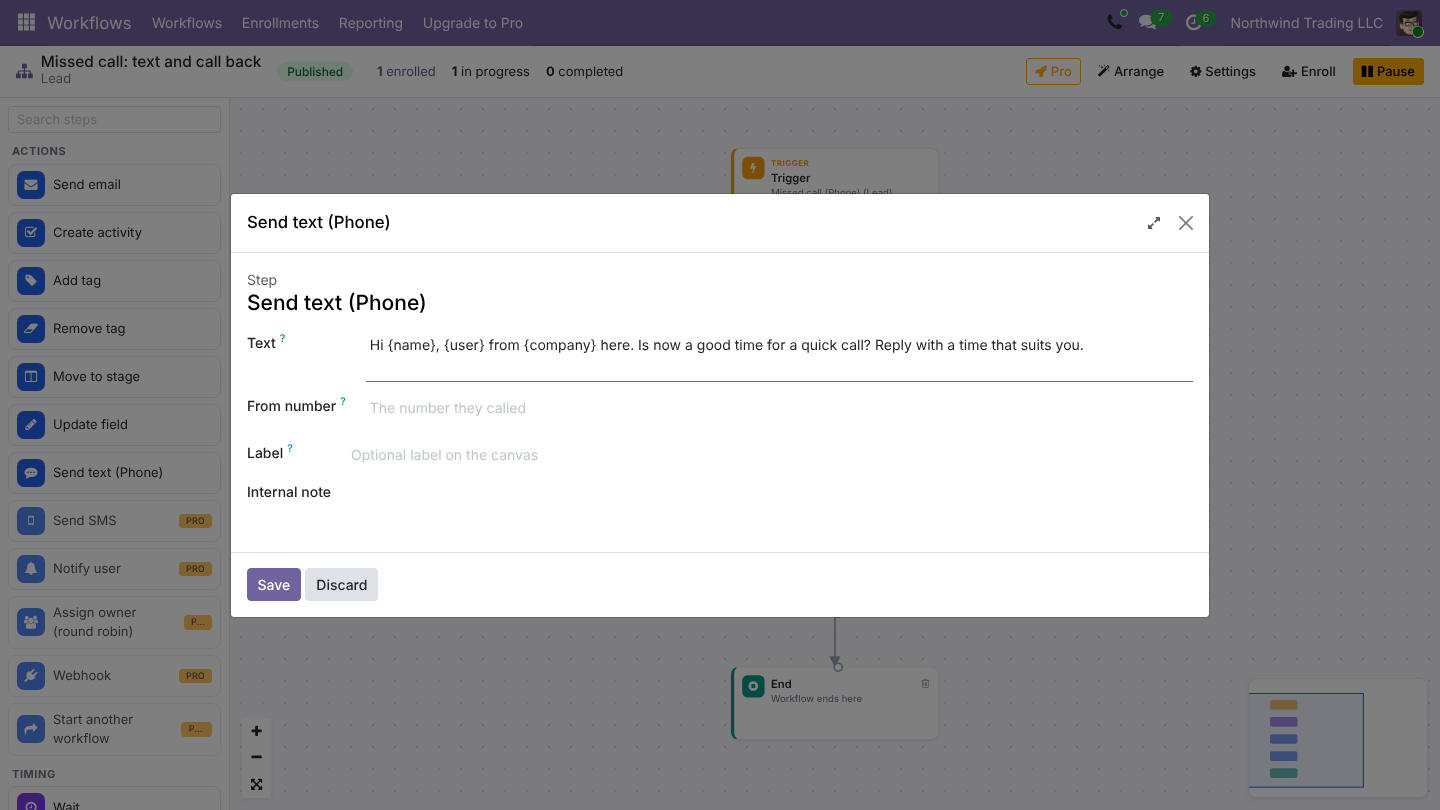
In Workflows, create a workflow on Lead/Opportunity (or Contact) with the trigger Missed call (Phone). Only calls to limits it to some numbers. Add steps as usual, including Send text (Phone):
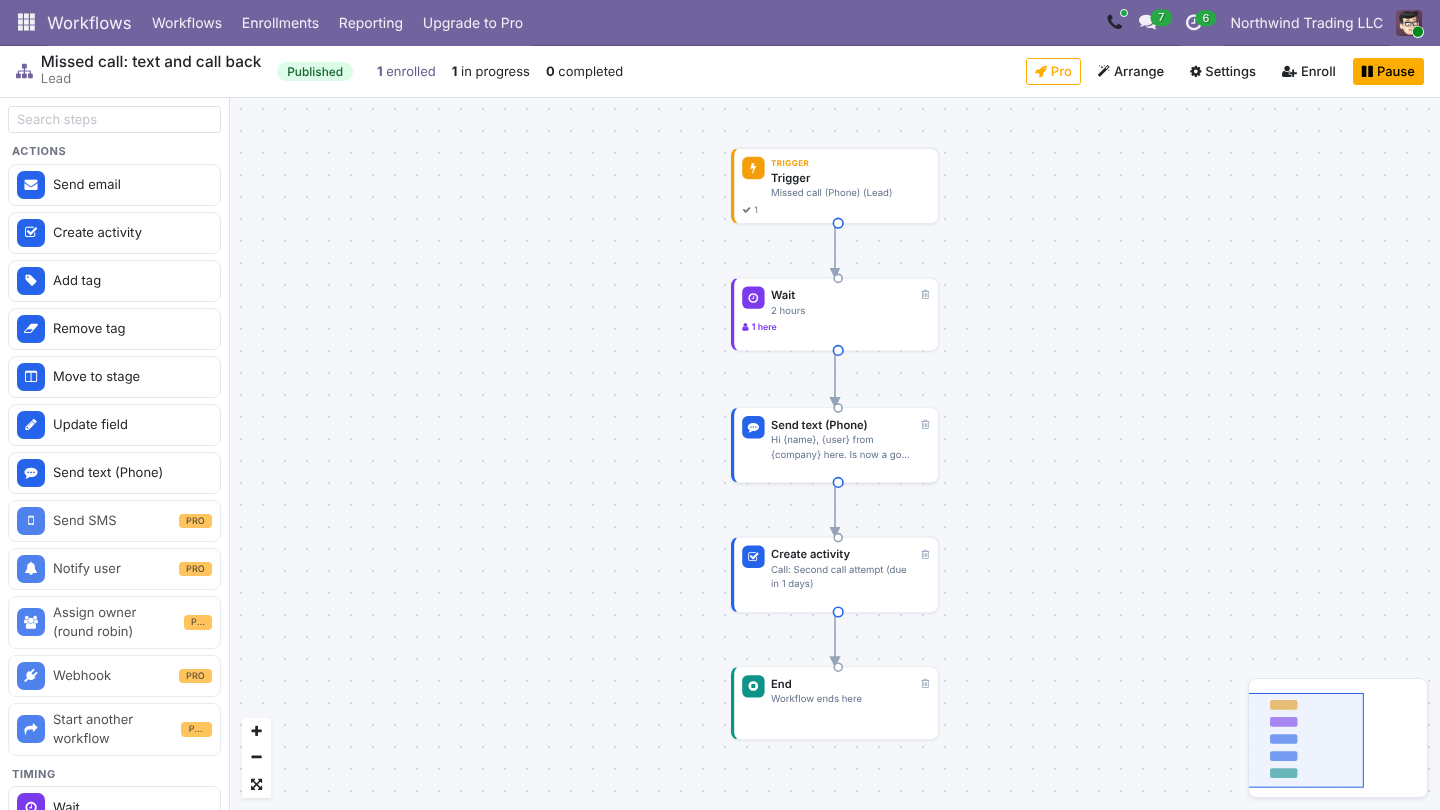
| Field | Meaning |
|---|---|
| Text | Placeholders: {name} (contact), {company}, {user} (salesperson). |
| From number | Empty: the number the customer called, else the default number. |
See the CRM Workflow Builder guide for the canvas, waits and other steps.