Numbers and routing
Each Twilio number has its own settings: Phone > Configuration > Phone numbers. After a change to routing you do not need to apply it again: Odoo decides where the call goes when it rings. Use Apply to Twilio only once per number (or if you changed the public address).
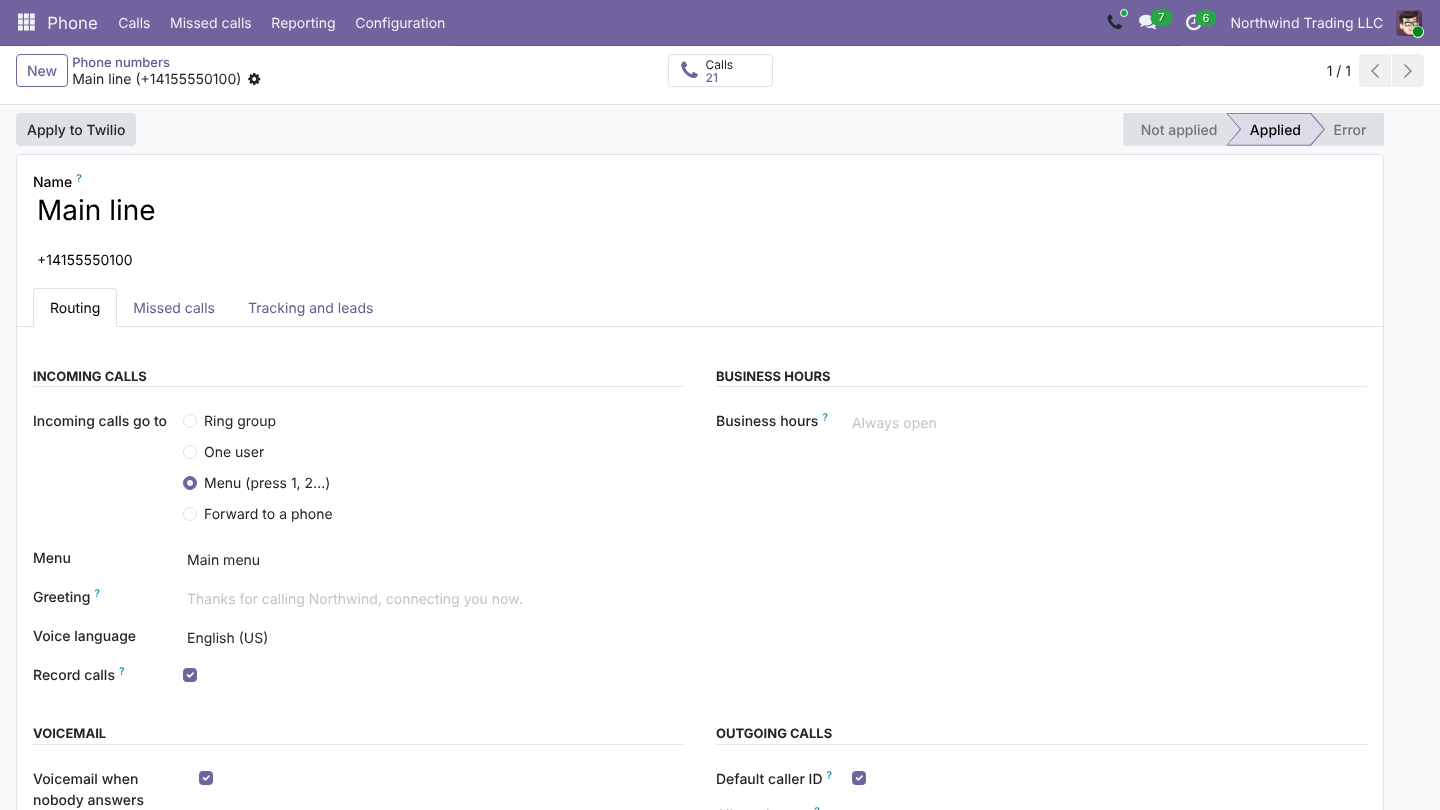
Routing tab
| Field | Meaning |
|---|---|
| Incoming calls go to | Ring group, One user, Menu (press 1, 2...) or Forward to a phone. |
| Greeting | Read to the caller before ringing (text to speech). Empty for none. |
| Voice language | Language of the voice for greetings, menus and voicemail prompts. |
| Record calls | Record answered calls, both directions. Check the recording laws of your country. |
| Business hours | A working schedule. Outside it, calls go to the After hours action. Empty means always open. |
| Time zone | Time zone of the business hours. |
| After hours | Voicemail, Forward to a phone or Play a message and hang up. |
| Voicemail when nobody answers | Offer voicemail when nobody picks up. |
| Voicemail greeting, Voicemail length (seconds) | What the caller hears, and the longest message. |
| Transcribe voicemail | Twilio's transcription (English, messages up to two minutes, billed by Twilio). The text is added to the lead or contact. |
| Default caller ID | Used for outgoing calls when a user has no number of their own. |
| Allowed users | Who may call from this number. Empty means every phone user. |
Ring groups
Phone > Configuration > Ring groups.
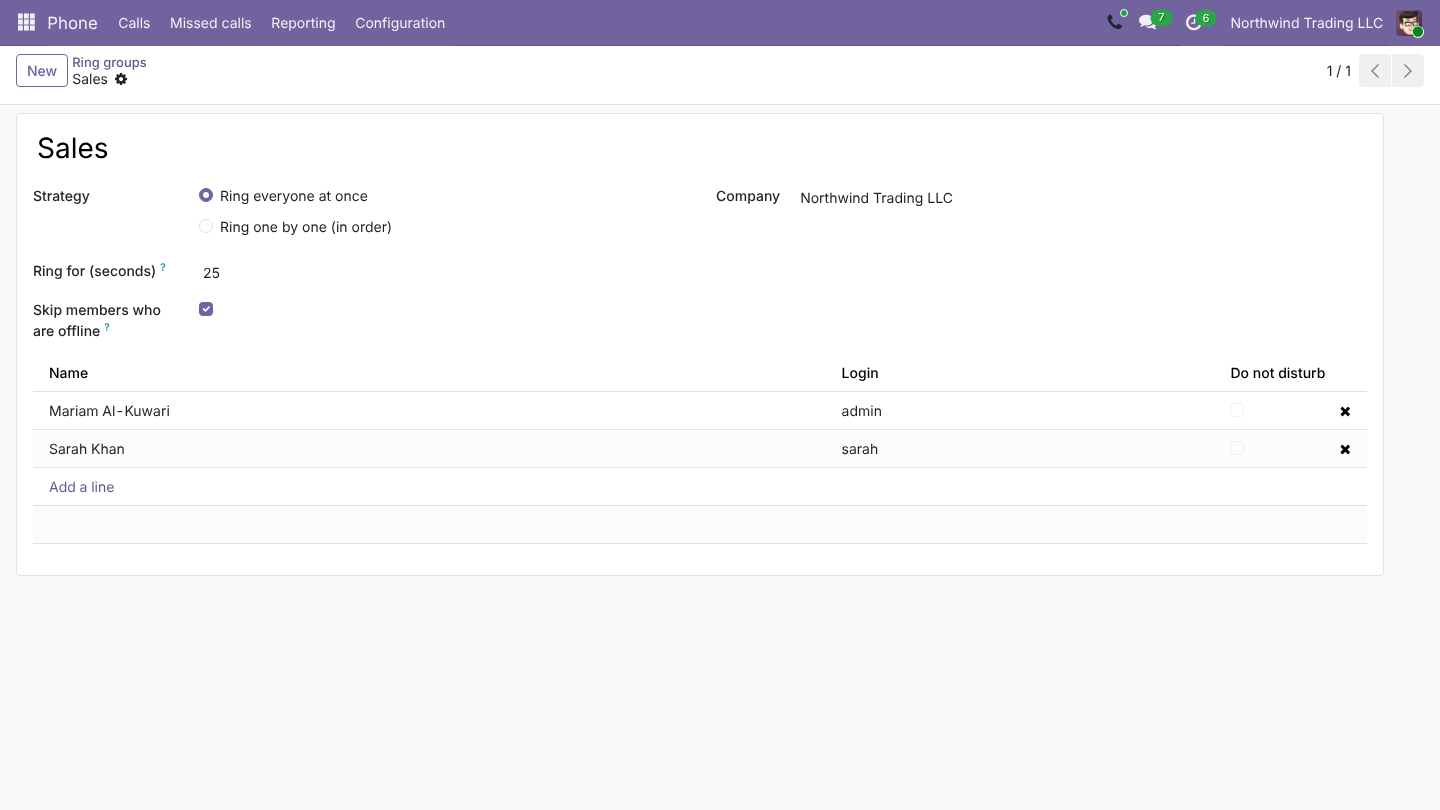
| Field | Meaning |
|---|---|
| Strategy | Ring everyone at once, or Ring one by one (in order). |
| Ring for (seconds) | Per member when ringing one by one, for the whole group otherwise. |
| Skip members who are offline | Only ring members with Odoo open in a browser. When nobody is online, the caller goes straight to voicemail. |
| Members | Users with the Phone / User right. Members on Do not disturb are skipped. |
Phone menus
"For sales, press 1. For support, press 2." Phone > Configuration > Phone menus, then choose the menu on the number with Incoming calls go to: Menu.
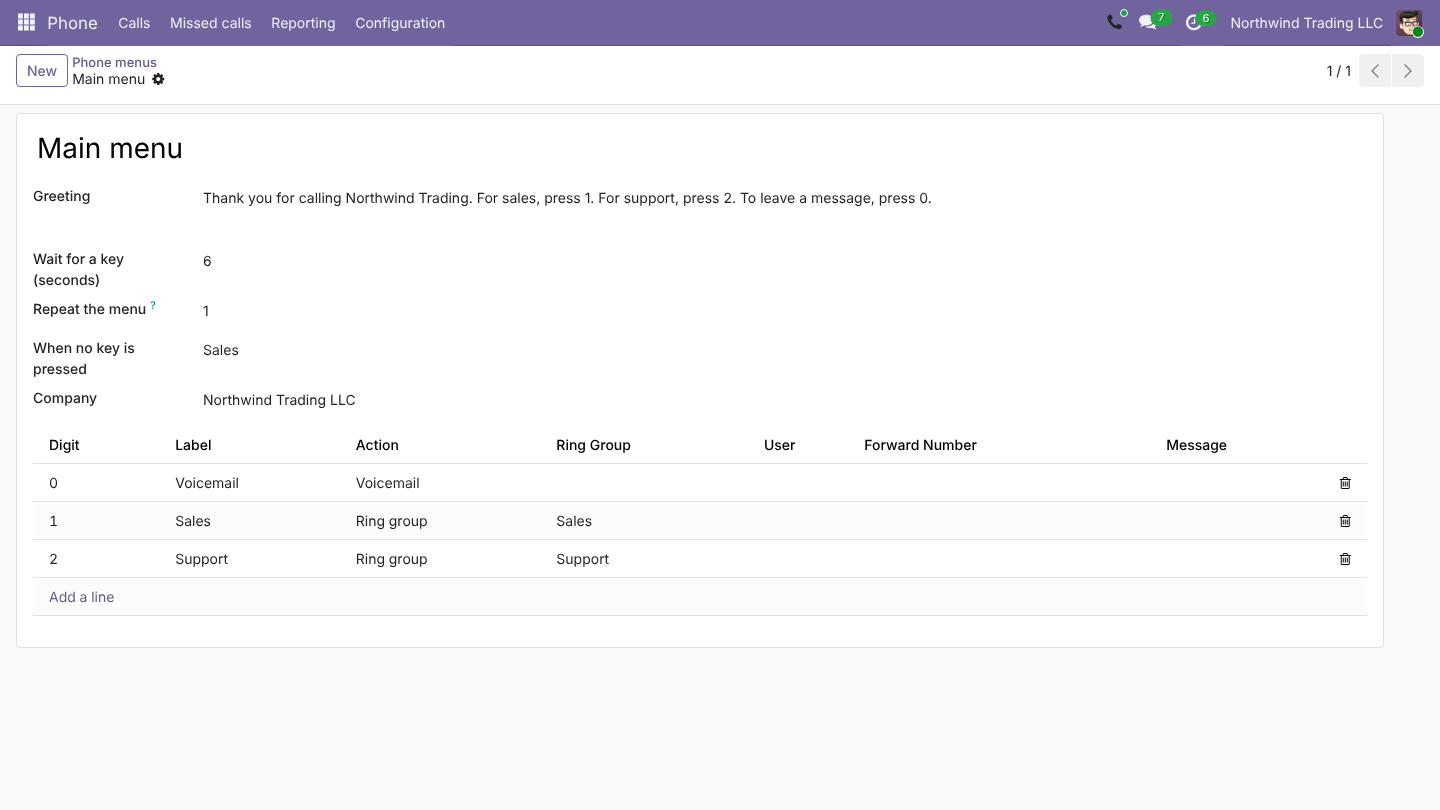
| Field | Meaning |
|---|---|
| Greeting | The menu read to the caller. |
| Wait for a key (seconds) | How long to wait for a key. |
| Repeat the menu | How many times the menu is read again when no key is pressed. |
| When no key is pressed | The option used after the last repeat. |
| Options | Digit, Label (stored on the call, shown in the popup), Action: Ring group, User, Voicemail, Forward to a phone or Play a message. |
Was this page helpful?