Connect Twilio
1. Add the account
- In Twilio, open the Console and copy the Account SID (starts with AC) and the Auth Token.
- In Odoo, open Phone > Configuration > Twilio accounts and press New.
- Paste the Account SID and the Auth Token.
- Press Connect.
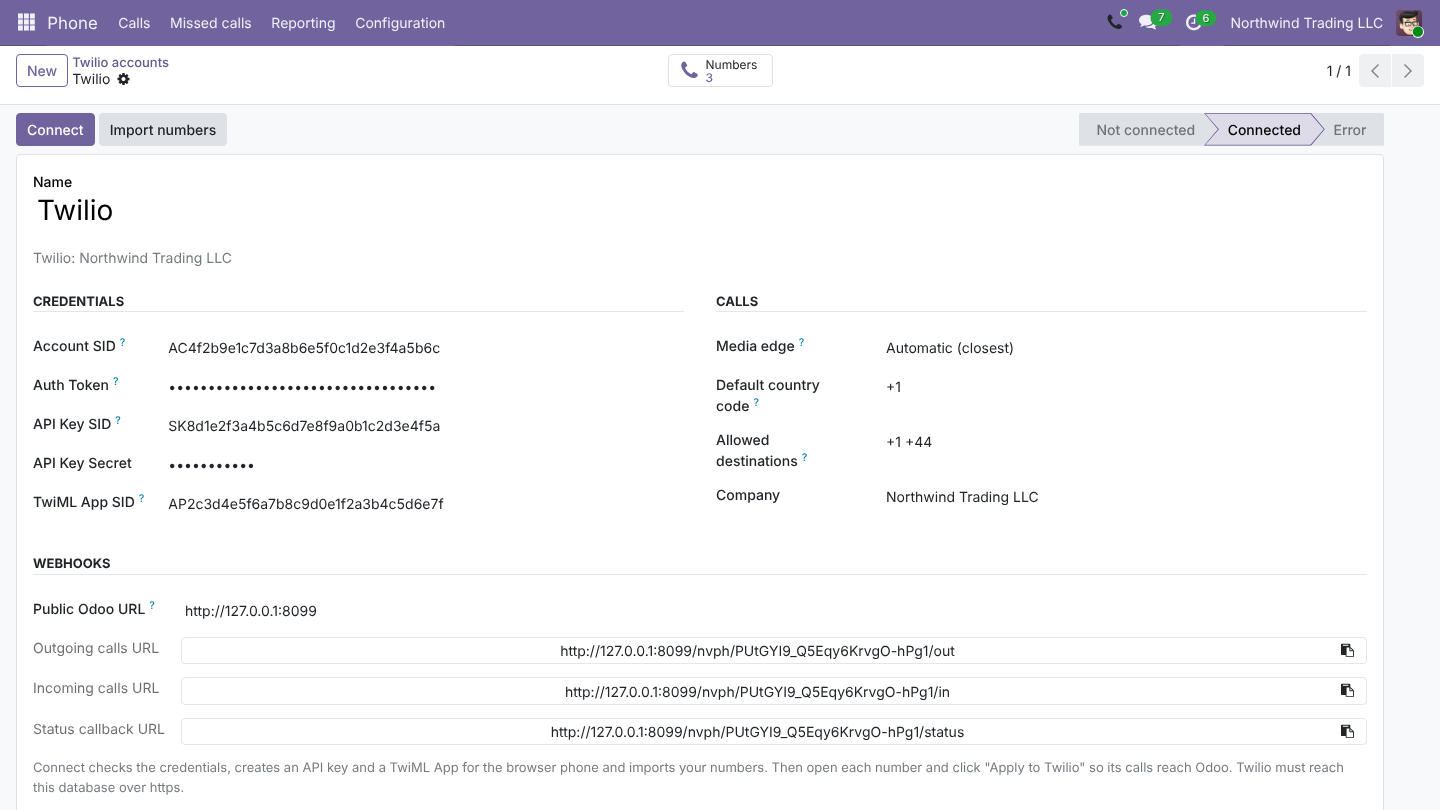
Connect does three things:
- checks the credentials with Twilio,
- creates an API Key (used to sign the browser phone's access tokens) and a TwiML App (where the browser phone's outgoing calls go) when the fields are empty,
- imports your Twilio numbers into Phone numbers.
You can also paste an existing API Key SID, API Key Secret and TwiML App SID: Connect keeps them and updates the TwiML App's addresses.
Odoo calls Twilio's REST API with your Account SID and Auth Token to read the account, create the key and the TwiML App, list and update your numbers, send SMS and download recordings. Nothing is sent to Novator Technologies.
2. Check the public address
Twilio reaches Odoo through webhooks. The Webhooks section shows the three addresses Twilio uses:
| Field | Used for |
|---|---|
| Outgoing calls URL | Calls placed from the browser (set on the TwiML App by Connect). |
| Incoming calls URL | Calls to your numbers (set on each number by Apply to Twilio). |
| Status callback URL | The final status of each call. |
They are built from Public Odoo URL, or from the web.base.url system parameter when it is empty. Use the https address your users open, for example https://erp.example.com. Each address contains a secret token, and every request is checked with Twilio's signature: requests without a valid signature are refused.
3. Point each number at Odoo
Open Phone > Configuration > Phone numbers, open a number, set where its calls go (Numbers and routing) and press Apply to Twilio. The status changes to Applied: incoming calls to this number now reach Odoo.
4. Calling options
| Field | Meaning |
|---|---|
| Media edge | Twilio location that carries the browser audio. Automatic (closest) is right for most companies. |
| Default country code | Added to numbers dialled without a + (for example +1). |
| Allowed destinations | Calling codes users may dial, separated by spaces (for example +1 +44). Empty allows every destination. Protects you against toll fraud. |
5. Give users access
In Settings > Users, set Phone to:
- User: makes and takes calls, sees their own calls and unanswered calls.
- Administrator: sets up Twilio, numbers, ring groups and menus, and sees all calls.
On the user's Phone tab you can set the Phone number used as their caller ID and Do not disturb.
US numbers and SMS
Twilio requires business SMS to US numbers to be registered: A2P 10DLC for local numbers, or a verified toll-free number. Register in the Twilio Console before you switch on missed-call text back for US callers. Calls need no registration.