In the Point of Sale
- In the POS, select the customer.
- Tap Loyalty Ledger:
- Odoo 17.0: with the other control buttons on the product screen.
- Odoo 18.0 to 20.0: open the actions menu of the product screen (Actions or the three dots), then Loyalty Ledger.
The popup shows each card of the customer: the program, card code, current balance, the points that expire soon, and the last 15 movements with their order and the balance after each.
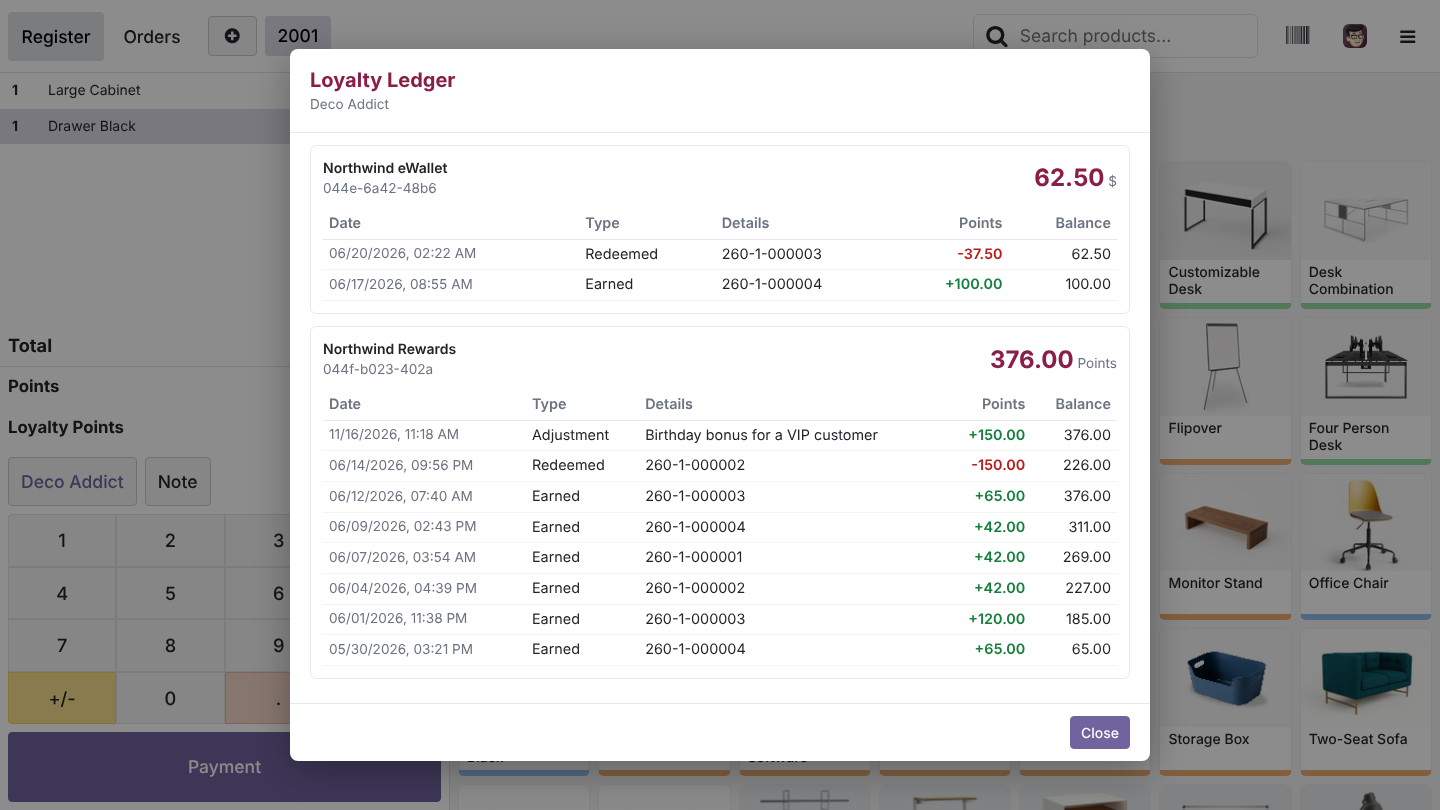
Close it with Close, a click outside or the Escape key.
- The button only appears when the Point of Sale has loyalty programs.
- With no customer selected, the POS asks you to select one.
- The popup reads the server, so it needs the connection. Sales work offline as usual; their points reach the ledger when the orders are synced.
Points won or spent in an order are recorded when the order is validated, linked to that order.
Was this page helpful?