Customer statements
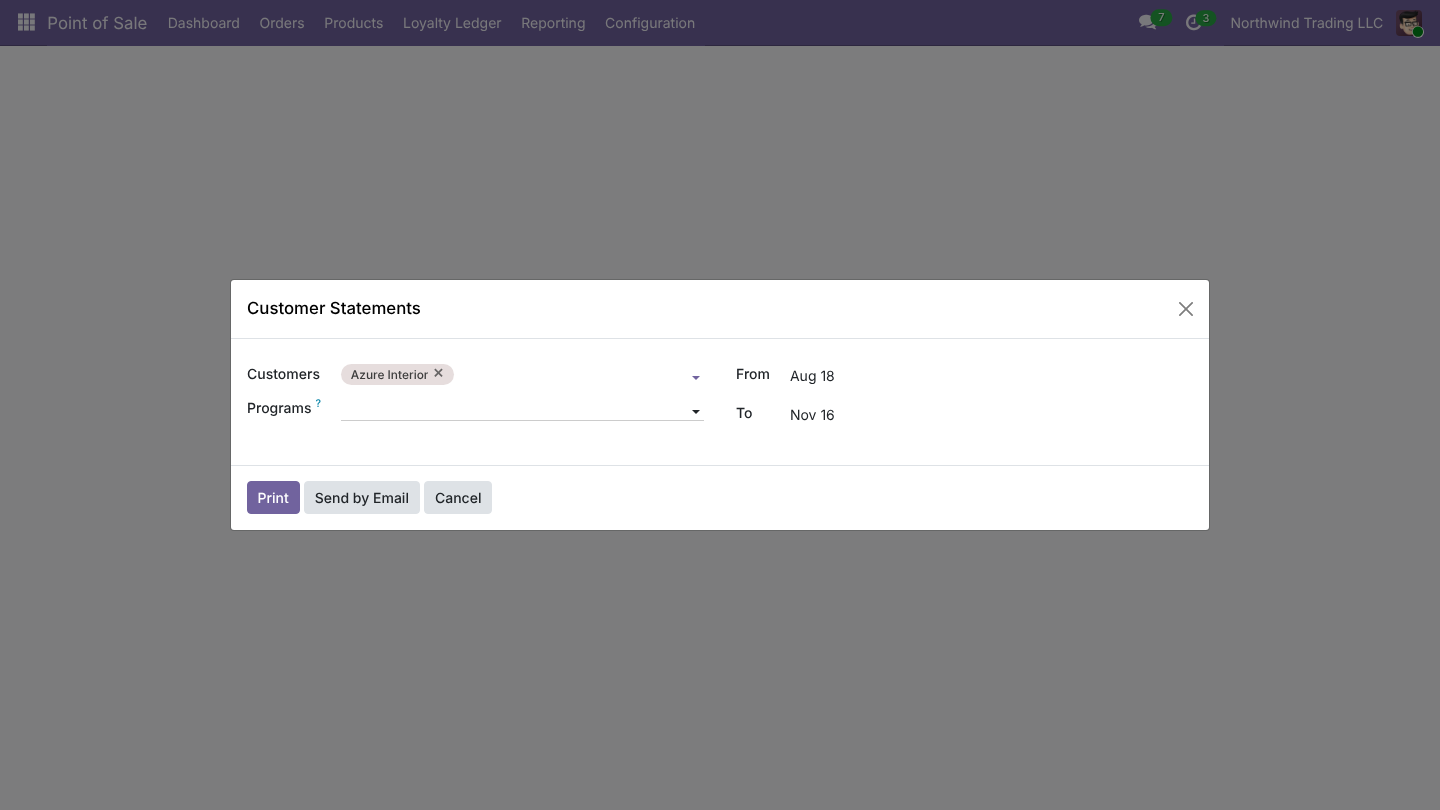
- Go to Point of Sale > Loyalty Ledger > Customer Statements, or select customers in the Contacts list (or open one) and use Action > Loyalty Statement.
- Choose the Customers, the period (From, To) and, if you like, the Programs (empty means all).
- Click Print for the PDF, or Send by Email to email each customer their own statement with the PDF attached.
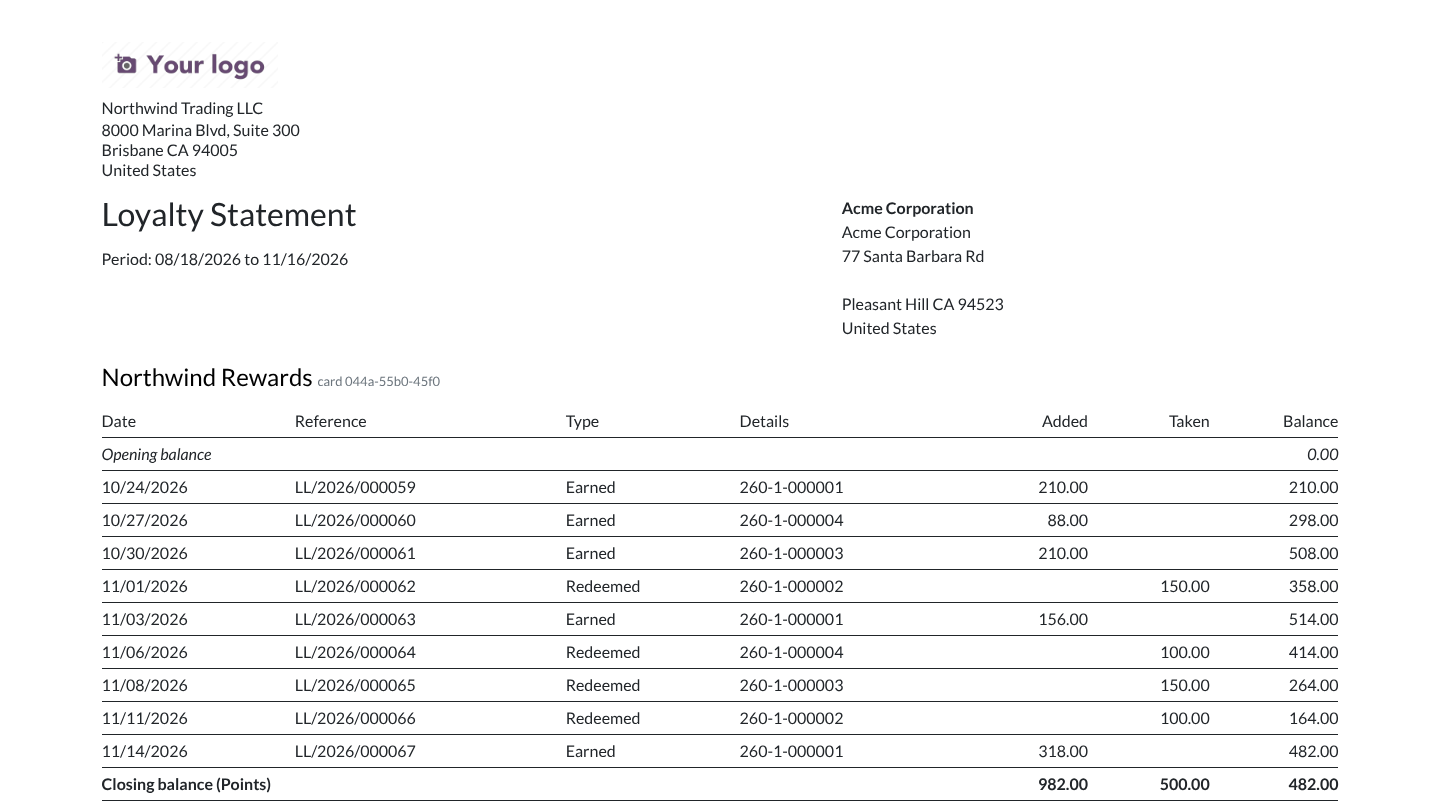
Each card gets a table: the opening balance at the start of the period, every movement with its reference and details, the totals added and taken, and the closing balance. If points expire soon, the statement says how many and when.
Customers without an email address are skipped and listed in the message after sending. The email uses the template Loyalty Ledger: customer statement (Settings > Technical > Email Templates), which you can reword.
Was this page helpful?