Set up
What happens at install
Every existing loyalty card, eWallet and gift card that holds a balance gets an Opening Balance entry with its current balance. From then on every change is recorded. Nothing else changes: your programs earn and redeem exactly as before.
The ledger follows Loyalty Cards, eWallet and Gift Card programs. Single-use coupons, promo codes and next-order coupons are left out on purpose: they would only add noise.
Who can do what
| Odoo group | Can |
|---|---|
| Point of Sale / User | See the ledger, the POS popup, print and email statements |
| Point of Sale / Administrator | Everything above, plus Adjust Points, Reverse, Import Balances and Reconcile Balances |
Nobody can edit or delete a ledger entry, not even an administrator. Entries follow the company of their card, so users only see the companies they have access to.
Menus
Everything is under Point of Sale > Loyalty Ledger:
- Ledger Entries: all movements.
- Outstanding Balances: points and amounts still owed per program.
- Customer Statements: print or email statements.
- Adjust Points, Import Balances, Reconcile Balances (administrators).
Shortcuts: a Loyalty Ledger smart button on customers, a Ledger smart button and Adjust Points button on cards, and a Loyalty smart button on POS orders that moved points.
Expiry and reminders (optional)
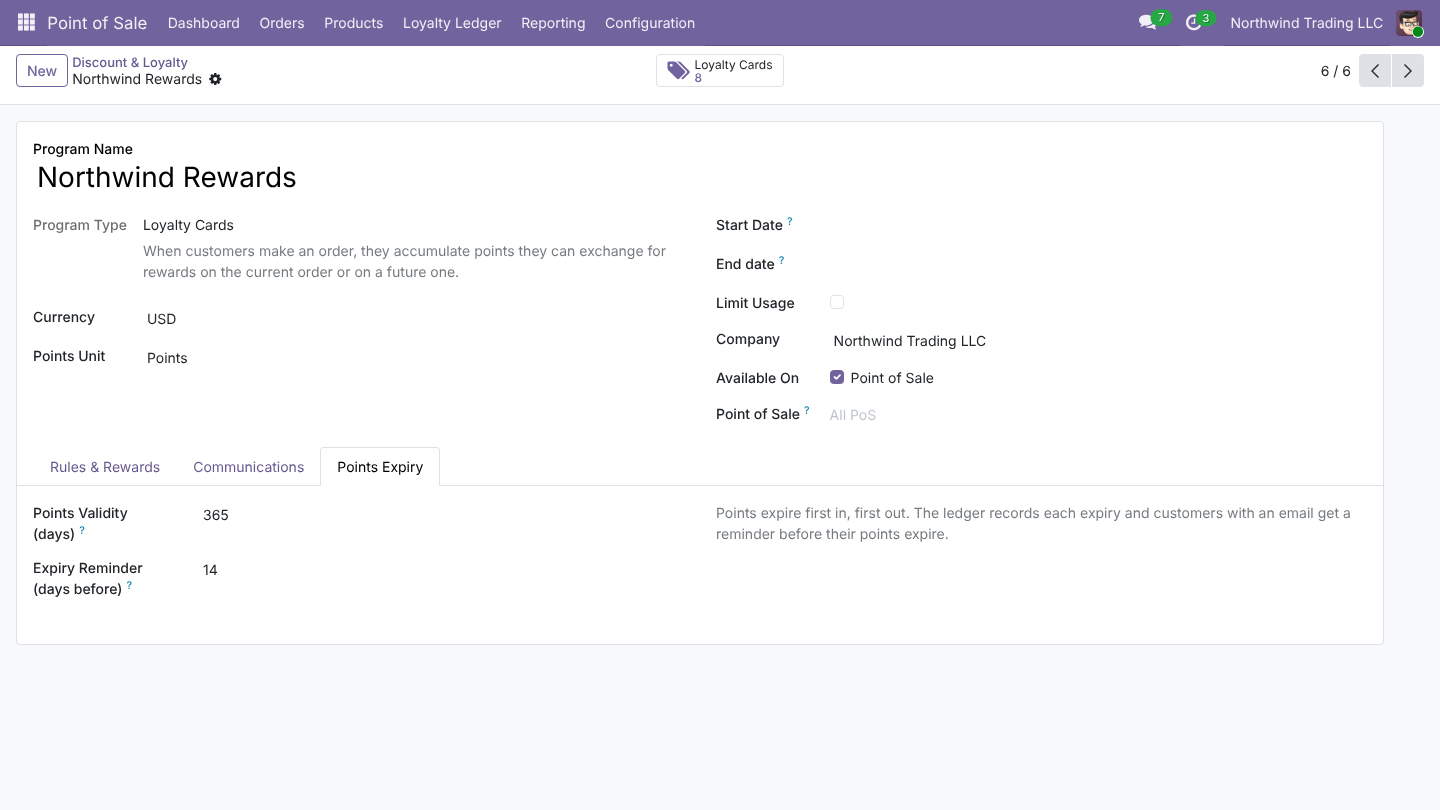
Open a loyalty program (Point of Sale > Products > Discount & Loyalty) and go to the Points Expiry tab:
- Points Validity (days) (Odoo 17.0 to 19.0): points expire this many days after they were earned, oldest first. Leave 0 to keep points forever. On Odoo 20.0 use Odoo's own points validity on the program instead.
- Expiry Reminder (days before): customers with an email receive a reminder this many days before their points expire. Leave 0 for no reminder.
See Points expiry and reminders for how expiry is calculated.