Connect the store
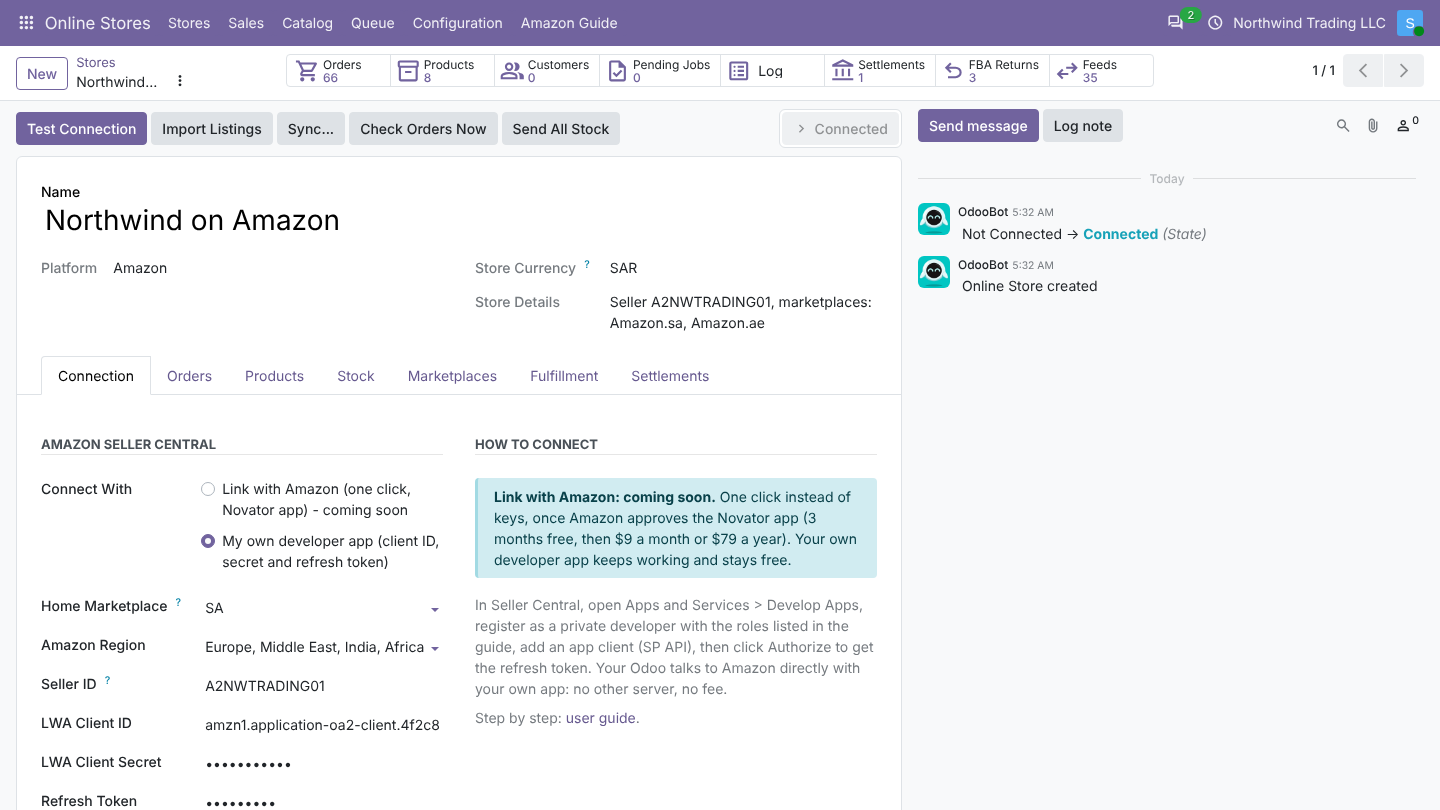
- Open Online Stores > Stores and click New.
- Name: for example Amazon KSA. Platform: Amazon.
- Connect With: My own developer app.
- Home Marketplace: the country where your seller account was created (for example SA for Amazon.sa). Odoo fills in the Amazon Region:
| Region | Marketplaces |
|---|---|
| North America | US, Canada, Mexico, Brazil |
| Europe, Middle East, India, Africa | UK, Germany, France, Italy, Spain, Netherlands, Belgium, Sweden, Poland, Turkey, Egypt, Saudi Arabia, UAE, South Africa, India |
| Far East | Japan, Australia, Singapore |
- Paste the Seller ID, LWA Client ID, LWA Client Secret and Refresh Token from your developer app.
- Environment: leave Production. Sandbox only answers with Amazon's fixed sample data and is for checking that new keys work.
- Save and click Test Connection.
Odoo reads the marketplaces of your account and shows them on the Marketplaces tab, with their currency. The store becomes Connected and Store Details shows your Seller ID and marketplaces.
One store per seller account
- A seller account that sells in several countries (for example Amazon.sa and Amazon.ae) is one store: all its marketplaces are on the Marketplaces tab. Untick Active on a marketplace you do not want in Odoo.
- Several seller accounts (several brands or companies) are several stores, in one or several Odoo companies.
- The same seller account cannot be connected twice in one company: Odoo refuses it, because every order would be imported twice.
Link with Amazon (coming soon)
Link with Amazon will connect the store in one click, without keys: Seller Central opens, you approve the Novator app, and Amazon brings you back to Odoo. It will be free for 3 months, then $9 a month or $79 a year. Until Amazon approves the Novator app, the option shows coming soon; your own developer app works the same and stays free.
Next step
Go through the store settings.
Was this page helpful?