Steps
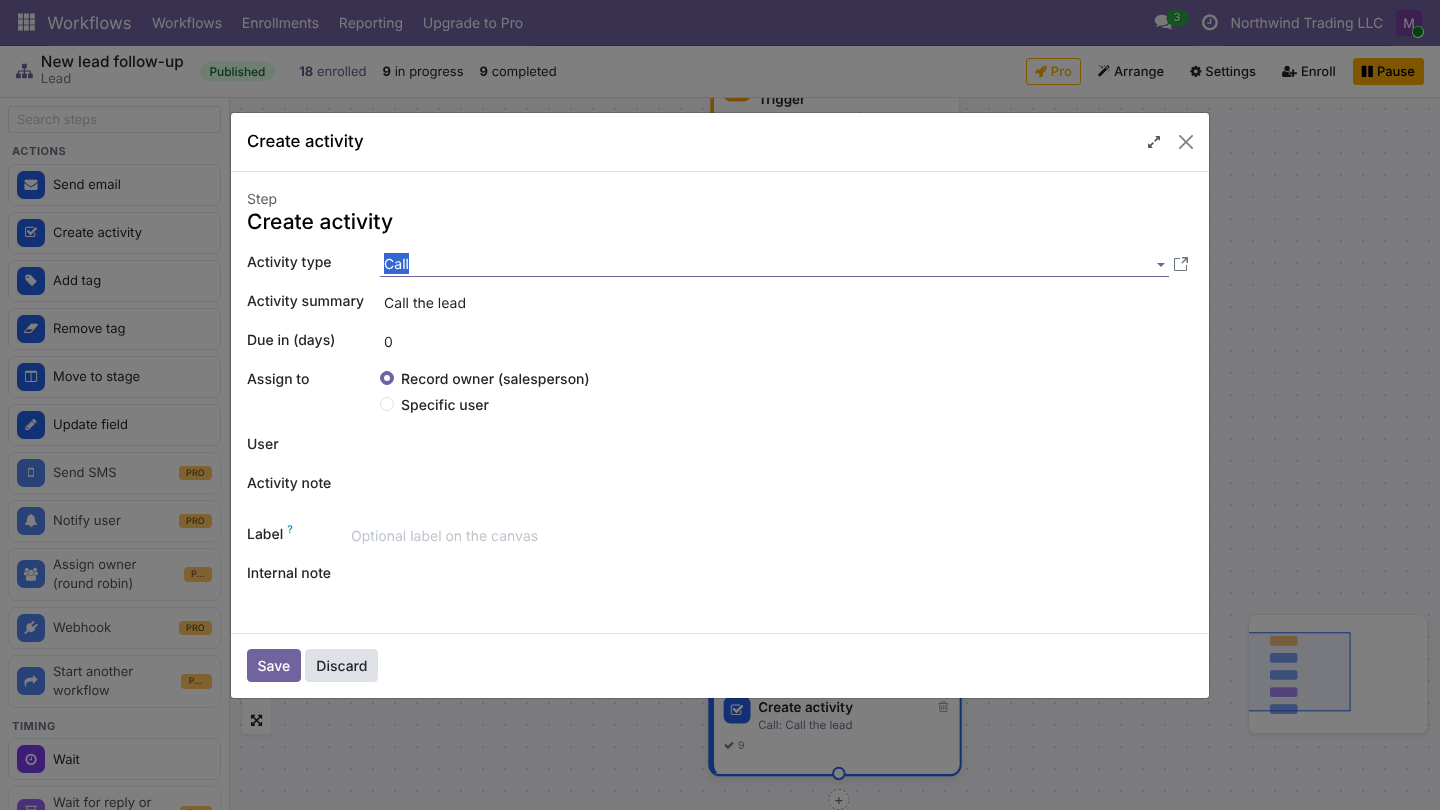
Click a step in the builder to set it up. Every step also has a Label (shown on the canvas instead of the step name) and an Internal note.
| Step | What it does | Settings |
|---|---|---|
| Send email | Sends an email from a template of the same model. The email goes into Odoo's outgoing queue. | Email template |
| Create activity | Schedules an activity on the record. | Activity type, Activity summary, Due in (days), Assign to: Record owner (salesperson) or Specific user, User, Activity note. With Record owner, a record without a salesperson gets the activity for the user in User, else the creator of the workflow. |
| Add tag / Remove tag | Adds or removes tags. | Tags (leads and sales orders) or Contact tags (contacts). |
| Move to stage | Moves a lead or opportunity to a stage. | Stage |
| Update field | Writes a value into a field. | Field, New value: text, a number, true or false, a selection key (for example 3 for three stars on Priority), the ID of a linked record, or a date as YYYY-MM-DD. today and now give the current date. |
| Wait | Holds the record before the next step. | Wait and Unit (minutes, hours, days, weeks). |
| End | Ends the workflow for this record. A step without a next step also ends it. |
What is sent
- Send email uses your Odoo outgoing mail server and the template's recipients.
- No step sends data outside Odoo. (The Pro Webhook step does, to the URL you enter.)
Timing
A record runs through its steps right away until it reaches a wait. A scheduled action, CRM Workflow Builder: run due steps, runs every five minutes and continues the records whose wait is over. It is also woken up whenever a record enters a workflow.
Pro steps
If / else, A/B split, Goal, Wait for reply or condition, Send SMS, Notify user, Assign owner (round robin), Webhook and Start another workflow come with CRM Workflow Builder Pro: see Pro steps and settings. In the free app they show in the panel with a PRO badge.
Steps from other apps
| Step | App | What it does |
|---|---|---|
| Send text (Phone) | Phone for Twilio | Sends an SMS from a Twilio number to the record's phone. Placeholders {name}, {company}, {user}. |
| Send review request (Reviews) | Reviews & Reputation Pro | Sends a review request (email, SMS or both) to the customer of the record. |
Was this page helpful?