Triggers
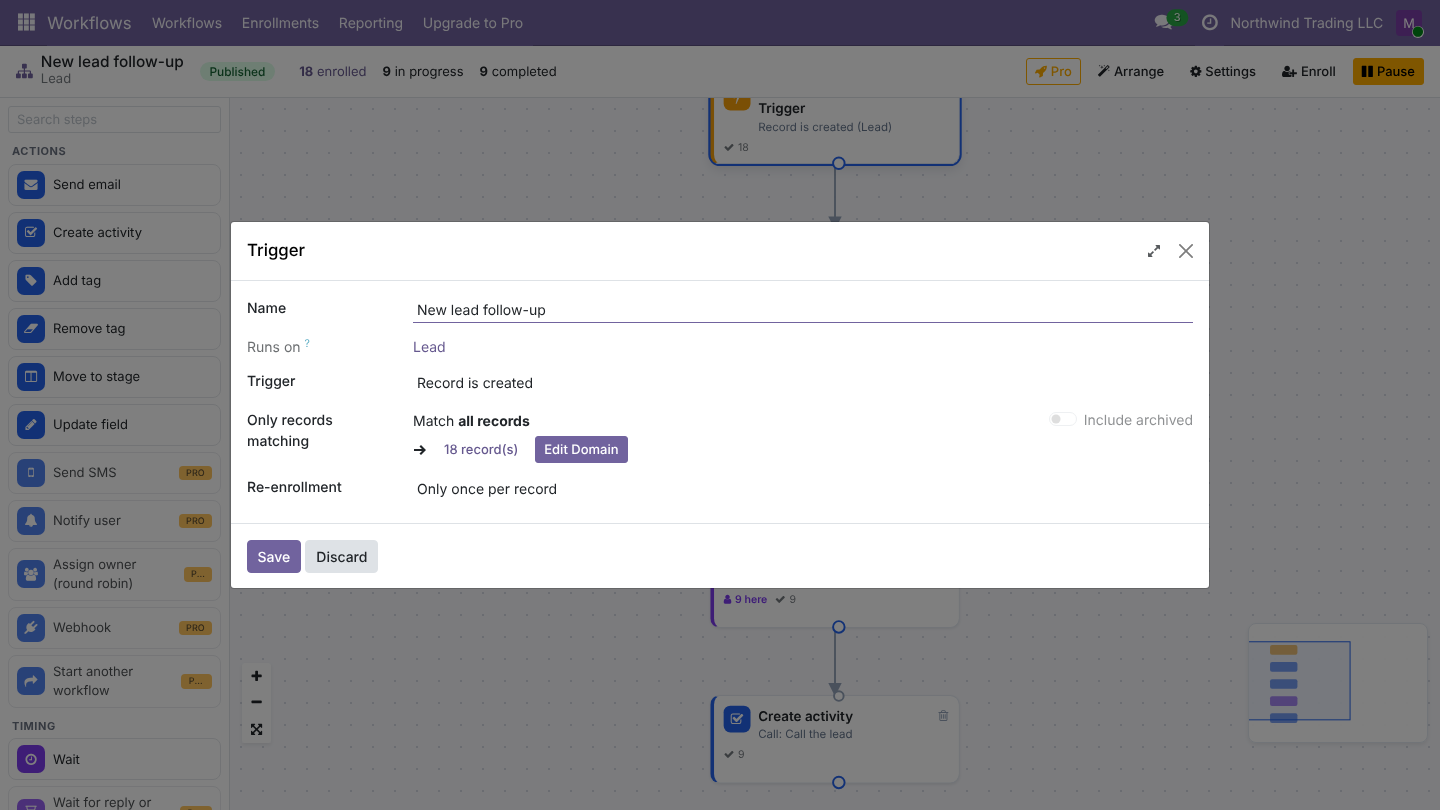
The trigger decides when a record enters the workflow. Set it on the workflow form, or click the trigger card in the builder.
In the free app
| Trigger | Starts when | Extra fields |
|---|---|---|
| Record is created | A record is created. | |
| Record is updated | A record is saved with changes. | Watched fields: only start when one of these fields changes. Empty: any field. |
| Record is created or updated | Either of the two. | Watched fields |
| Stage changes | The stage of the record changes. | Stage: only when it moves to this stage. Empty: any stage. |
| Tag is added | A tag is added to a lead or a sales order. | Tag |
| Website form is submitted | A lead is created from a form on your Odoo website (Contact us and other forms that create leads). | |
| Manual enrollment only | Never on its own: you enroll records yourself. See Run and track. |
The filter in Only records matching applies to every trigger: a record that does not match does not enter.
With CRM Workflow Builder Pro
| Trigger | Starts when | Extra fields |
|---|---|---|
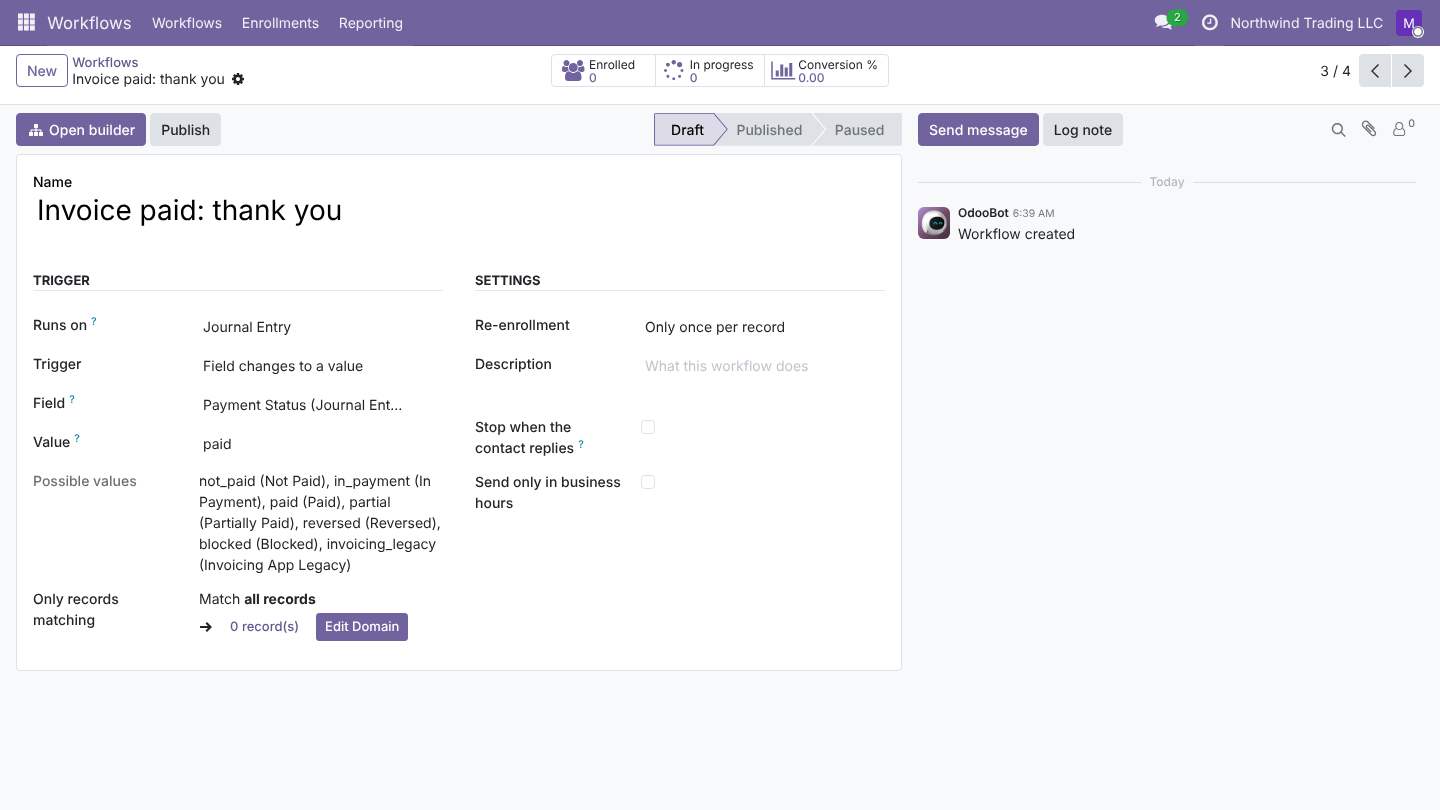
| Field changes to a value | A field takes a value, for example the Status of a sales order becomes sale (confirmed) or the Payment Status of an invoice becomes paid. Also for records created with that value. | Field, Value. Possible values lists the keys you can enter. For a true/false field enter true or false; for a link to another record enter its ID. |
| Owner is assigned | The salesperson (or user) of the record is set. | |
| Date based (before or after a date) | A date on the record comes near or has passed, for example 2 days before the expected closing. | Date field, Offset (negative = before, positive = after), Offset unit. Odoo's scheduler checks these. |
| Message received | A message from the customer arrives on the record (email reply, chatter). | |
| Inbound webhook | Another system calls the workflow URL. | Webhook URL (shown after you publish). |
Inbound webhook
Send a POST with a JSON body to the Webhook URL:
{"id": 42}runs the workflow on record 42.{"email": "[email protected]", "name": "Ahmed", "phone": "+974 5500 1200", "company": "Gulf Traders"}finds the record by email, or creates it (for leads: name, email, phone, company and contact name), then runs the workflow.
Keep the URL secret: anyone who has it can start the workflow. Odoo's Rotate on the automation rule changes it.
Triggers from other apps
| Trigger | App | Starts when |
|---|---|---|
| Missed call (Phone) | Phone for Twilio | A call to one of your Twilio numbers is missed. Works on leads and contacts; Only calls to limits it to some numbers. |
| New review (Reviews) | Reviews & Reputation Pro | A review arrives (review page or Google). Works on customer reviews and contacts. |
| Low rating (Reviews) | Reviews & Reputation Pro | A review below your threshold arrives. Only reviews from limits it to Google or the review page. |
| Funnel submitted (Funnels) | Sales Funnels | An opt-in form is sent (leads) or an order form is paid (sales orders); contacts for both. Only from funnel limits it to one funnel. |
Was this page helpful?