PRA POS Integration (Punjab, Pakistan)
Odoo PRA POS Integration (novator_pos_pra) reports every Point of Sale bill of a service business in Punjab (restaurants, cafes, caterers, salons, clinics and other services) to the Punjab Revenue Authority through PRA eIMS. The bill prints with the PRA Invoice #, the QR code that opens PRA's invoice verification page, and the tax shown as PST.
It runs on the same Pakistan Tax engine as the FBR app, so everything in Set up, Selling and follow-up and Receipts applies: one try per bill, the till keeps going when PRA is down, Submit to PRA from the order list, the locked log, receipt PDFs, email and WhatsApp.
Odoo 13.0 - 20.0 Community and Enterprise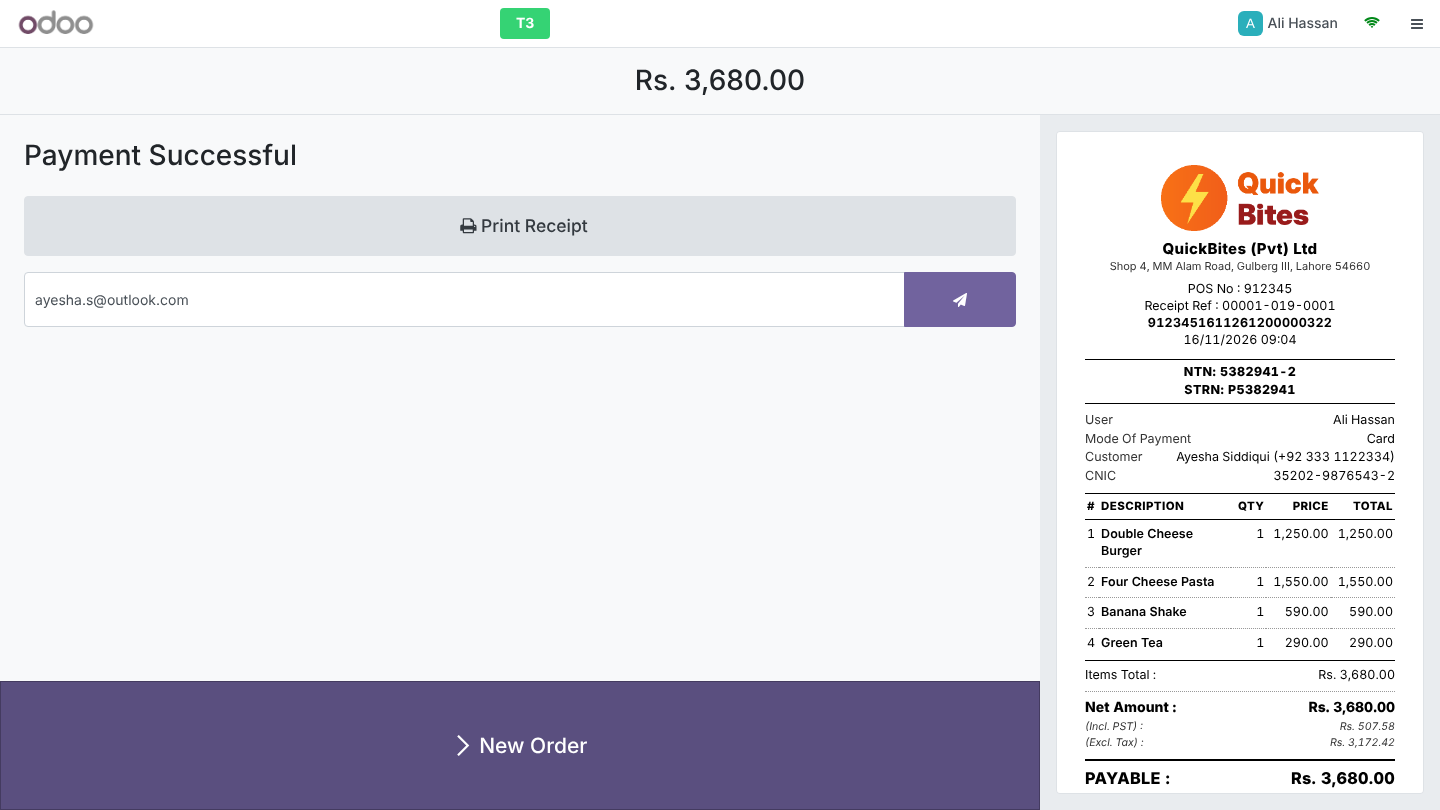
- Odoo PRA POS Integration on the Apps Store ($99 with the engine; $50 if you already have the FBR app)
Set up
- Register each till with PRA (eIMS) and note its POS ID and token.
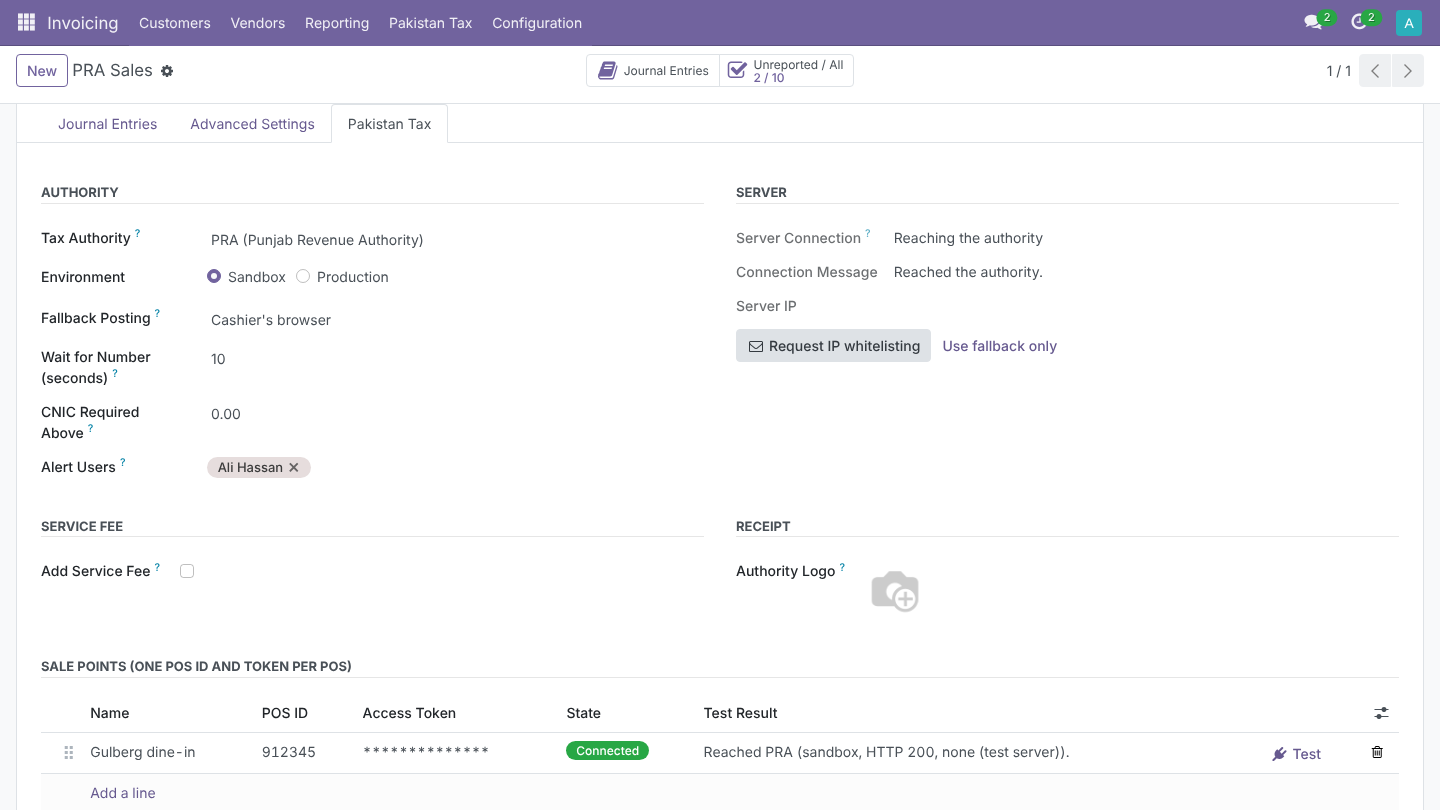
- Go to Invoicing → Configuration → Journals, open the journal your POS invoices with, tab Pakistan Tax.
- Tax Authority: PRA (Punjab Revenue Authority). Environment: Sandbox first.
- Under Sale Points, add each till with its POS ID and Access Token, then click Test.
- In Point of Sale → Configuration → Settings, pick the till's Sale Point under Tax Authority Reporting.
- Click Request IP whitelisting on the journal. The request is addressed to PRA ([email protected]) with your server IP, NTN and POS IDs. When PRA confirms, switch to Production.
The bill data PRA asks for: invoice number in Odoo (USIN), date, buyer CNIC, NTN (as BuyerPNTN), name and phone when known, totals, PST, discount, payment mode and the items with their PCT code. Restaurant items use the Second Schedule of the Punjab Sales Tax on Services Act 2012 (for example 9801.2000): set it in PCT / HS Code on the product.
The bill
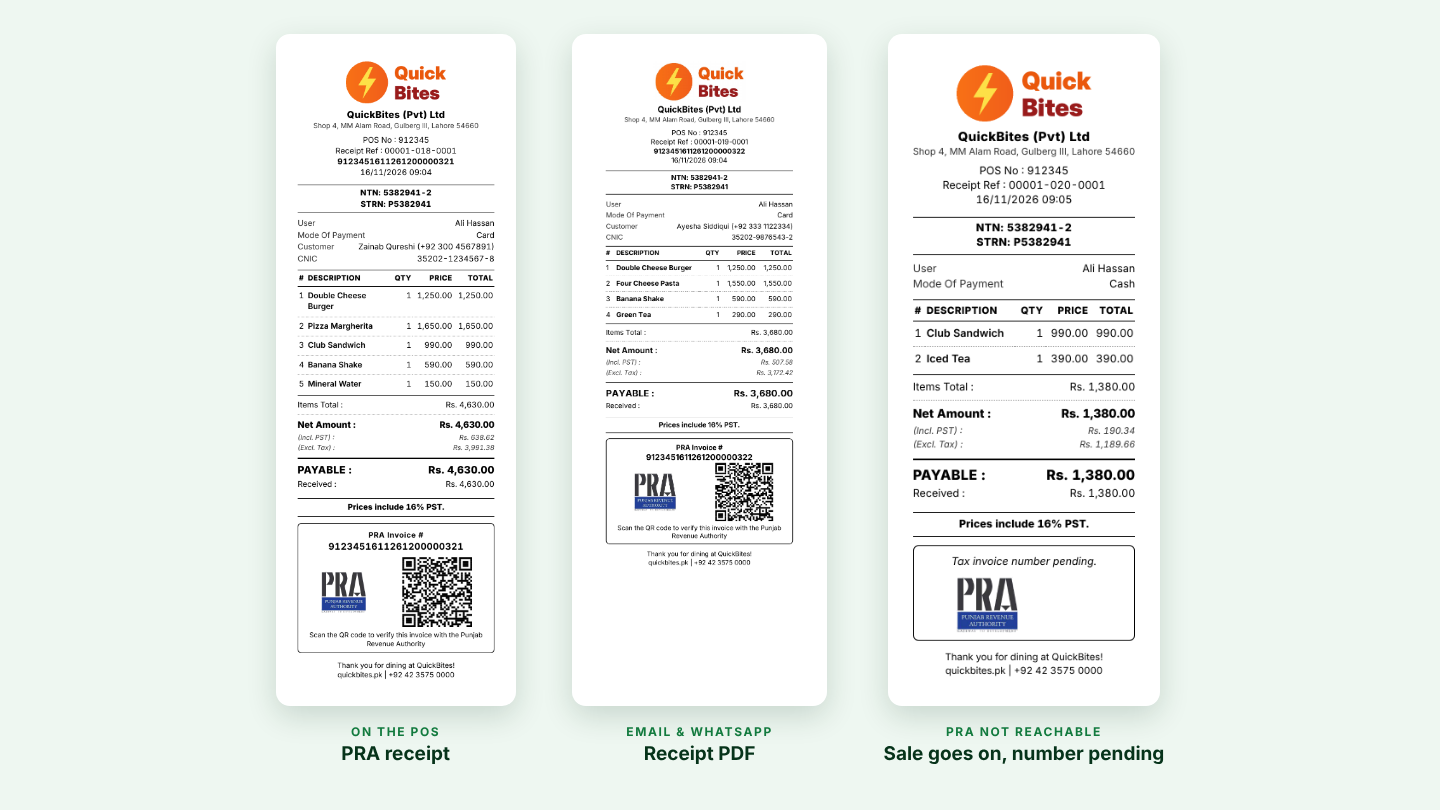
- (Incl. PST) and (Excl. Tax) under the Net Amount.
- PRA Invoice # with the number and the verification QR code, and the line "Scan the QR code to verify this invoice with the Punjab Revenue Authority".
- PRA's logo prints next to the QR code. A logo set on the journal (Authority Logo) replaces it.
Restaurants
Odoo's restaurant Point of Sale works as usual: floors, tables, guests, kitchen orders and split bills. Every paid bill is reported once.
Submit to PRA
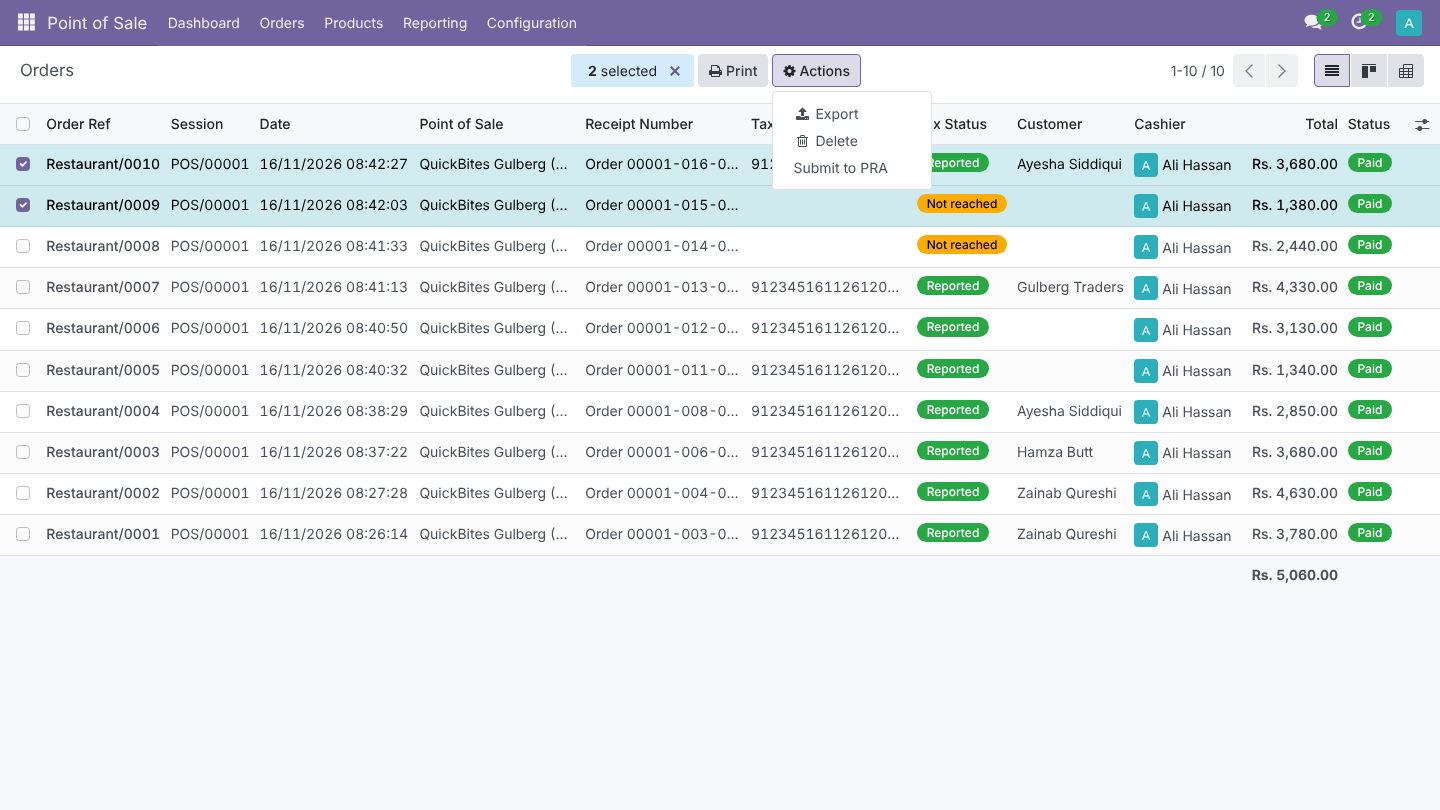
Point of Sale → Orders → Orders, select the bills without a PRA number, Actions → Submit to PRA.
Branches in other provinces?
A business that also sells goods, or has branches in Sindh, adds the FBR, SRB or KPRA app on the same engine: see Branches across Pakistan.