SRB POS Integration (Sindh, Pakistan)
Odoo SRB POS Integration (novator_pos_srb) reports every Point of Sale bill of a service business in Sindh, Pakistan (restaurants, cafes, caterers, salons, clinics and other services) to the Sindh Revenue Board. The bill prints with the SRB Invoice #, the QR code SRB returns for verification, and the tax shown as SST. When the customer pays by card, the till applies the reduced card rate by itself.
It runs on the same Pakistan Tax engine as the FBR and PRA apps, so everything in Set up, Selling and follow-up and Receipts applies: one try per bill, the till keeps going when SRB is down, Submit to SRB from the order list, the locked log, receipt PDFs, email and WhatsApp.
Odoo 13.0 - 20.0 Community and Enterprise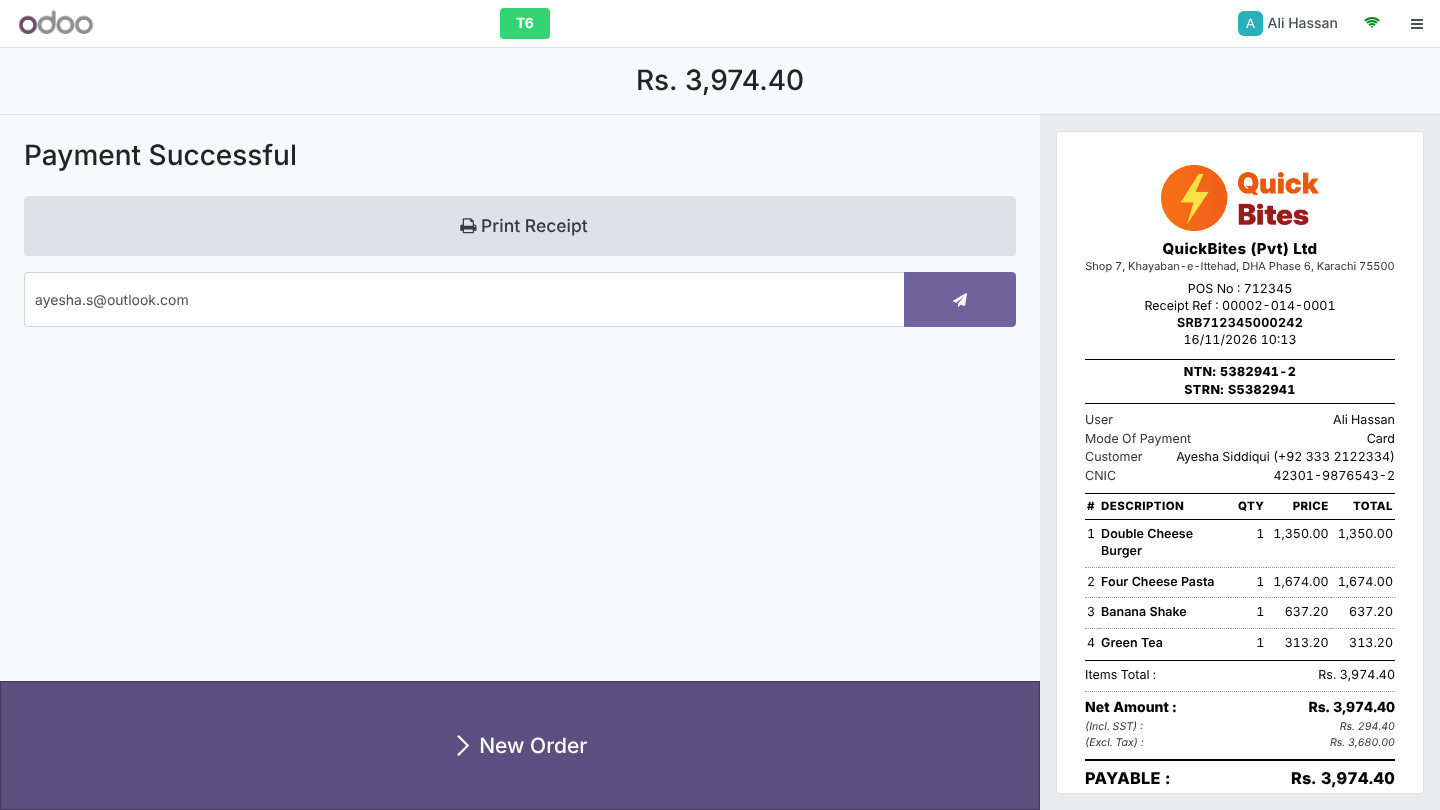
- Odoo SRB POS Integration on the Apps Store ($99 with the engine; $50 if you already have the FBR or PRA app)
Set up
- Register each till with SRB and note its POS ID, username and password.
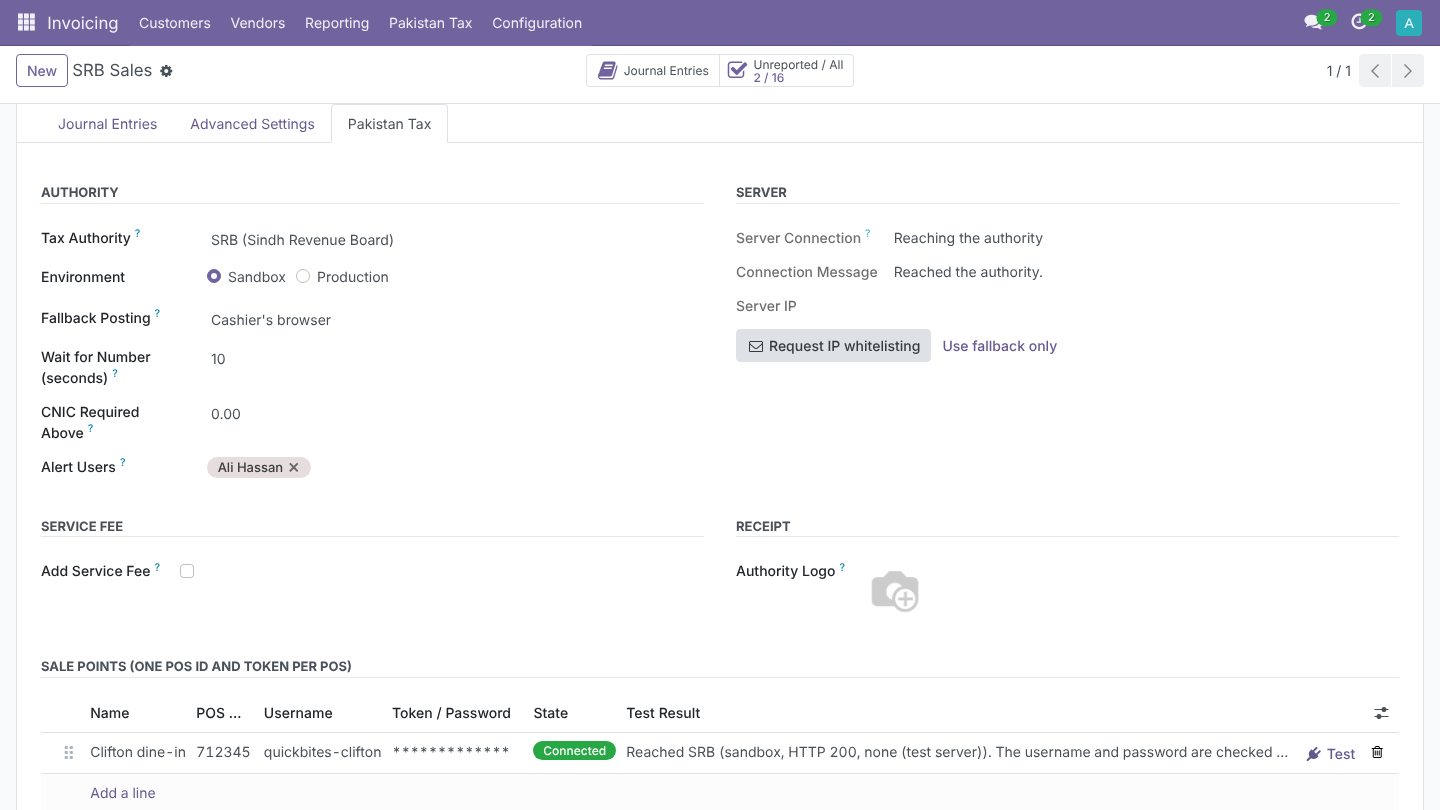
- Go to Invoicing → Configuration → Journals, open the journal your POS invoices with, tab Pakistan Tax.
- Tax Authority: SRB (Sindh Revenue Board). Environment: Sandbox first: bills go to SRB as Test. Production sends them as Live.
- Under Sale Points, add each till with its POS ID, Username and Token / Password, then click Test. Only tax managers see the username and password, and the password is never stored in the logged requests.
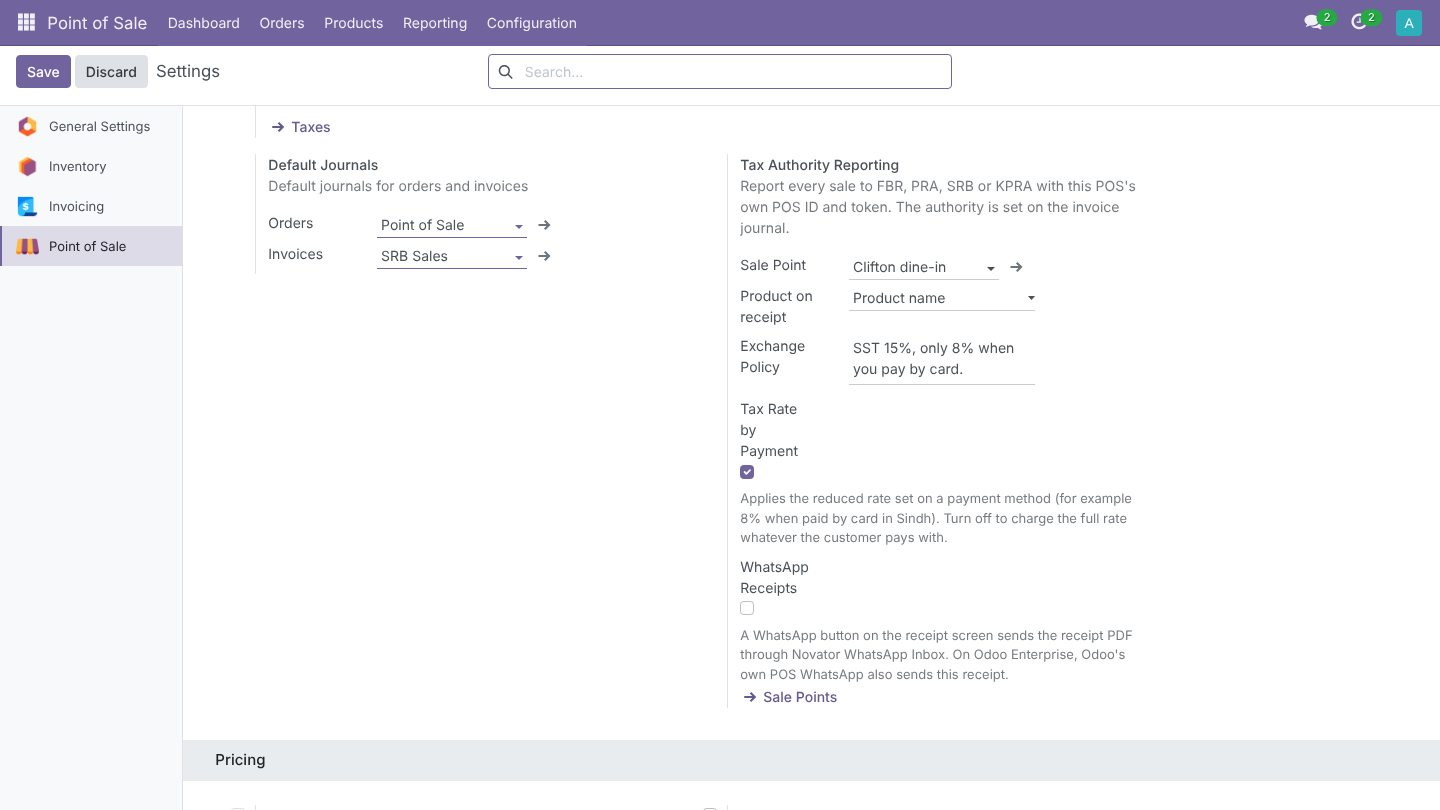
- In Point of Sale → Configuration → Settings, pick the till's Sale Point under Tax Authority Reporting.
SRB takes totals only, one bill per call: POS ID, your business name and NTN, date and time, the Odoo receipt number, the tax rate, the value before tax, the SST, the bill total, cash or card, and the customer's name, NTN or CNIC, mobile, email and address when known (otherwise "N/A"). Refunds go as a sales return with positive amounts and the original receipt number in the extra information.
The card rate
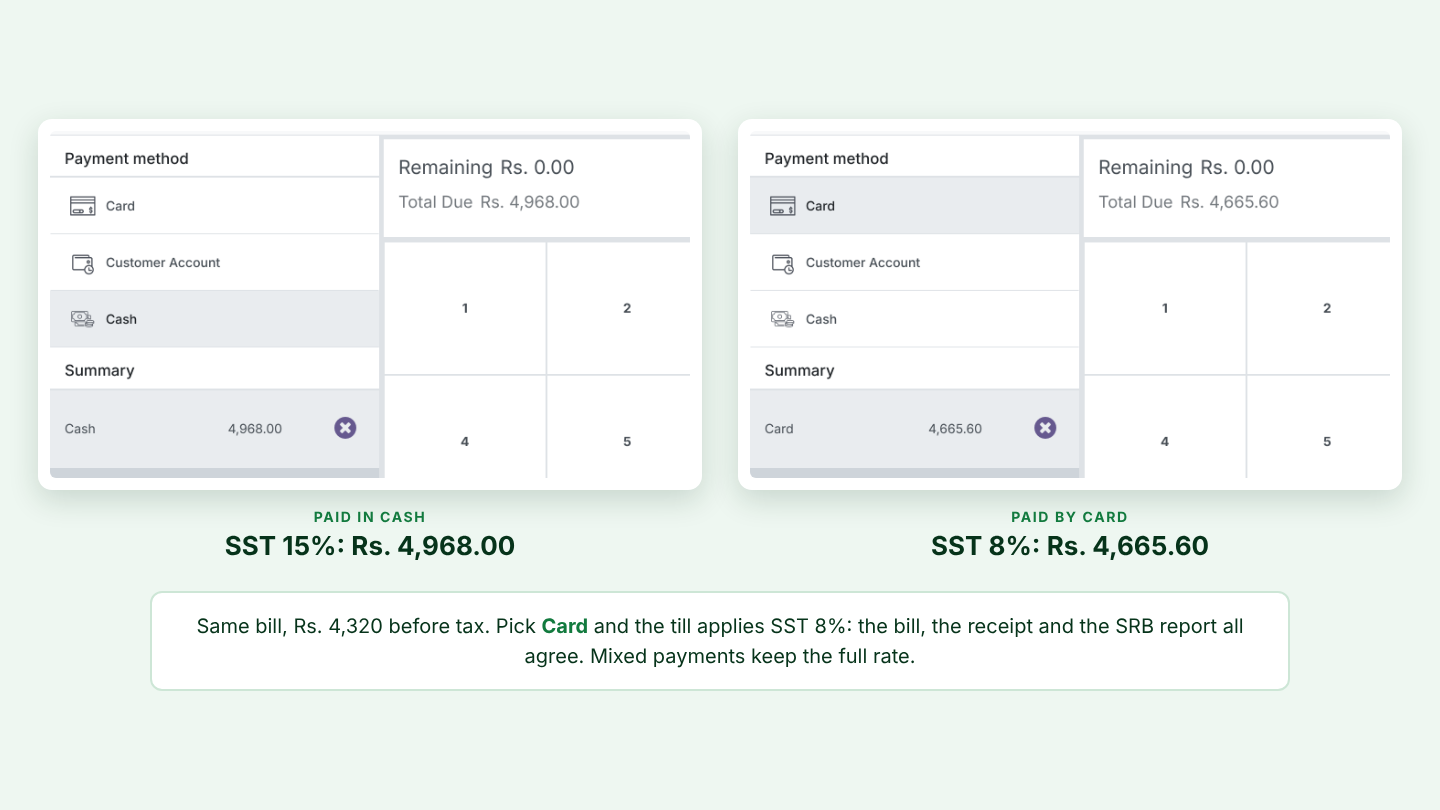
Sindh charges a lower sales tax on services paid by card (for example SST 15% in cash, 8% by card). SRB takes one rate per bill, so the app applies the rate before the customer pays:
- Create the fiscal position Paid by card (SST 8%) in Invoicing → Configuration → Fiscal Positions that maps SST 15% to SST 8%. On Odoo 19.0 and 20.0, open the SST 8% tax instead and set the fiscal position and the tax it replaces (SST 15%) there.
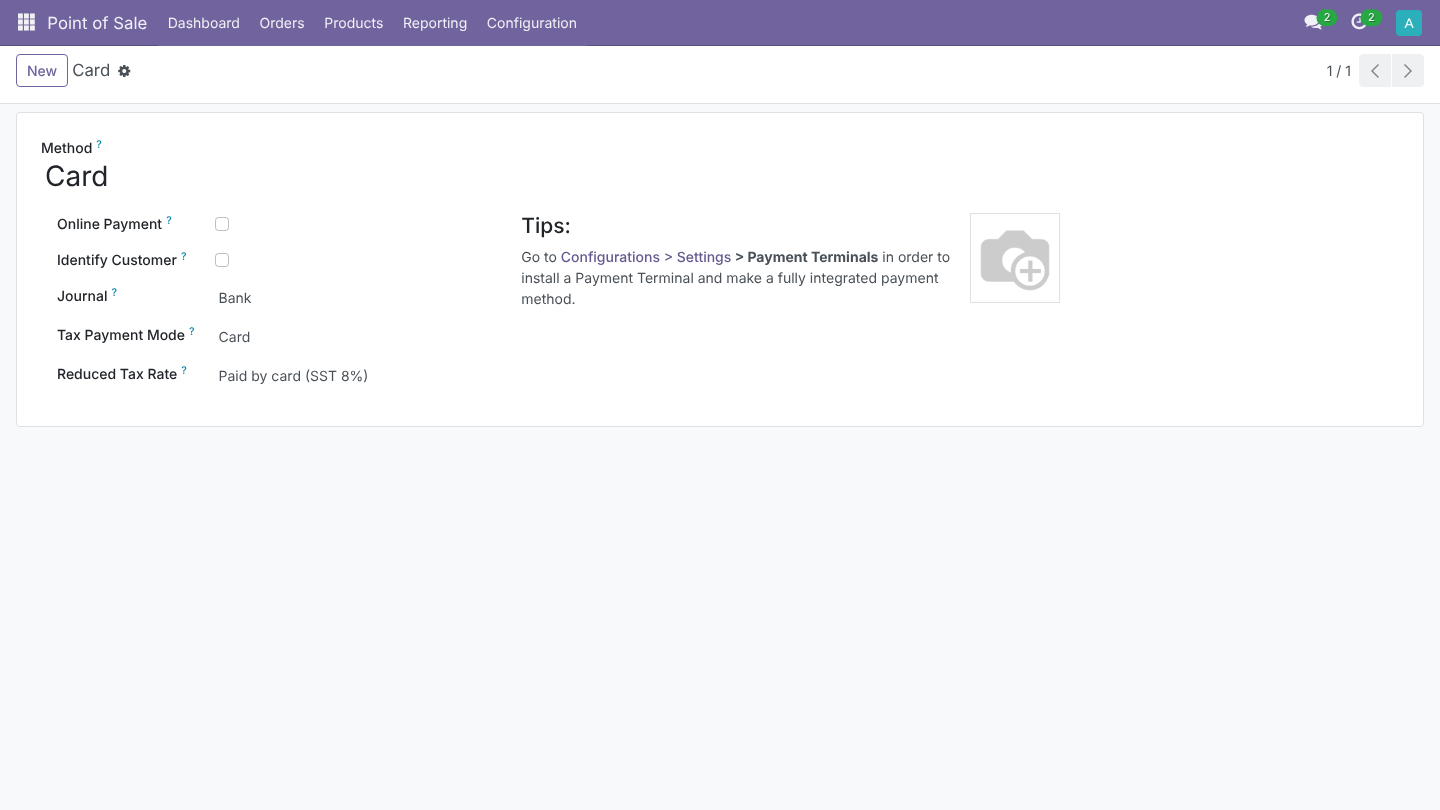
- In Point of Sale → Configuration → Payment Methods, open Card and set Reduced Tax Rate to that fiscal position. Leave it empty on Cash.
- Tax Rate by Payment is on in the Point of Sale settings of each till.
On the payment screen, picking Card for the whole bill applies SST 8%; the total, the receipt and the report to SRB all agree. Removing the card payment brings the full rate back, and bills paid partly in cash keep the full rate.
Some restaurants charge the full rate whatever the customer pays with. Turn off Tax Rate by Payment in the Point of Sale settings of that till.
The bill
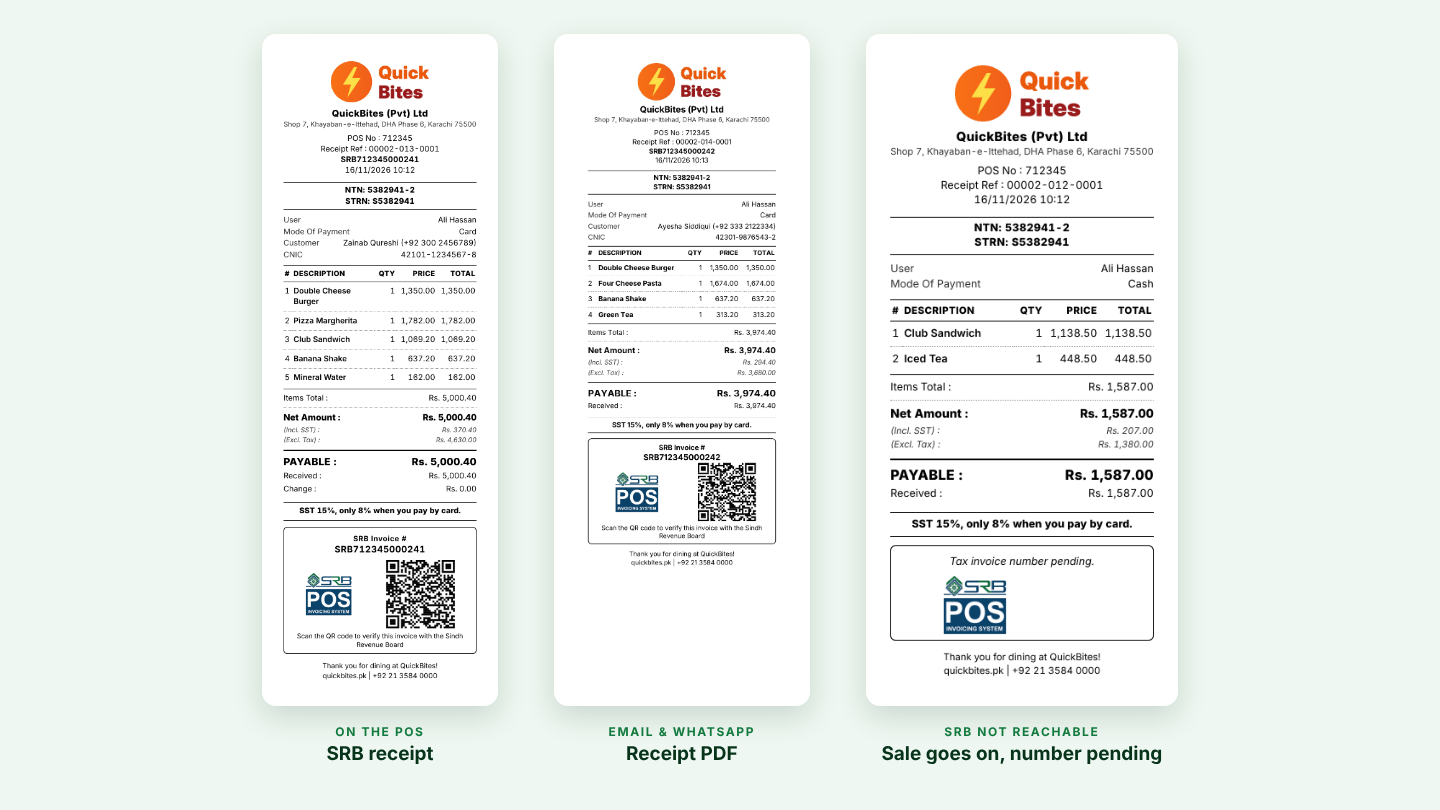
- (Incl. SST) and (Excl. Tax) under the Net Amount.
- SRB Invoice # with the number and the QR code of SRB's verification link, the SRB logo, and the line "Scan the QR code to verify this invoice with the Sindh Revenue Board".
- Your Exchange Policy line (for example "SST 15%, only 8% when you pay by card.") prints just before the SRB block.
Submit to SRB
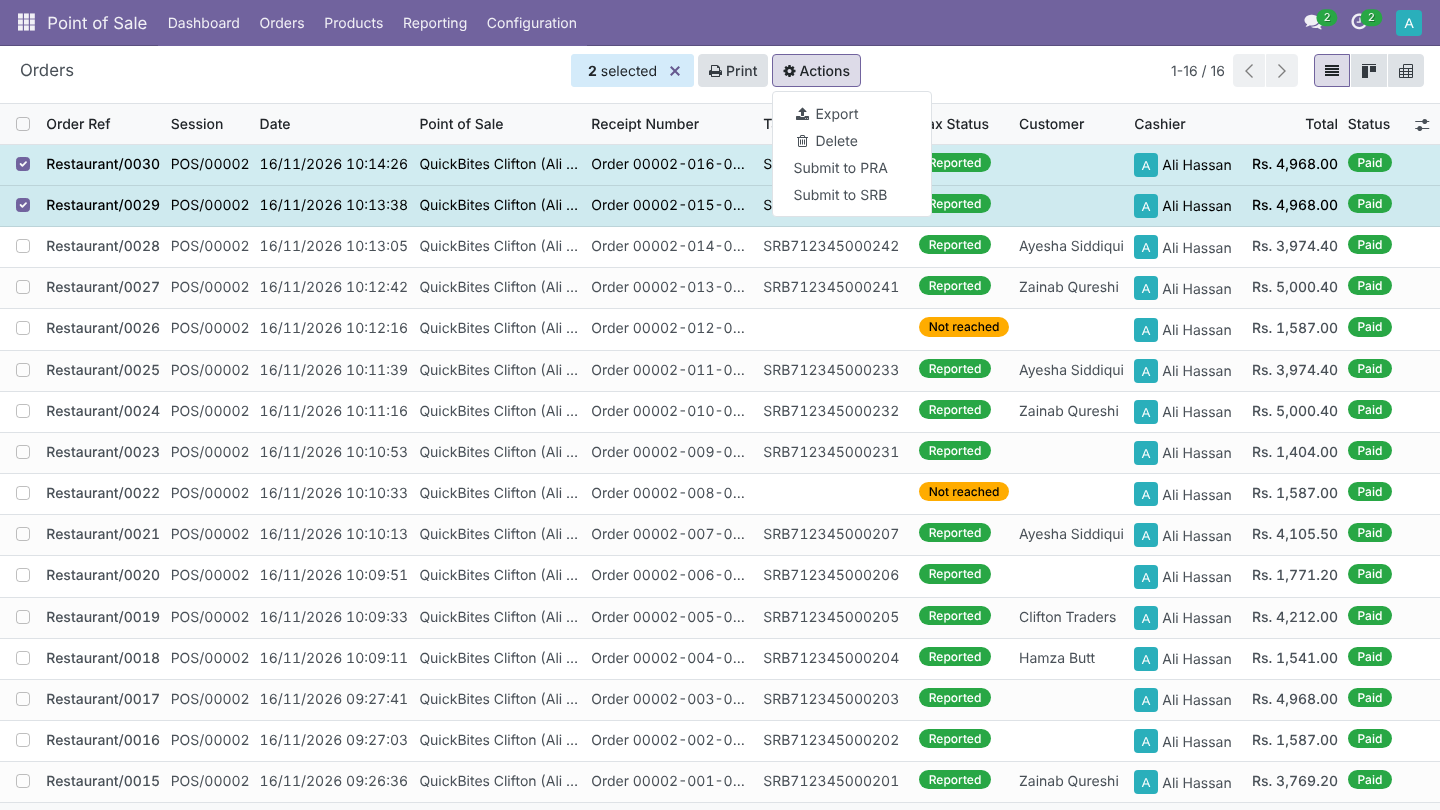
Point of Sale → Orders → Orders, select the bills without an SRB number, Actions → Submit to SRB.