Receipts: printed, PDF, email and WhatsApp
The printed receipt
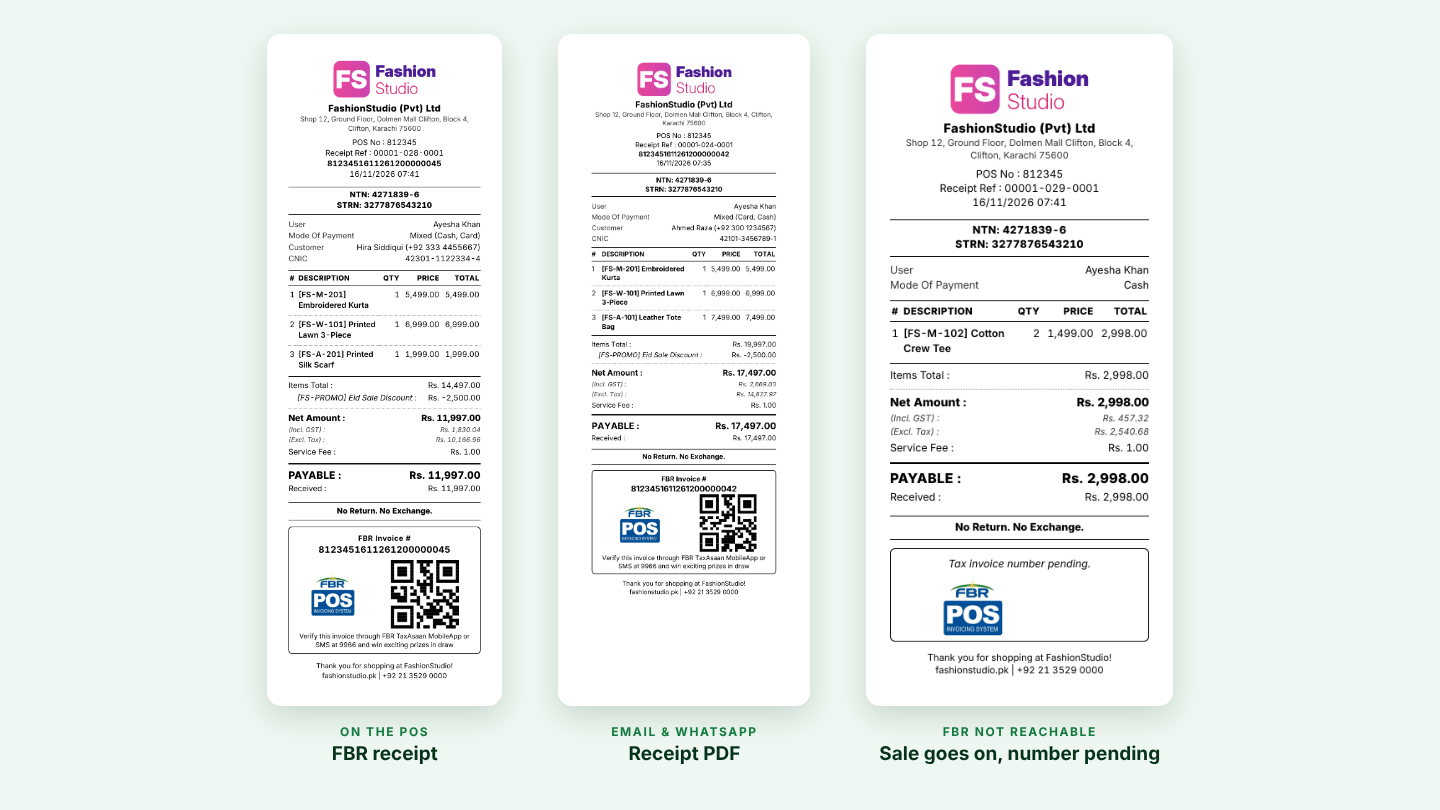
The app replaces Odoo's receipt on tills that report to FBR, on every version from 13.0 to 20.0. It follows the layout of live FBR receipts:
- Your logo, company name and address; POS No, Receipt Ref, the FBR number and the date.
- NTN and STRN.
- User, Mode Of Payment ("Mixed (Cash, Card)" for split payments), customer with phone, CNIC or NTN when known.
- The items: number, description, quantity, price and total; then Items Total and each discount by name.
- Net Amount, (Incl. GST), (Excl. Tax), Service Fee, PAYABLE, Received and Change.
- Your Exchange Policy.
- The FBR block: FBR Invoice #, the number, the FBR POS logo, the QR code and the Tax Asaan verification line.
- Your receipt footer.
It is black and white and prints sharp on 80 mm thermal printers. Reprints say *** DUPLICATE RECEIPT ***, and every print is counted.
Receipt PDFs
Open a POS order and use Print:
- Receipt: a clean copy, the same design as the printed receipt, as long as the receipt.
- Duplicate Receipt: the same with the DUPLICATE banner.
Email
Odoo's receipt email (the email field on the receipt screen) sends the receipt image as usual, and the app adds the receipt PDF to the email.
WhatsApp
Odoo 17.0 and later, with Novator WhatsApp Inbox.
- Connect your WhatsApp number in Conversations.
- In Meta, create a Utility template with a Document header, for example
Thank you for shopping at {{1}}. Your receipt is attached., sync it once Meta approves it, and set Use on to Point of Sale Orders. - In the POS settings, tick WhatsApp Receipts for the till.
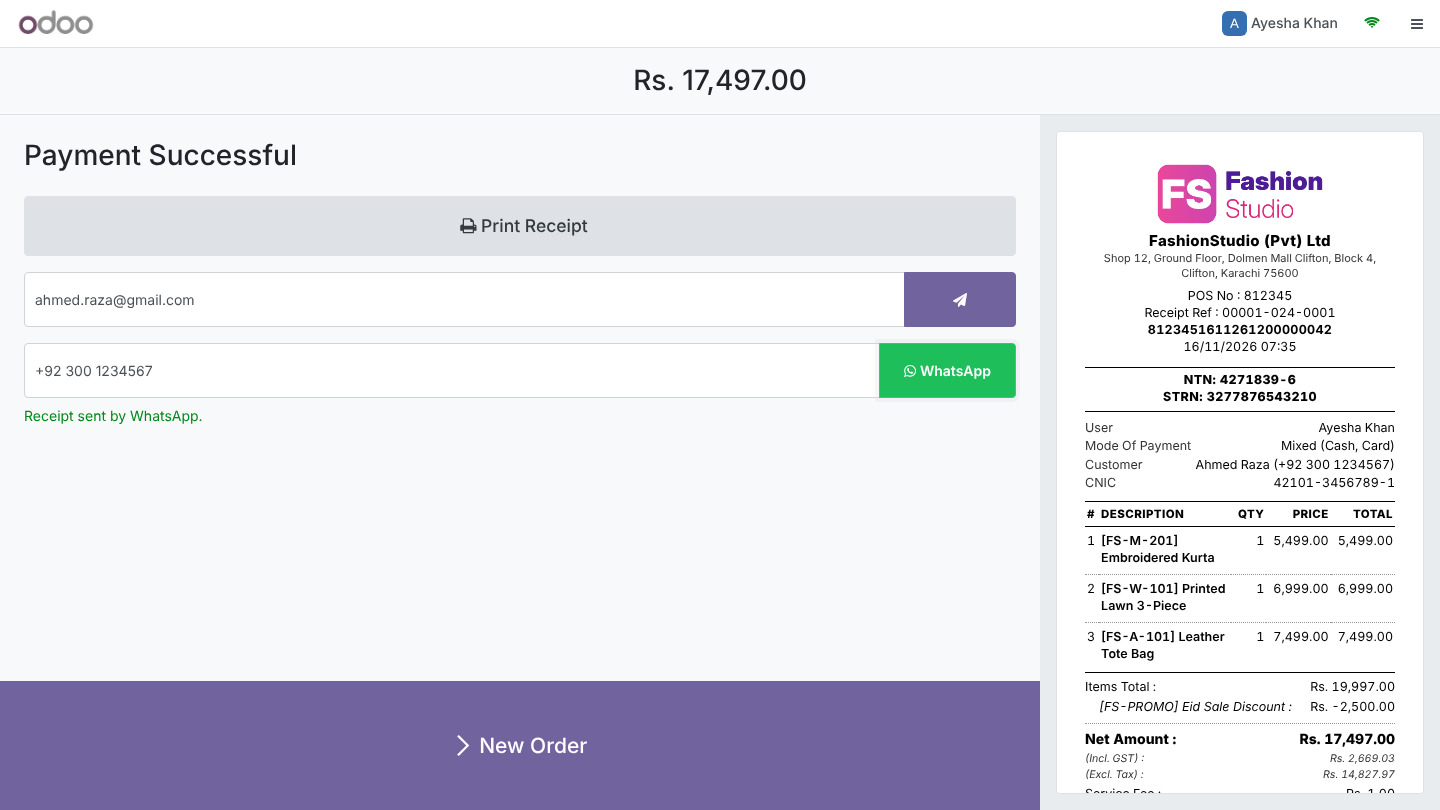
A green WhatsApp button appears on the receipt screen with the customer's mobile number filled in. One tap sends the receipt PDF: inside 24 hours after the customer last wrote as a document, otherwise with your approved template. From the back office, open a POS order and use Actions → Send receipt by WhatsApp.
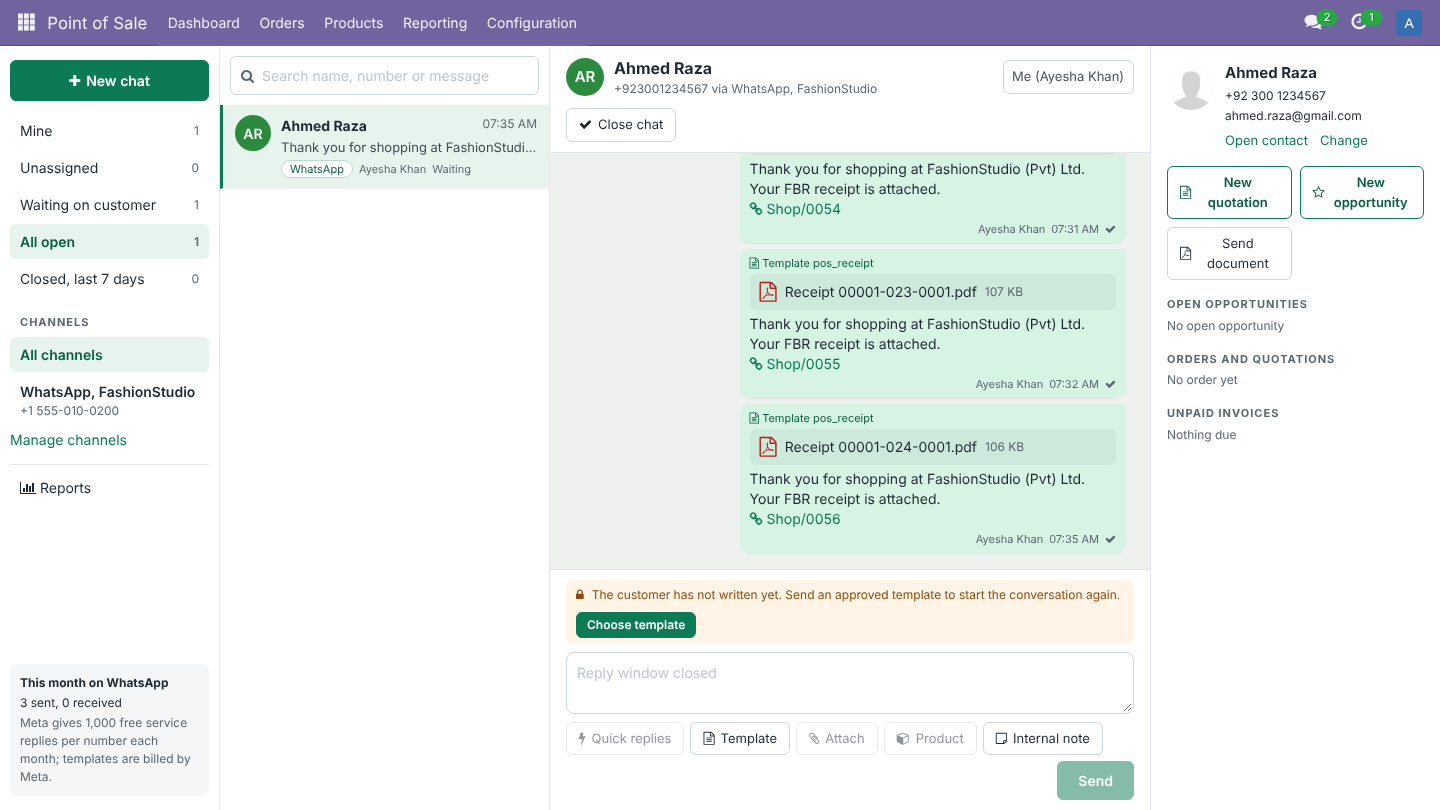
The receipt shows in the customer's chat in WhatsApp Inbox, with delivered and read ticks:
The receipt PDF and the template text go to Meta's WhatsApp Cloud API with your own Meta account, to the number you send to.
On Odoo Enterprise, Odoo's own POS WhatsApp also sends this receipt, because it sends the receipt you see on screen.