A/B tests
- Open the step and click Add A/B variant (or A/B in the steps list). Odoo copies the page as variant B, splits traffic 50/50 and opens B in the editor.
- Change variant B: another headline, image or price presentation.
- Watch the results in the step's Page variants (A/B) tab or in the funnel report.
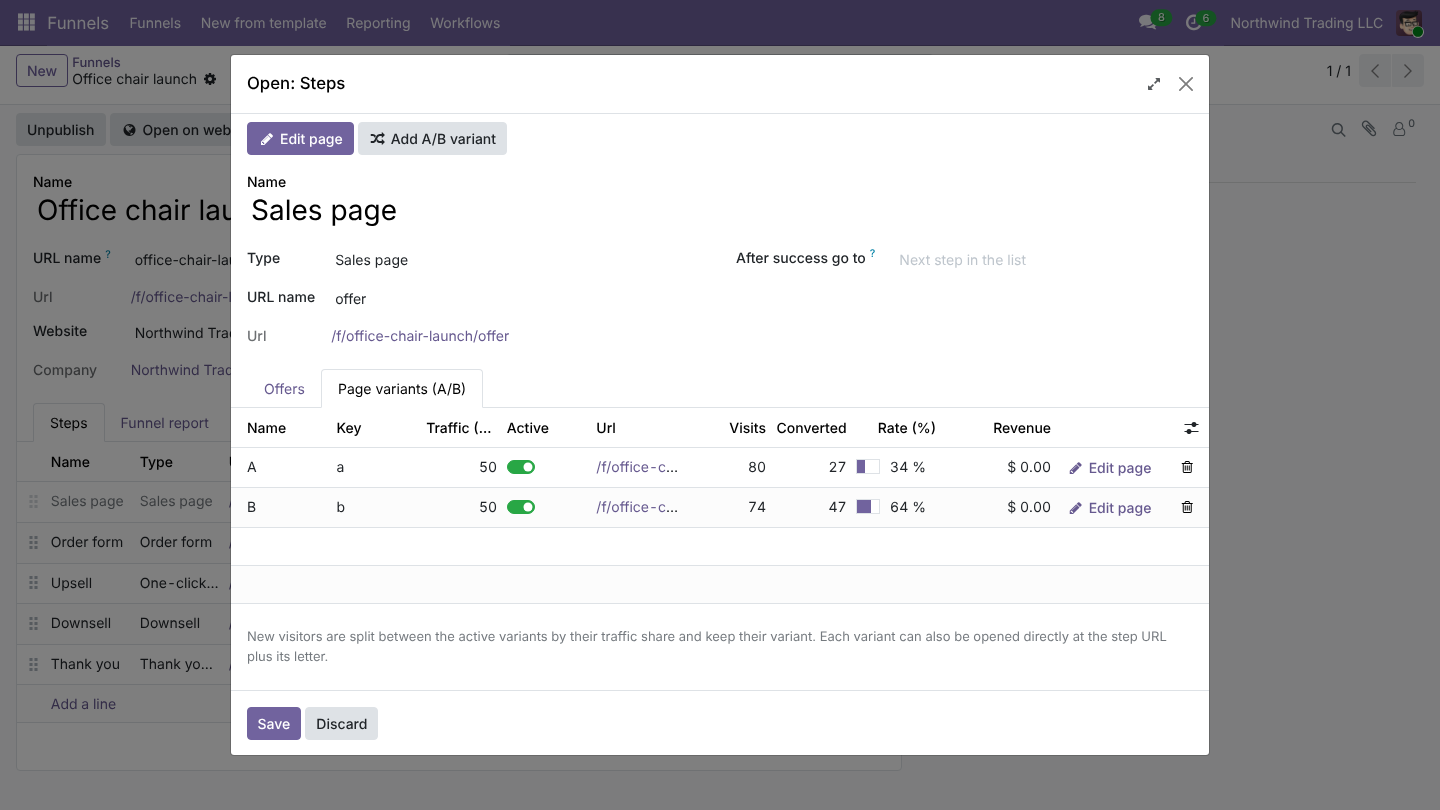
| Field | Meaning |
|---|---|
| Letter | a, b, c... Each variant also has its own link: the step URL plus /b. Handy for ads that should always show one version. |
| Traffic (%) | Share of new visitors who see this variant. |
| Active | Switch a variant off to stop showing it. Its numbers stay. |
A visitor keeps the variant they saw for the whole visit. When the test is decided, switch off the losing variant or set its traffic to 0.
Was this page helpful?