Set up
Before you start
- Website: the funnel pages are pages of your Odoo website. With several websites, each funnel belongs to one.
- A payment provider for order funnels: enable one in Invoicing > Configuration > Payment Providers (on 20.0: Online Payments). Stripe, Adyen, PayPal, Authorize.net, bank transfer and the others all work. For one-click upsells, pick a provider that can save cards (Stripe, Adyen, Authorize.net and others) and switch on Allow Saving Payment Methods on it.
- User rights: in Settings > Users, the Sales Funnels line has User (sees funnels and reports) and Administrator (builds and publishes funnels). To change the pages, the user also needs website editing rights (Website: Editor and Designer).
Create a funnel from a template
- Open Funnels > New from template.
- Pick a Template:
- Lead magnet: opt-in page and thank you page.
- Webinar sign-up: registration page and confirmation.
- Service booking: call back request (with a message box) and thank you page.
- Product launch: sales page, order form with bump, upsell, downsell, thank you.
- Simple order: order form and thank you page.
- Enter the Funnel name and the Website.
- Order funnels: choose the Main product, and if you like an Order bump, an Upsell and a Downsell. A step without a product is left out.
- Optional: Lead tags for the leads of this funnel.
- Click Create funnel.
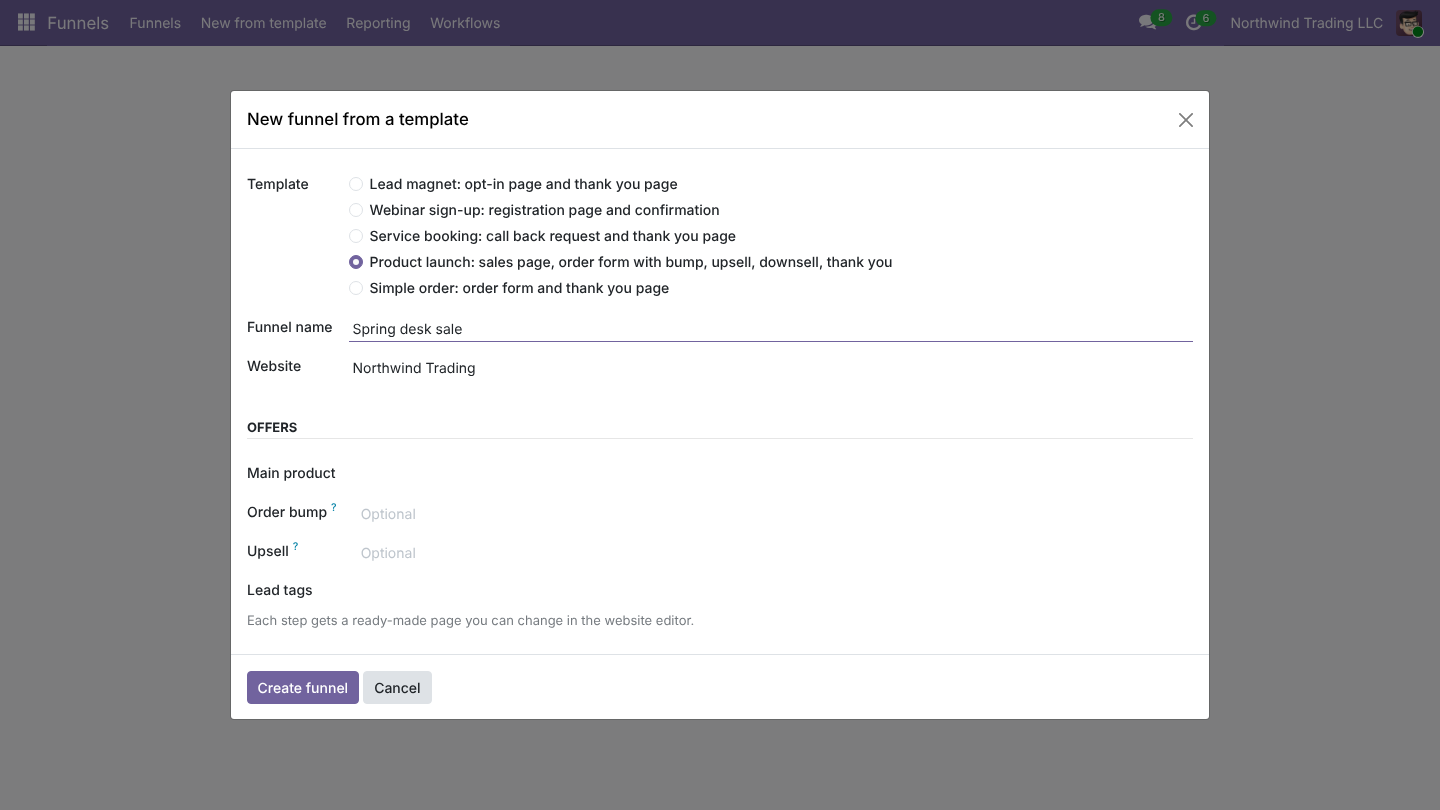
Odoo creates the steps, the offers with the product prices and a ready page for each step.
The funnel form
| Field | Meaning |
|---|---|
| URL name | The funnel lives at /f/<URL name>. Lowercase letters, digits and dashes. |
| Website | The website that shows the funnel. |
| Responsible | Salesperson of the leads and orders, and owner of workflow activities. |
| Sales team | Sales team of the leads and orders. Empty: the Responsible's team. |
| Lead tags | Added to every lead from the funnel. |
The Tracking tab holds the Default source, Default medium and Default campaign used when a visitor's link has no UTM tags. A new funnel gets the source Funnel: <funnel name> and the medium Website.
Publish
Check the steps and pages, then click Publish. Odoo checks that order, upsell and downsell steps have a main offer and that every step has a page. Visitors see only published funnels; you see draft funnels too while signed in.
Share the funnel link, with UTM tags for each channel, for example https://www.example.com/f/office-chair-launch?utm_source=instagram&utm_medium=social.
Was this page helpful?