Steps and offers
The Steps tab of a funnel lists the steps in order, with their URL, visits, conversions, rate and revenue. Drag the handle to reorder. Click a step to open it.
Step types
| Type | What the visitor does | Counts as converted when |
|---|---|---|
| Opt-in page | Fills in a form (name, email, phone, message) | The form is sent: a contact and a CRM lead are created. |
| Sales page | Reads and clicks the button | The button is clicked. |
| Order form | Fills in details, picks the offer, ticks the bump, pays | The payment succeeds. |
| One-click upsell | Accepts or declines one offer | The offer is paid. |
| Downsell | Accepts or declines a cheaper offer | The offer is paid. |
| Thank you page | Sees the confirmation and the order summary | - |
Each step's page is at /f/<funnel>/<step URL name>.
Offers
Order forms, upsells and downsells sell offers: open the step, tab Offers.
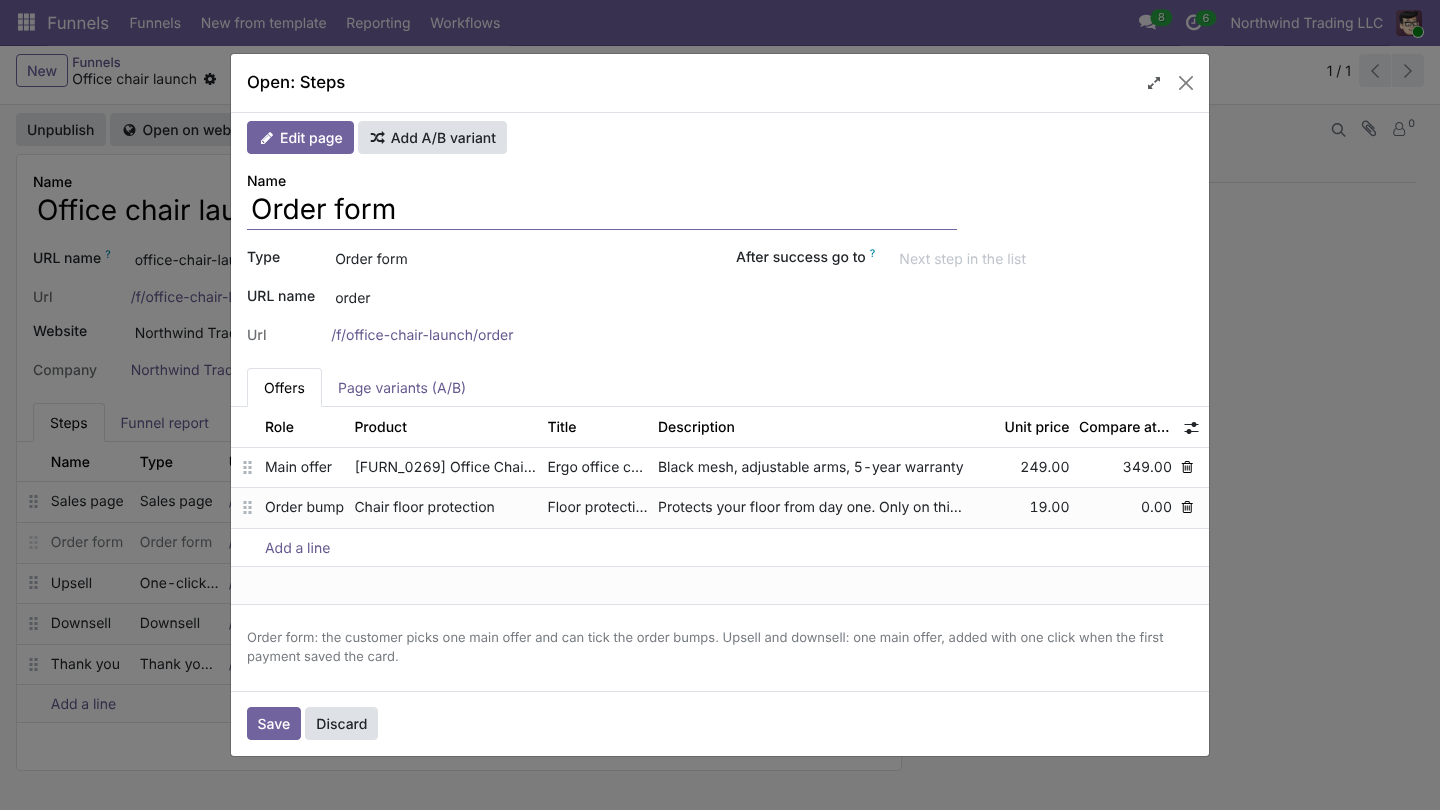
| Field | Meaning |
|---|---|
| Role | Main offer: the customer picks one (a radio list when there are several). Order bump: a checkbox under the order form. |
| Product | The product sold. The sales order line uses this product. |
| Title, Description | What the customer reads. The title is also the order line description. |
| Quantity | Units per offer. |
| Unit price | Price before taxes. Starts with the product's sales price. |
| Compare at price | Shown struck through when it is higher than the price. |
Taxes come from the product and are added on the payment screen. Upsells and downsells sell one main offer.
Where each step leads
- After success go to: empty means the next step in the list. An upsell skips the downsell right after it, so an accepted upsell goes to the thank you page.
- If declined go to (upsell and downsell): empty means the next step in the list, so a declined upsell leads to the downsell.
Was this page helpful?