Reports and records
Returns & Exchanges
Point of Sale → Returns → Returns & Exchanges lists every POS order with a returned item. In Point of Sale → Orders → Orders the same filters are available: Returns, Exchanges, Without Receipt and Policy Warnings.
Each order has a Returns tab:
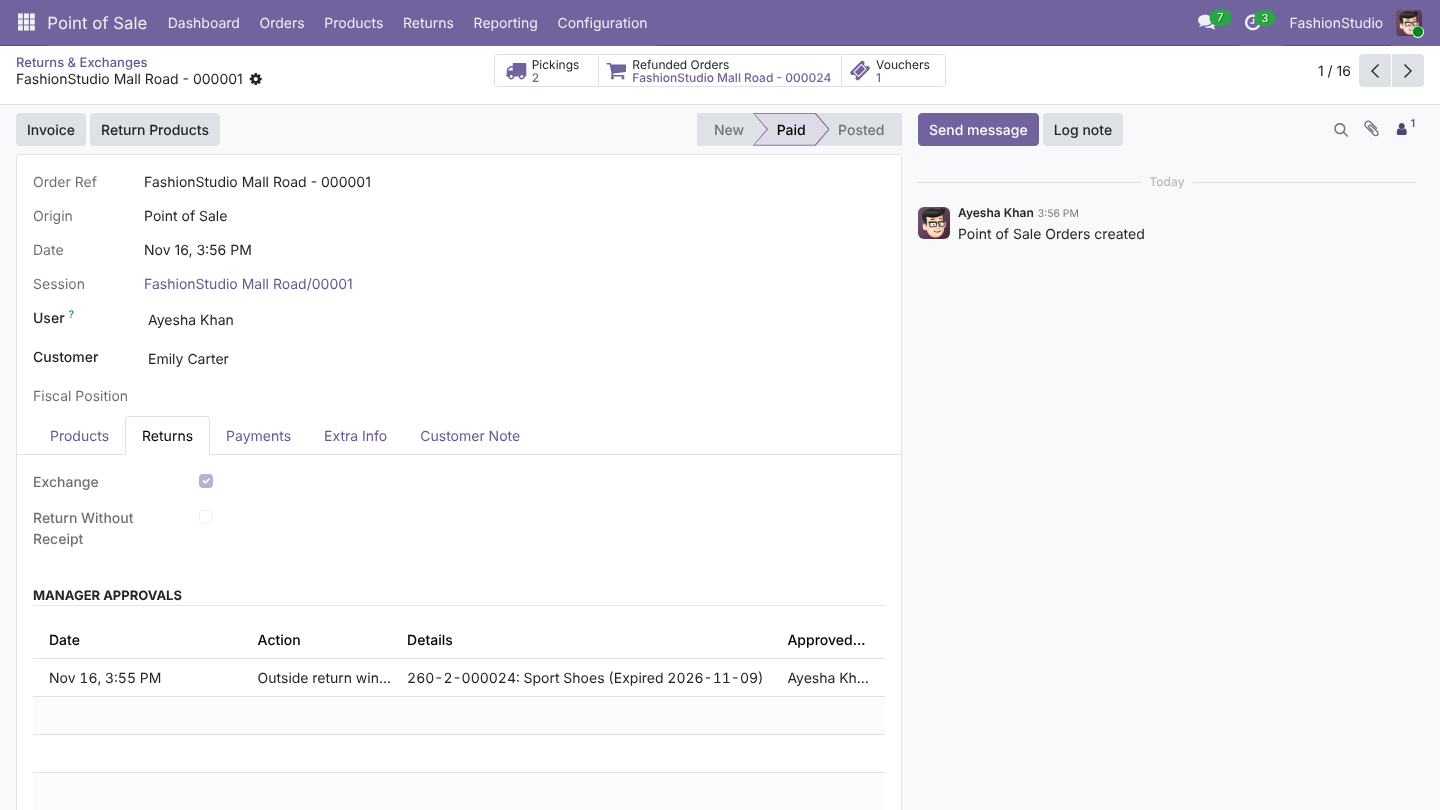
| Field | Meaning |
|---|---|
| Exchange | The order has both returned and sold items. |
| Return Without Receipt | At least one item was returned without a receipt. |
| Return policy warnings | Shown when a rule was bypassed: an item outside its window without approval, more returned than sold, a refund on a method outside the policy, a voucher without enough balance. |
| Manager Approvals | The PINs used for this order. |
| Store Credit Vouchers | Vouchers issued or used by this order. |
The Products tab shows the Return Reason and Return Note of each line. The Vouchers button opens the vouchers of the order, and Refunded Orders the original order.
Returns Analysis
Point of Sale → Reporting → Returns Analysis shows every returned item.
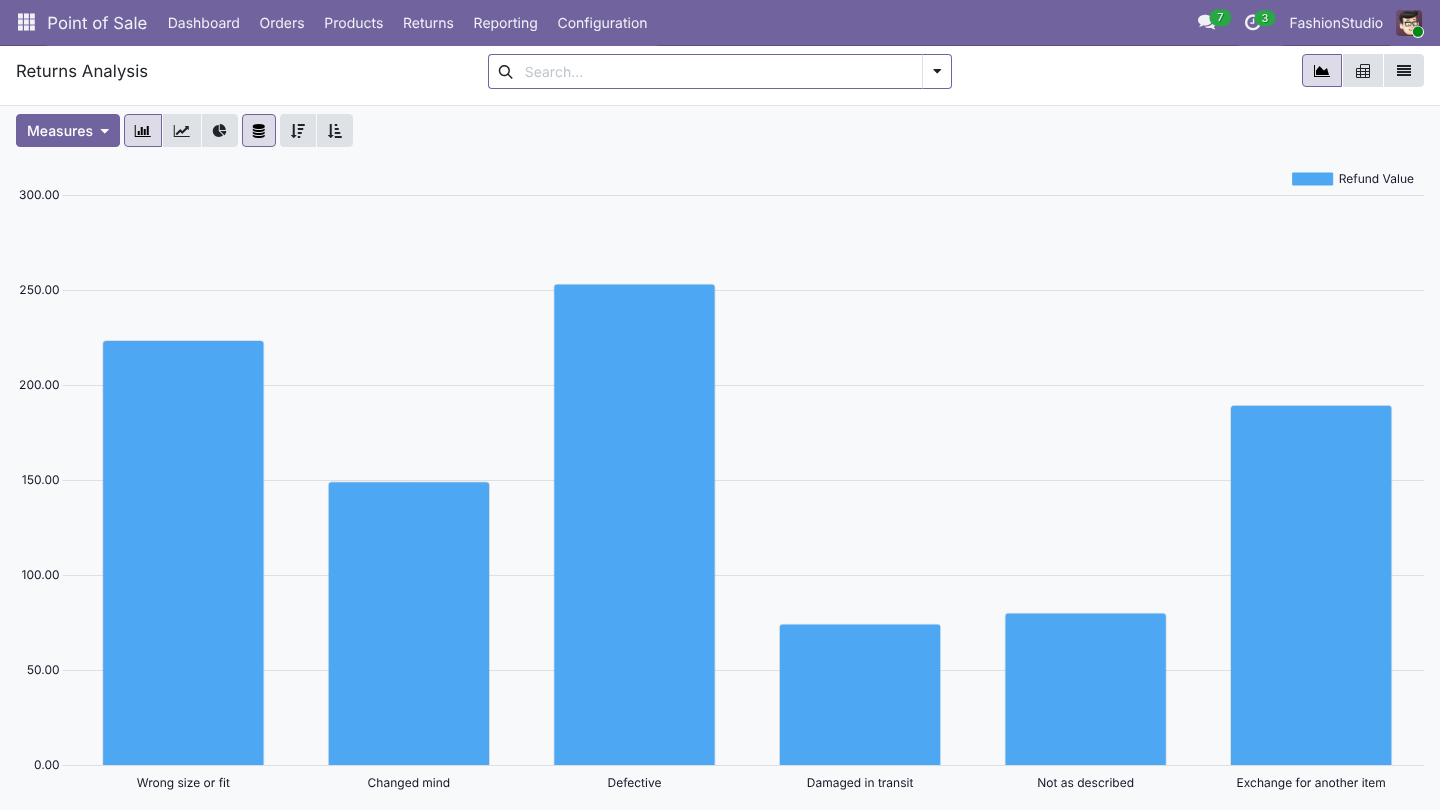
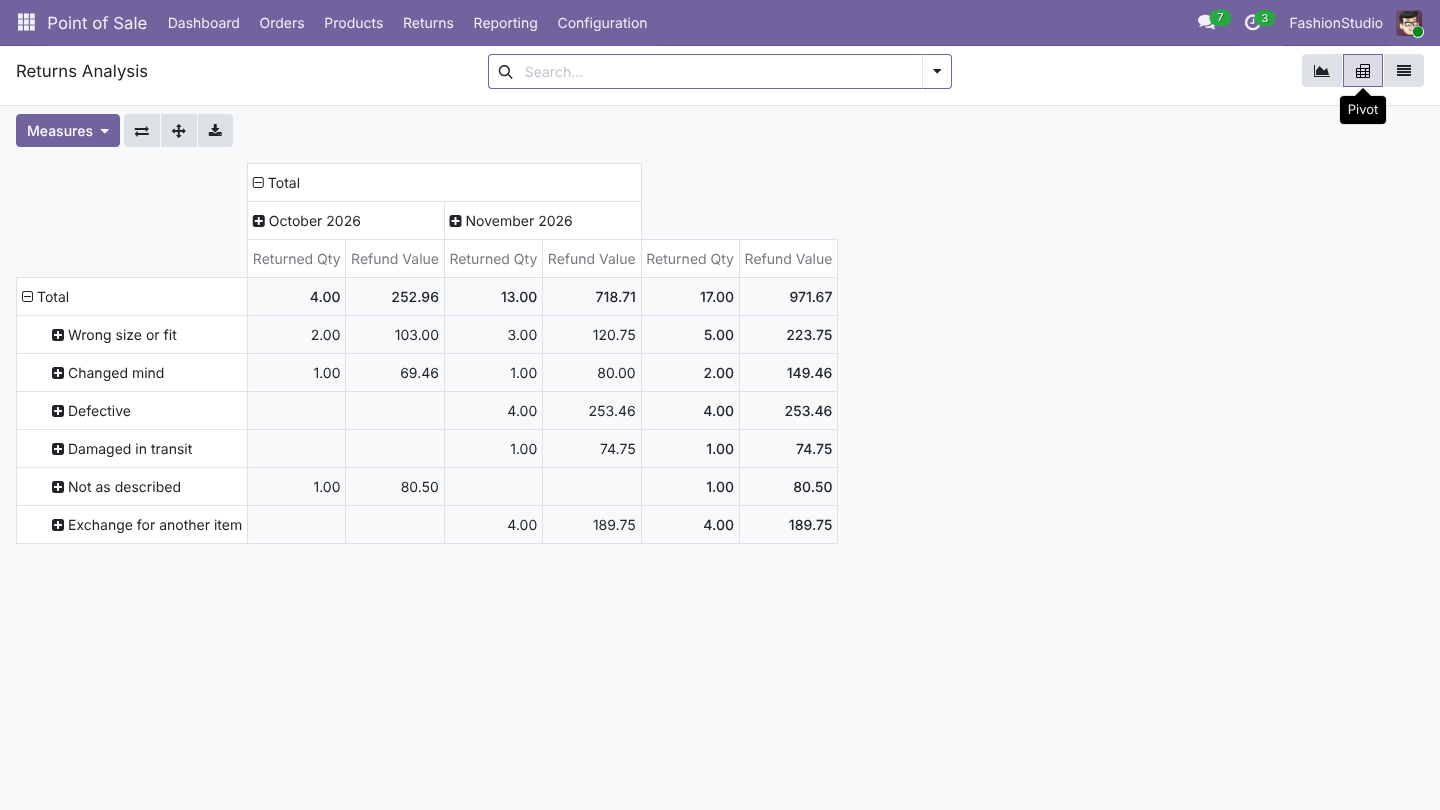
Measures: Returned Qty and Refund Value (tax included). Group by Reason, Product, Product Category, Cashier, Point of Sale, Company / Branch or Month; filter Exchanges and Without Receipt. Switch to the pivot to compare reasons per month or per shop, and to the list to see each return order with its Original Order.
Manager Approvals
See Manager PINs.