Store credit vouchers
Issue a voucher
On the payment screen of a return or exchange with a negative total, click Store Credit Voucher, then Validate. The receipt prints a STORE CREDIT VOUCHER box with the amount, the voucher code and its barcode, and the expiry date.
The voucher code is V followed by 11 digits. The customer of the order is set on the voucher.
Pay with a voucher
On the payment screen, click Store Credit Voucher. Scan the voucher barcode or type its code and click Apply.
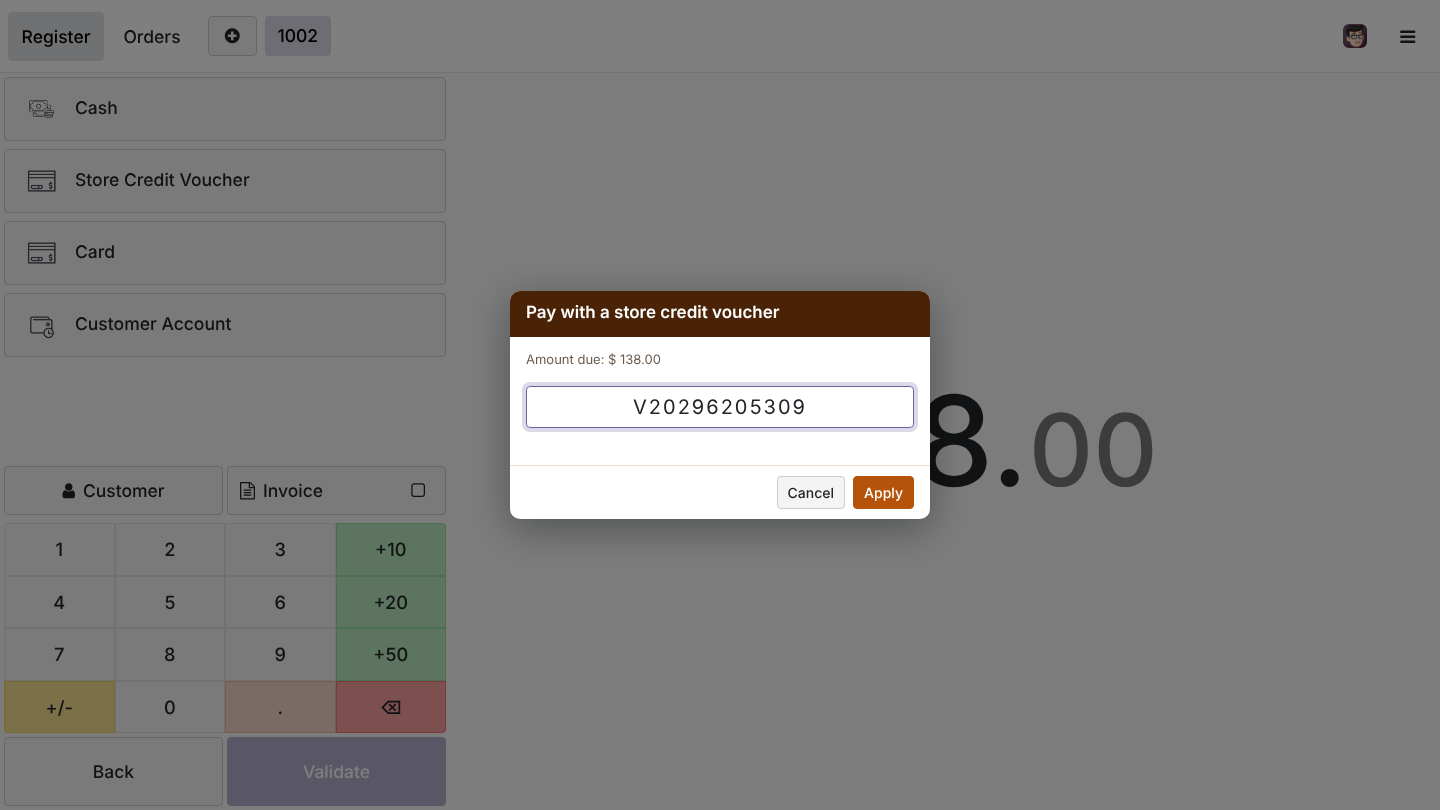
The app checks the voucher on the server and adds a payment line for its balance, up to the amount due. Pay the rest with another method. The receipt shows the voucher code, the amount used and the balance left.
A voucher is refused when it is unknown, expired, used up, cancelled, of another company group or in another currency. Vouchers can be used in any shop of the same company and its branches. Paying with a voucher needs a connection to the server.
To change the amount, remove the voucher line and add it again.
The voucher list
Point of Sale → Returns → Store Credit Vouchers (opens with Active vouchers).
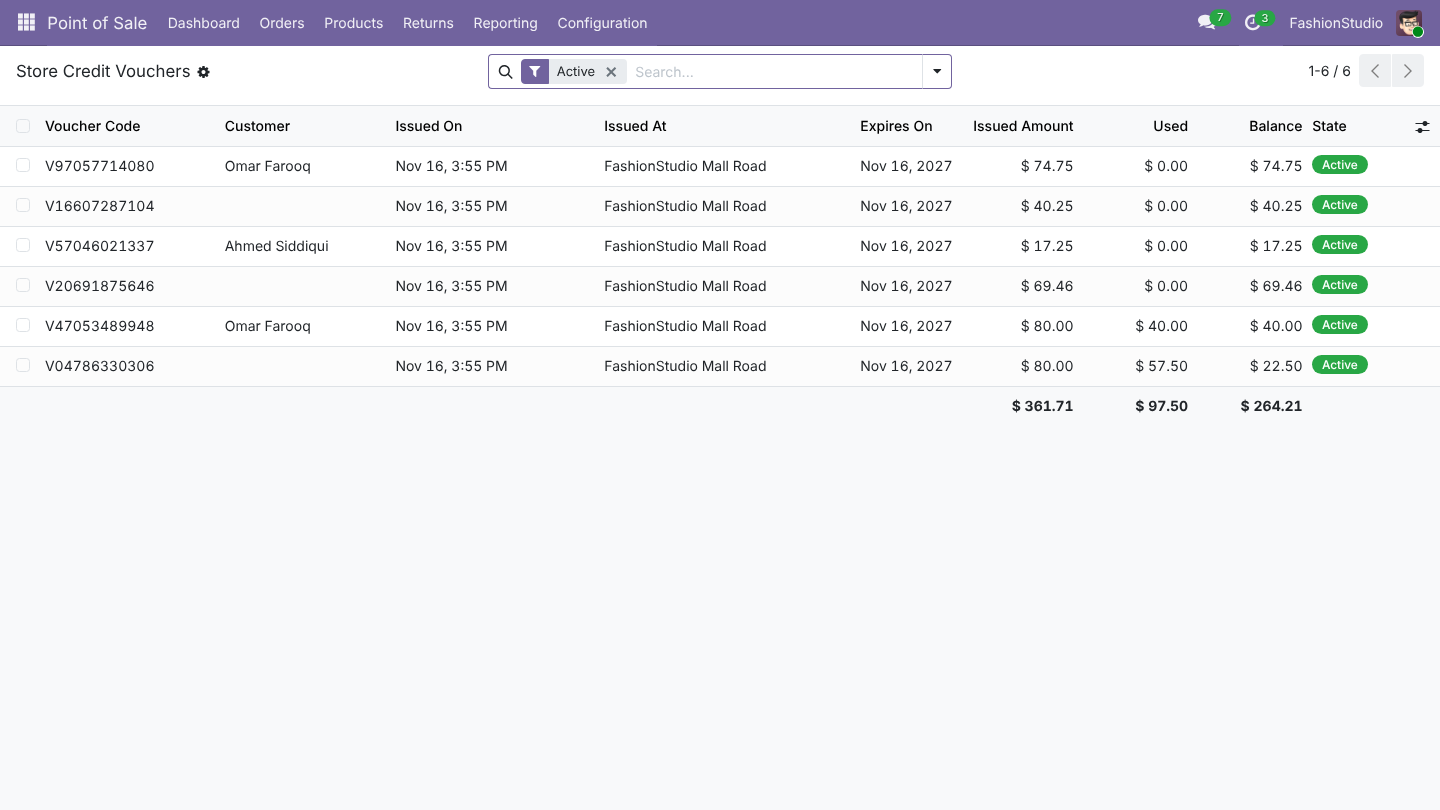
| Column | Meaning |
|---|---|
| Voucher Code | The code on the voucher. |
| Customer | The customer of the order that issued it. |
| Issued On / Issued At | When and in which Point of Sale. |
| Expires On | Last day of use; empty for no expiry. |
| Issued Amount / Used / Balance | Amounts, with totals. |
| Status | Active, Used (no balance left), Expired (checked daily), Cancelled. |
A voucher
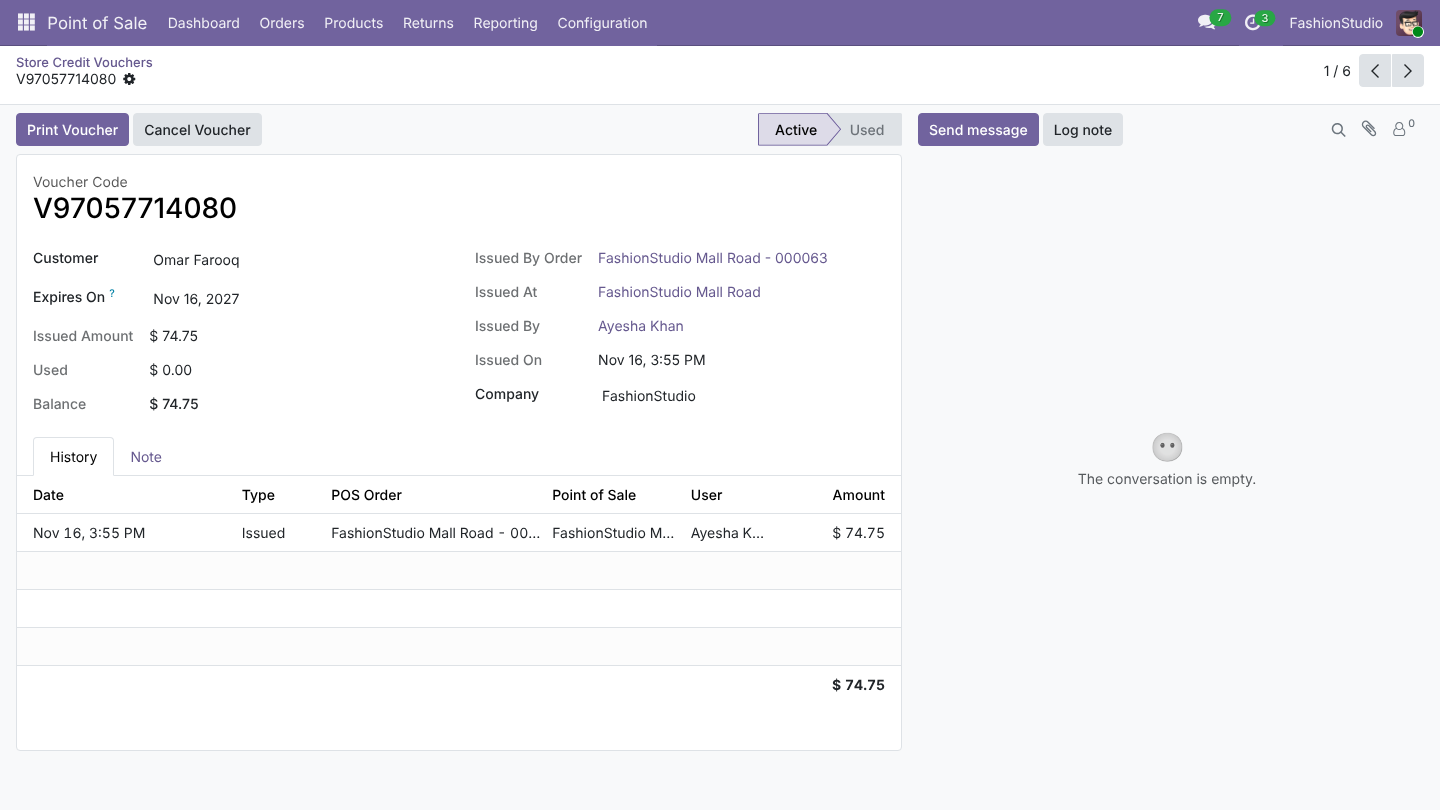
| Button / field | What it does |
|---|---|
| Print Voucher | An 80 mm PDF voucher with the barcode, to hand over or reprint. |
| Cancel Voucher | Point of Sale administrators: cancels an active voucher; its balance can no longer be used. |
| Expires On | Can be changed (to extend a voucher). |
| History | Every movement: issued, redeemed, cancelled, with the POS order, shop and user. |
| Note | Internal note. |
Accounting
The Store Credit Voucher payment method posts to the Store Credit Vouchers liability account at session close: issued vouchers credit it, redeemed vouchers debit it. The account balance matches the total Balance of the vouchers that were issued and used through the POS.