Return reasons
Cashiers pick a reason for every returned item. Go to Point of Sale → Configuration → Return Reasons.
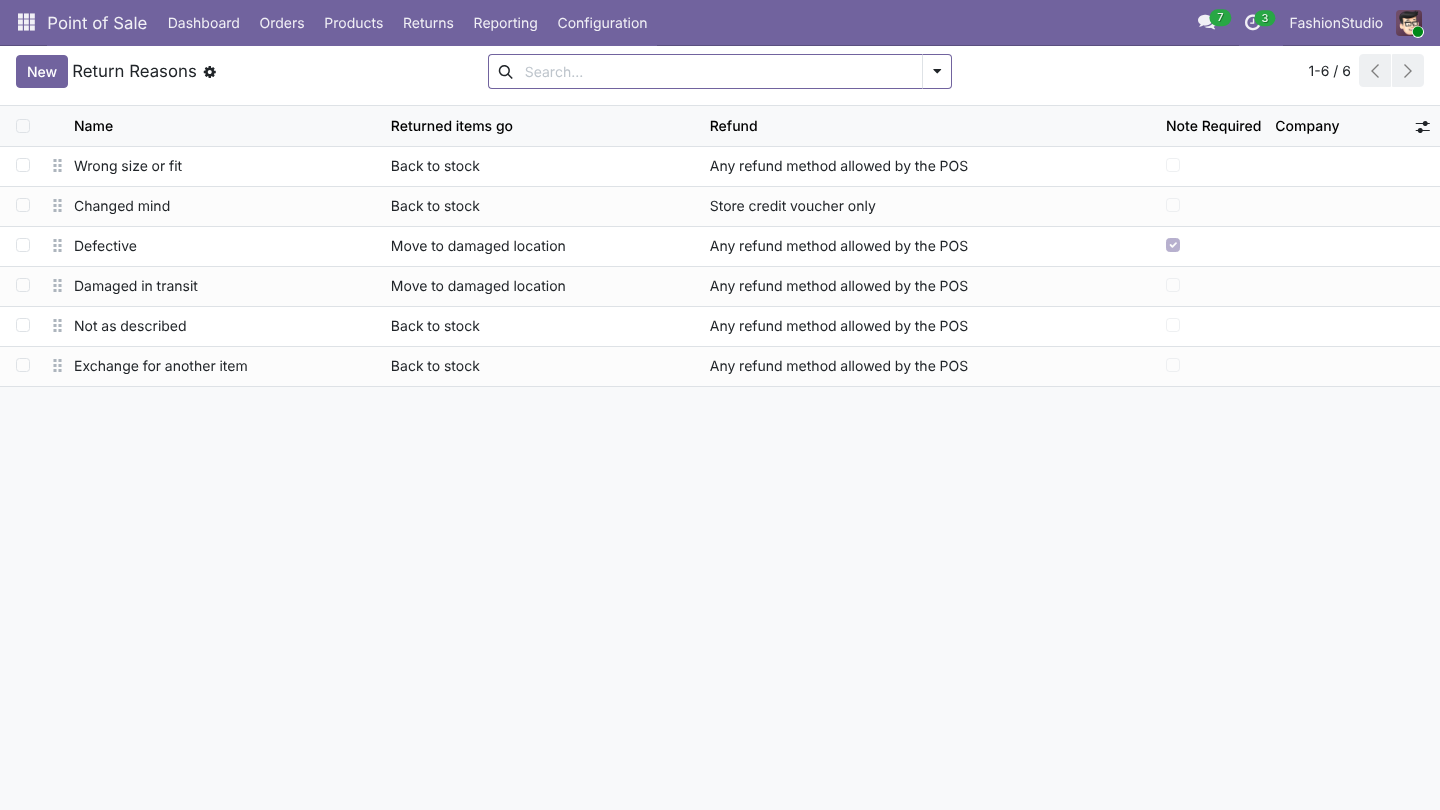
The app comes with six reasons: Wrong size or fit, Changed mind (store credit only), Defective (damaged location, note required), Damaged in transit (damaged location), Not as described, and Exchange for another item. Edit, reorder (drag the handle) or archive them.
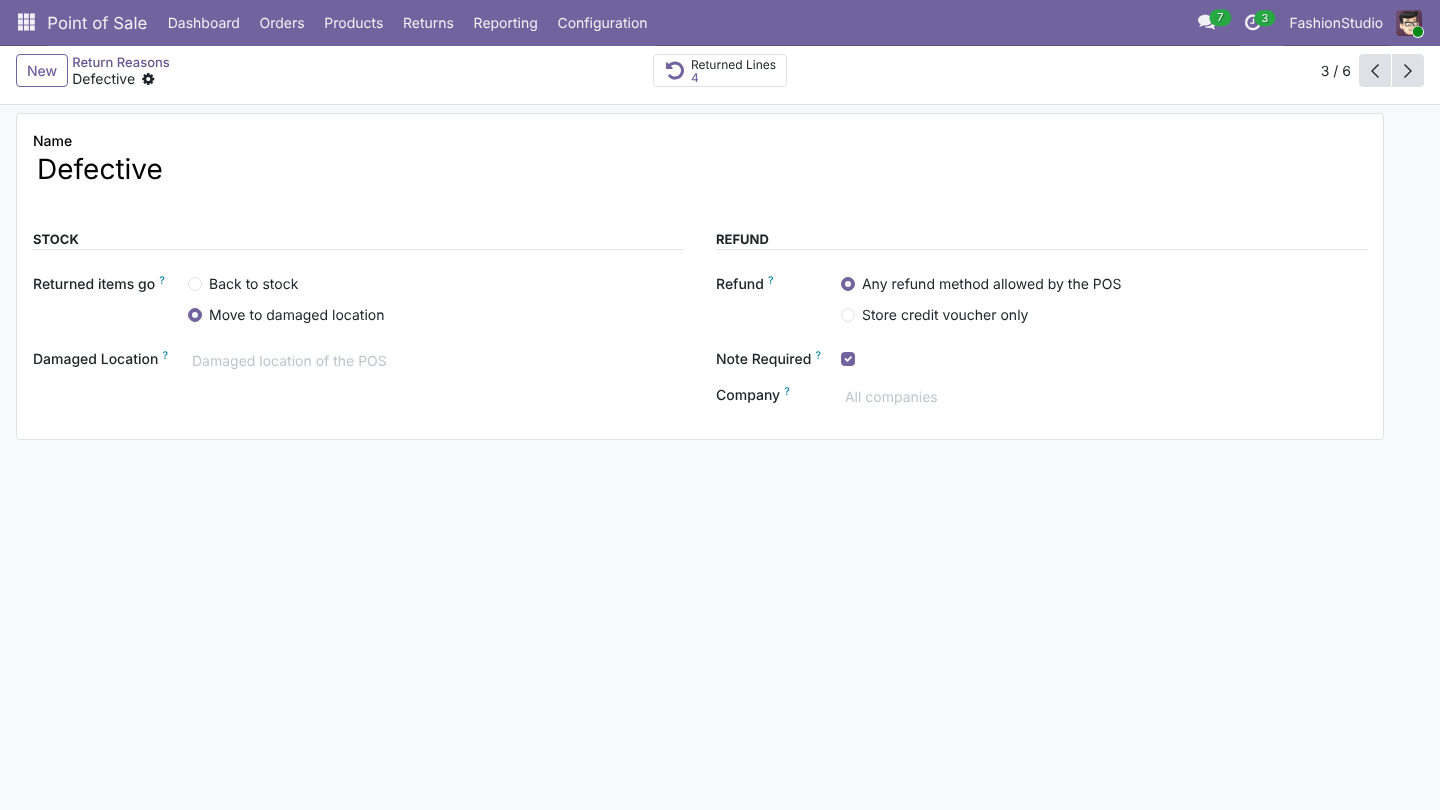
| Field | What it does |
|---|---|
| Name | Shown in the POS reason list and on the receipt. Translatable. |
| Returned items go | Back to stock: the item can be sold again (the normal Odoo return). Move to damaged location: after the return reaches stock, the app moves the item to the damaged location in an internal transfer, keeping its lot or serial number. |
| Damaged Location | Shown with Move to damaged location. Leave empty to use the Damaged Location of the Point of Sale. |
| Refund | Any refund method allowed by the POS, or Store credit voucher only: items returned with this reason are refunded as a voucher (a manager PIN can still allow another method). |
| Note Required | The cashier must type a note for this reason (for example what is broken). |
| Company | Leave empty to use the reason in every company. |
The Returned Lines button lists every order line returned with this reason.
When is the damaged transfer made?
- With stock updated in real time (Odoo's default from 18.0), right after the order is synced.
- With stock updated at closing (Point of Sale setting Inventory Management, "At the session closing", visible in developer mode), when the session closes.
The transfer is an internal transfer with the origin "order (damaged returns)". It is validated automatically.
Was this page helpful?