Return and exchange
After you find the receipt, the order opens on the right.
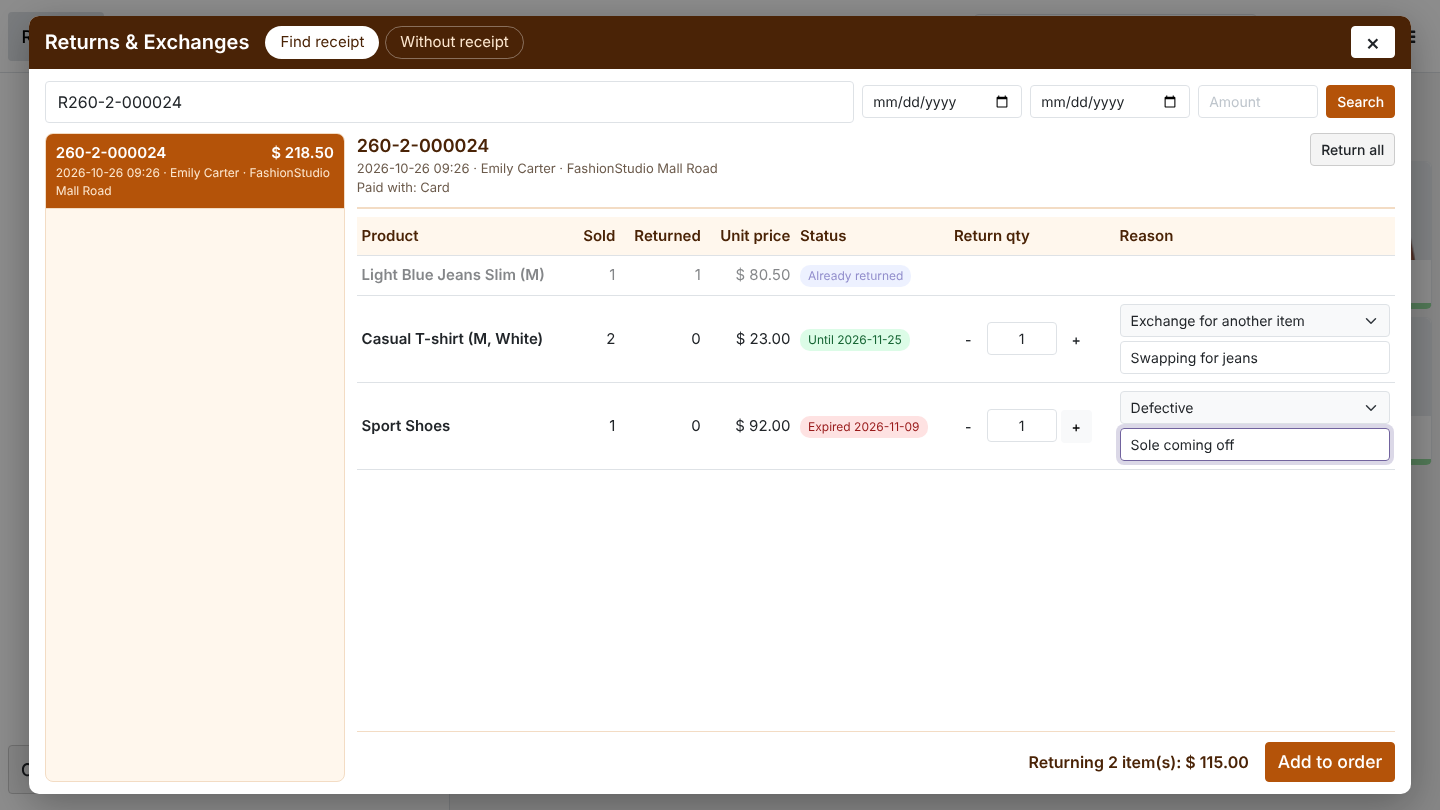
The header shows the receipt number, date, customer, shop and how the order was paid.
| Column | Meaning |
|---|---|
| Product | The product, with lot or serial numbers that were not returned yet. Combo products show their components. |
| Sold / Returned | Quantity sold and already returned (by this app or Odoo's refund). |
| Unit price | Price paid per unit, taxes and discount included. |
| Status | Until date: returnable. Expired date: past its window. Not returnable. Already returned: nothing left. See Return windows. |
| Return qty | How many to return. Use - and + or type; it cannot exceed what is left. |
| Reason | The reason for this item, and an optional Note (required for some reasons). |
Return all sets every line to its full remaining quantity. The footer shows the number of items and their value.
Add to order
Click Add to order. The app checks:
- every returned line has a reason (when Reason required is on) and a note where the reason requires one,
- expired and not returnable items: a manager PIN, or a refusal when the POS blocks them.
The items are added to the current order as negative lines, at the price paid, with the original taxes. The customer of the original order is set on the order.
Exchange
After adding the return, stay on the product screen and add the new items. One order holds both:
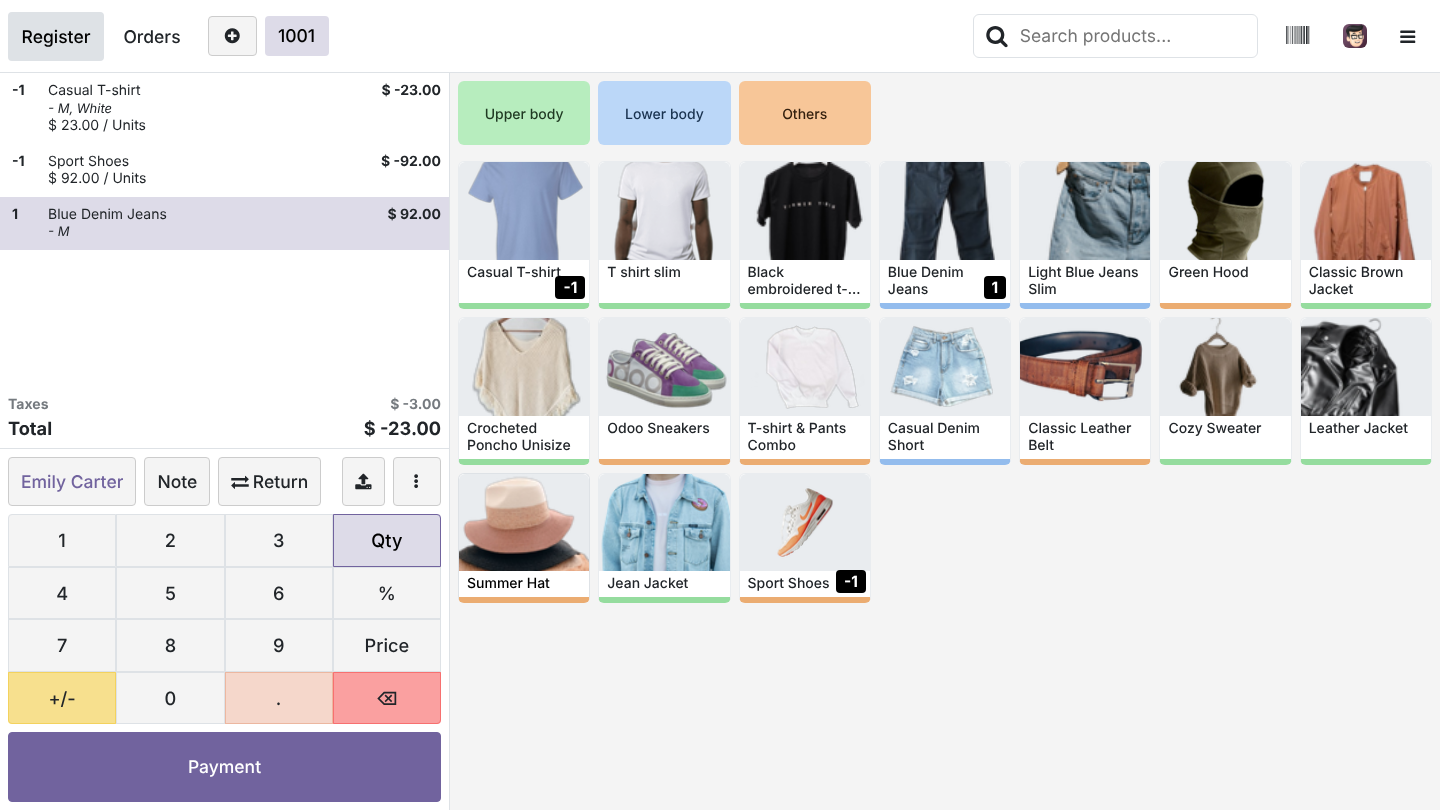
Click Payment. The total is the difference:
- positive: the customer pays the difference, with any payment method;
- negative: you refund the difference (see the refund rules below).
This works on Odoo 16.0 to 20.0. On 19.0 and 20.0, standard Odoo keeps refunds and sales in separate orders; the app allows both in an order that has a return made with it.
Some fiscal localizations on 16.0 to 18.0 forbid refunds and sales in one order. There, refund the item to a store credit voucher, then sell the new item and pay with the voucher.
Refund rules at payment
When you click Validate, the app checks the refunds:
| Rule | What happens |
|---|---|
| Store credit only (POS setting, reason, or no receipt) | A refund on another method needs a manager PIN. |
| Original payment method | A refund on a method the original order was not paid with needs a manager PIN. Store credit is always allowed. |
| Cash limit | A cash refund above the limit needs a manager PIN. |
The receipt
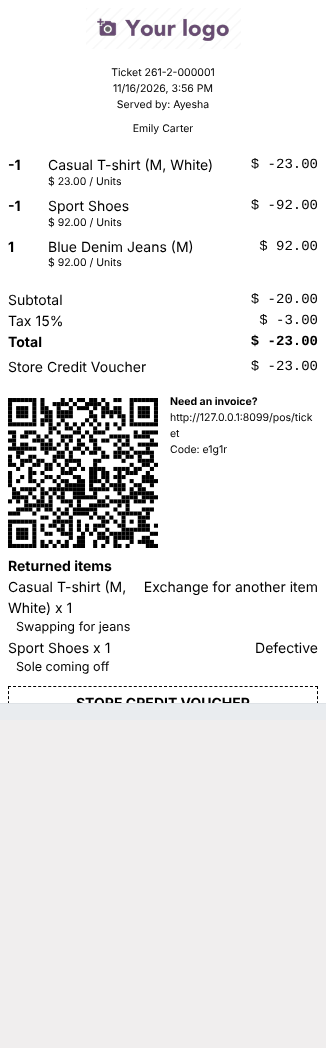
The receipt lists the returned items with their reasons and notes, the store credit voucher when one is issued, and the barcode.
On the server
When the order is synced, each returned line is linked to the line it returns (so Odoo's own refund counts stay right), the reasons and notes are saved, the approvals are linked, and damaged items are moved to the damaged location. If a rule was bypassed (for example an order made offline), the order gets a Return Policy Warning: see Reports and records.