Point of sale, pickup and order source
Order source and tags
Every imported order shows where it was placed, on its Online Store tab:
| Field | What it shows |
|---|---|
| Order Source | Online Store, Point of Sale, Draft Order (created by staff in the Shopify admin), Shopify App (iPhone) / (Android), Other app (created by another app or the API), or Shopify's own name for other channels |
| Store Pickup | Ticked when the customer chose to collect the order |
| Tags | The Shopify order tags, as Odoo sales tags (created when missing). Tags changed in Shopify follow on the next update. |
Use them in the sales order list: group by Order Source, or filter on a tag such as VIP or Wholesale.
Point of sale orders
Shopify POS sales are imported like online orders. On the store's Orders tab:
| Field | Default | What it does |
|---|---|---|
| Import Point of Sale Orders | On | Off: new POS orders are left out. Orders already in Odoo keep updating. |
| Customer for Walk-in Shop Sales | Empty | Shown when POS orders are imported. Used for POS sales without a customer, for example Walk-in customer. Empty: Odoo creates a customer from the order. |
A POS order is delivered from the warehouse of its shop location: set Stock From Warehouses on the location in the store's Stock tab (see Locations). The first warehouse of the location is used. A location without warehouses uses the store's Order Warehouse.
POS sales are usually paid and handed over in the shop. Give their payment gateways (for example cash, shopify_payments at the POS) a payment method with Validate Delivery and invoicing on, so Odoo closes them in one go. See Payment methods.
Local pickup: Ready for Pickup
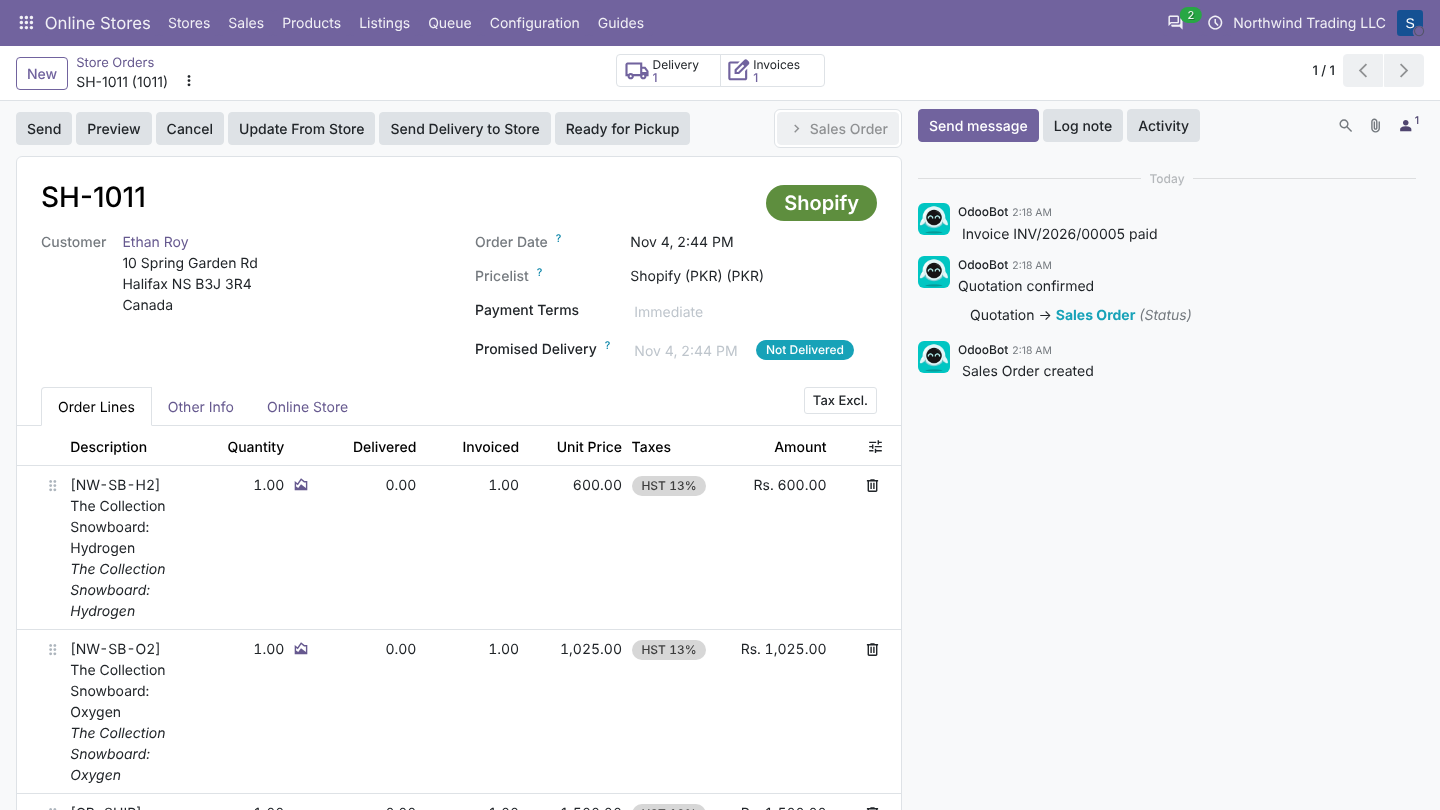
When a customer chooses local pickup, the order shows Store Pickup and a Ready for Pickup button (confirmed orders, Shopify stores only).
- Prepare the order in the warehouse.
- Click Ready for Pickup on the sales order.
- Odoo marks the items as prepared in Shopify. Shopify sends the customer its Ready for pickup message, with your pickup instructions.
- The button disappears. When the customer collects the order, validate the delivery in Odoo as usual: Odoo fulfills the order in Shopify.
The app needs the scopes write_merchant_managed_fulfillment_orders (already in the scope list).
Import by shipping status
| Field | Default | What it does |
|---|---|---|
| Import by Shipping Status | All orders | Only orders not shipped yet: new orders that Shopify already shows as fulfilled are left out, useful when another system ships some orders, or on the first import of a running store. Only shipped orders: the opposite. Applies to new orders only: orders already in Odoo keep updating whatever their status. |